
GAMINGSAYEM - Minecraft Skins & Skin History
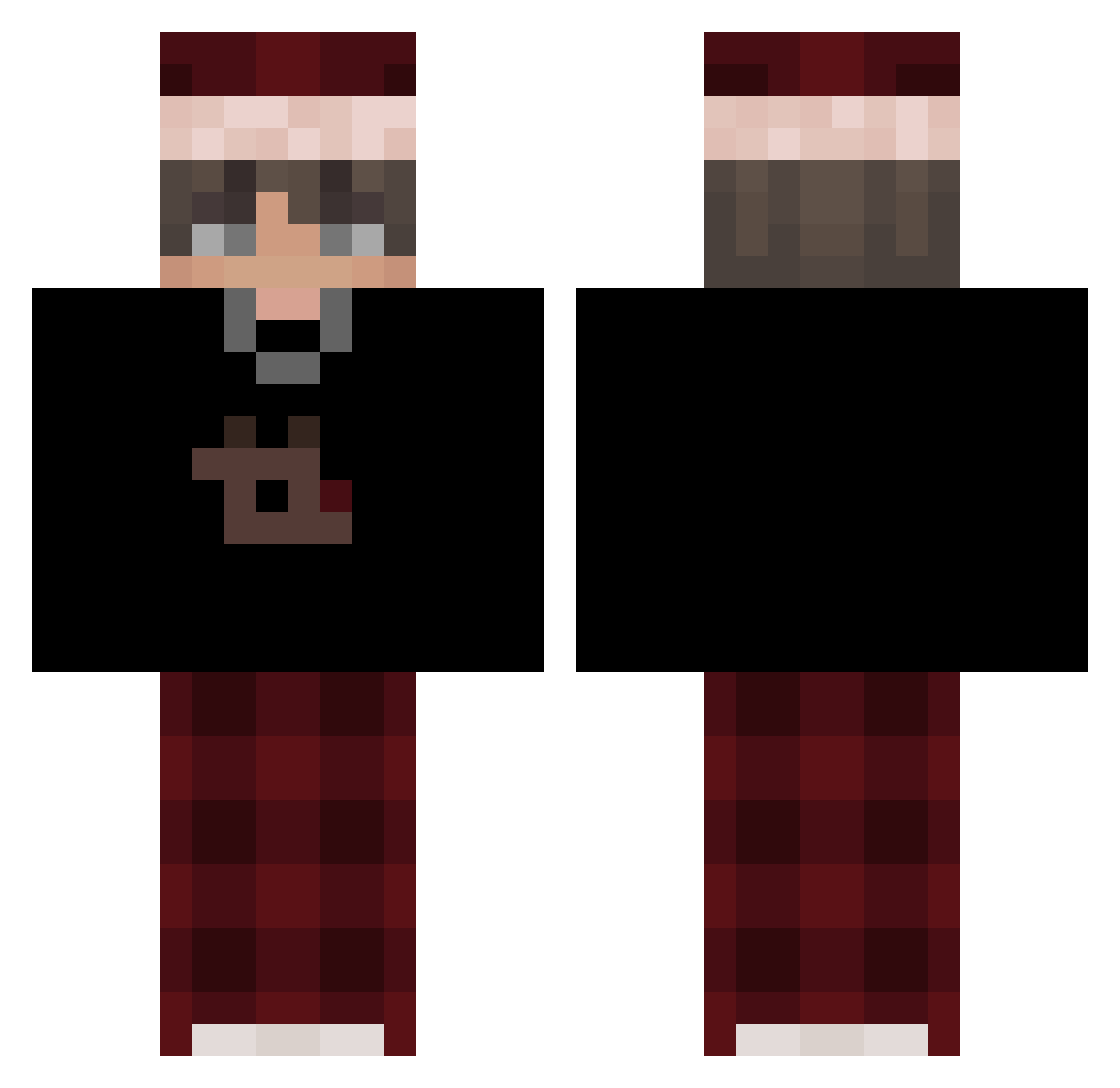
Current Minecraft skin of the player GAMINGSAYEM, loaded from the official Mojang API. Rotate the 3D model with your mouse or finger, then download the skin as a PNG file and use it in Minecraft: Bedrock Edition or Java Edition for free. When GAMINGSAYEM changes their skin, this page updates automatically and the old skin stays in the history below.
Other players with this skin (636)
GAMINGSAYEM was the 555th player we have seen with this skin, first spotted on 28.10.2026. The same skin was seen on these players. Open a nickname to see their current skin and skin history.
 hyzss Delusional_04 HANGOVER_0929 Kayymax Dec3ub richyracz yo_o4ng nuffled Blatuns Pookie_Phil MrsanavtheBEAST K3LllZ Muacx Timeless27721 Adderallll oskaryay1 mis1ekk_ Niklas6068 Cesbai Szymek21356 Kelto_ Aibatyr Diverse9971 TheUnall PP1322 Awyy sehoon1011 RealYoDrake Deantjuh mmmvvvv xiaobao0582 JxKotary Reedix81 BubbleSon Jceho Arsxbac GDDEN Loitsu77 Twastyy kubaqq_ XD1337 SShuta Stangs788 chucrutenopo CemDora PototoDesu wggrs hobbyhack Izmael19 demozkaHL SKIBIDIBOMBI kocmoc10 ArlosAnos genxelle 200Laaa BasharIsHere aidanhasautism derechtebrauni EzekHQ Santx_22_23
More Santa Hat Minecraft skins
How to install the GAMINGSAYEM skin
- Press the Download button above to save the skin as a PNG file.
- Minecraft: Bedrock Edition (PE): open the Dressing Room from the main menu (or tap your character → Edit Character), go to Classic Skins → Owned, press the + (new skin) button, choose the downloaded PNG and pick the Classic (Steve) model. Works on PC and mobile; consoles cannot import custom skins.
- Minecraft: Java Edition: open the Minecraft Launcher, go to the Skins tab, click New Skin, load the PNG, pick the Classic (Steve) model and press Save & Use. You can also upload it at minecraft.net → Profile → Change Skin.
The skin does not show up after import - what should I do?
Restart Minecraft and open the Dressing Room again - imported skins sometimes appear only after a restart. Also make sure you selected the imported skin and picked the Classic (Steve) model.
Which model should I choose, Classic or Slim?
This skin is designed for the Classic (Steve) model. If you pick the wrong model, the arms of the skin will look stretched or squeezed.
Is the skin of GAMINGSAYEM free to download?
Yes. Press Download, save the PNG file and use it in Minecraft: Bedrock Edition or Java Edition - no payment or registration needed. The skin also works on multiplayer servers and Realms.
More skins
Looking for more? Go back to all Minecraft skins and check the top skins of the week, month and all time, or find any player's skin by nickname.