
Fyzzts - Minecraft Skins & Skin History
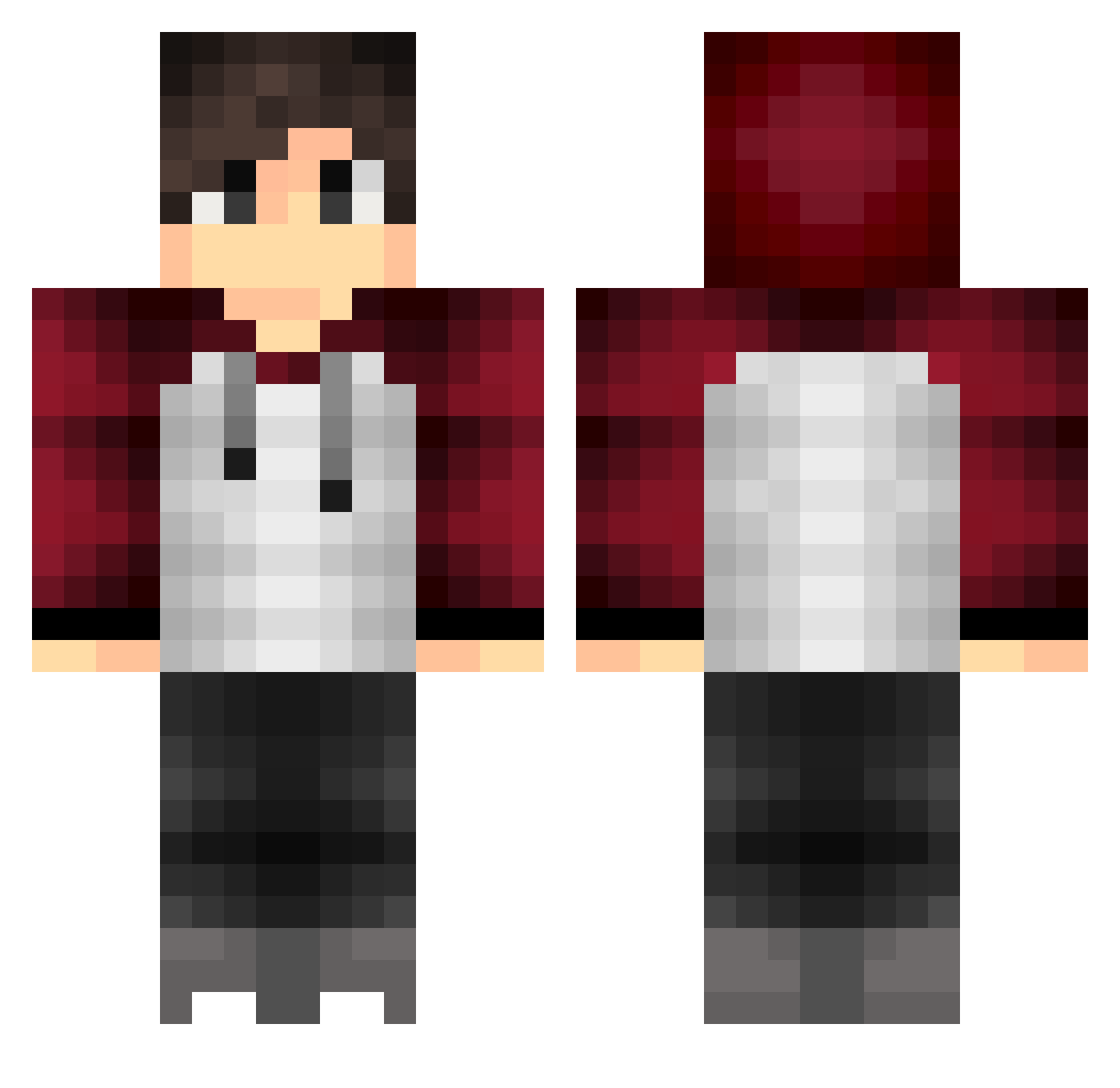
Current Minecraft skin of the player Fyzzts, loaded from the official Mojang API. Rotate the 3D model with your mouse or finger, then download the skin as a PNG file and use it in Minecraft: Bedrock Edition or Java Edition for free. When Fyzzts changes their skin, this page updates automatically and the old skin stays in the history below.
Other players with this skin (397)
Fyzzts was the 200th player we have seen with this skin, first spotted on 18.09.2026. The same skin was seen on these players. Open a nickname to see their current skin and skin history.
 odwel DrekiOrm toumikarimdz SlowDiveZ LuisMike1_YT Tudor900 Drope0020 TheBandit1777 TH3GH0STG4M3R Fordrig morphzilla negizx Leinad18 Wolf_crafter_ yuto51450 MrPedrooh_ Forcekolce ItzMathiew IIAsunaII Marhell199 Rotgervic37 apandrew29 Simchollo MrSidu Lightling0522 charaps LuizS1223 LexScript alkfer95 WeirdDonnyMan Brvnoks SwagFx TataPapa Lanuryer Jota_Inc eisei0326 DeamonSpade ItzzzSteF MKerem Kitaiiiiii Dannyk90 Jkb7798 xScarface_ Sli_Fli32 Treickel_ leschnix Creenoy Maze00 SteveVS SRjuanchi RTGWreckerYT KJ161 Punk122 naokay Kibbeok jun12170503 overhill19 NusBelf Malaix21 AnthoSTN
How to install the Fyzzts skin
- Press the Download button above to save the skin as a PNG file.
- Minecraft: Bedrock Edition (PE): open the Dressing Room from the main menu (or tap your character → Edit Character), go to Classic Skins → Owned, press the + (new skin) button, choose the downloaded PNG and pick the Classic (Steve) model. Works on PC and mobile; consoles cannot import custom skins.
- Minecraft: Java Edition: open the Minecraft Launcher, go to the Skins tab, click New Skin, load the PNG, pick the Classic (Steve) model and press Save & Use. You can also upload it at minecraft.net → Profile → Change Skin.
The skin does not show up after import - what should I do?
Restart Minecraft and open the Dressing Room again - imported skins sometimes appear only after a restart. Also make sure you selected the imported skin and picked the Classic (Steve) model.
Which model should I choose, Classic or Slim?
This skin is designed for the Classic (Steve) model. If you pick the wrong model, the arms of the skin will look stretched or squeezed.
Is the skin of Fyzzts free to download?
Yes. Press Download, save the PNG file and use it in Minecraft: Bedrock Edition or Java Edition - no payment or registration needed. The skin also works on multiplayer servers and Realms.
More skins
Looking for more? Go back to all Minecraft skins and check the top skins of the week, month and all time, or find any player's skin by nickname.