
Fuuyu - Minecraft Skins & Skin History
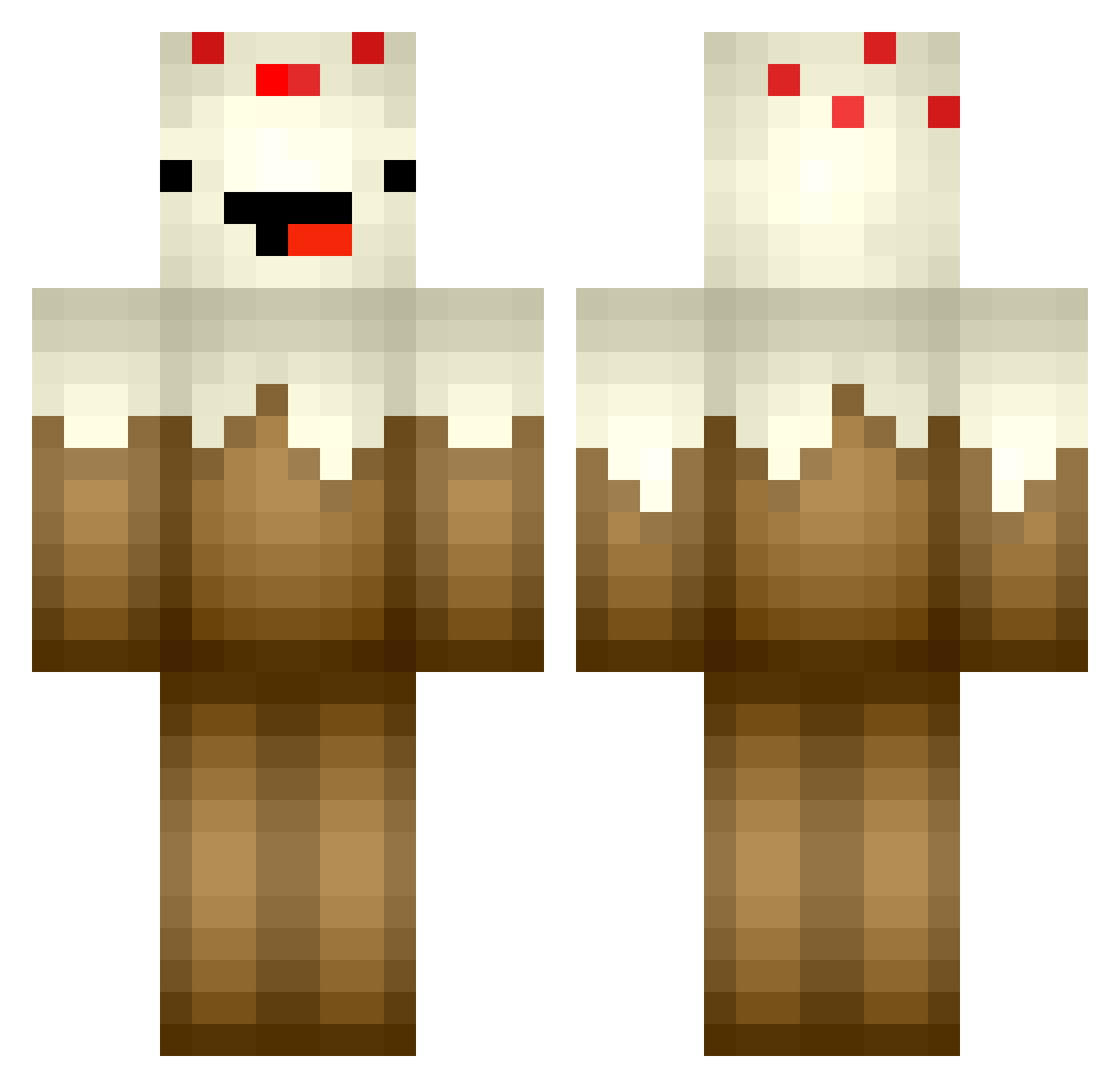
Current Minecraft skin of the player Fuuyu, loaded from the official Mojang API. Rotate the 3D model with your mouse or finger, then download the skin as a PNG file and use it in Minecraft: Bedrock Edition or Java Edition for free. When Fuuyu changes their skin, this page updates automatically and the old skin stays in the history below.
Other players with this skin (362)
Fuuyu was the 26th player we have seen with this skin, first spotted on 30.07.2026. The same skin was seen on these players. Open a nickname to see their current skin and skin history.
 Spare_mE MasterOcean smeds151 12olli12 minecraftbro05 DarkGuide Jumbofish619 Hangill Balcony mineskull6913 SHDragron yummychocolate12 rosi3y PhazeGod Keplin76 KilaVortex Gael_B TheCheat I3EASTLYx march_am CakeBossk Cow_Cake WayTooMuchTNT NoShotBukko Lindseh_ Bugle912 BEYAIN DinoCrafter77 IsaacNGriffin zachary_2000 clash507 stormtheslayer LordAwesome79 ras8472 Moist_Orifice Super_Currystick PankoDX Hazi1234 644083 IHateGravel32123 Monkeysyd willsgemmel NursingHome connercrafter125 xXCaptCheesyXx AnyAce20 NaughtyVaughn mogy88 nagawickasailors unryeo coleycole15 Slik_nick06 kranckl208 ANobleCabbage Kittywish Bobita26 propeller1 SmoothPancake Madpotatoem angel10140
More Cake Minecraft skins
How to install the Fuuyu skin
- Press the Download button above to save the skin as a PNG file.
- Minecraft: Bedrock Edition (PE): open the Dressing Room from the main menu (or tap your character → Edit Character), go to Classic Skins → Owned, press the + (new skin) button, choose the downloaded PNG and pick the Classic (Steve) model. Works on PC and mobile; consoles cannot import custom skins.
- Minecraft: Java Edition: open the Minecraft Launcher, go to the Skins tab, click New Skin, load the PNG, pick the Classic (Steve) model and press Save & Use. You can also upload it at minecraft.net → Profile → Change Skin.
The skin does not show up after import - what should I do?
Restart Minecraft and open the Dressing Room again - imported skins sometimes appear only after a restart. Also make sure you selected the imported skin and picked the Classic (Steve) model.
Which model should I choose, Classic or Slim?
This skin is designed for the Classic (Steve) model. If you pick the wrong model, the arms of the skin will look stretched or squeezed.
Is the skin of Fuuyu free to download?
Yes. Press Download, save the PNG file and use it in Minecraft: Bedrock Edition or Java Edition - no payment or registration needed. The skin also works on multiplayer servers and Realms.
More skins
Looking for more? Go back to all Minecraft skins and check the top skins of the week, month and all time, or find any player's skin by nickname.