
Furby123 - Minecraft Skins & Skin History
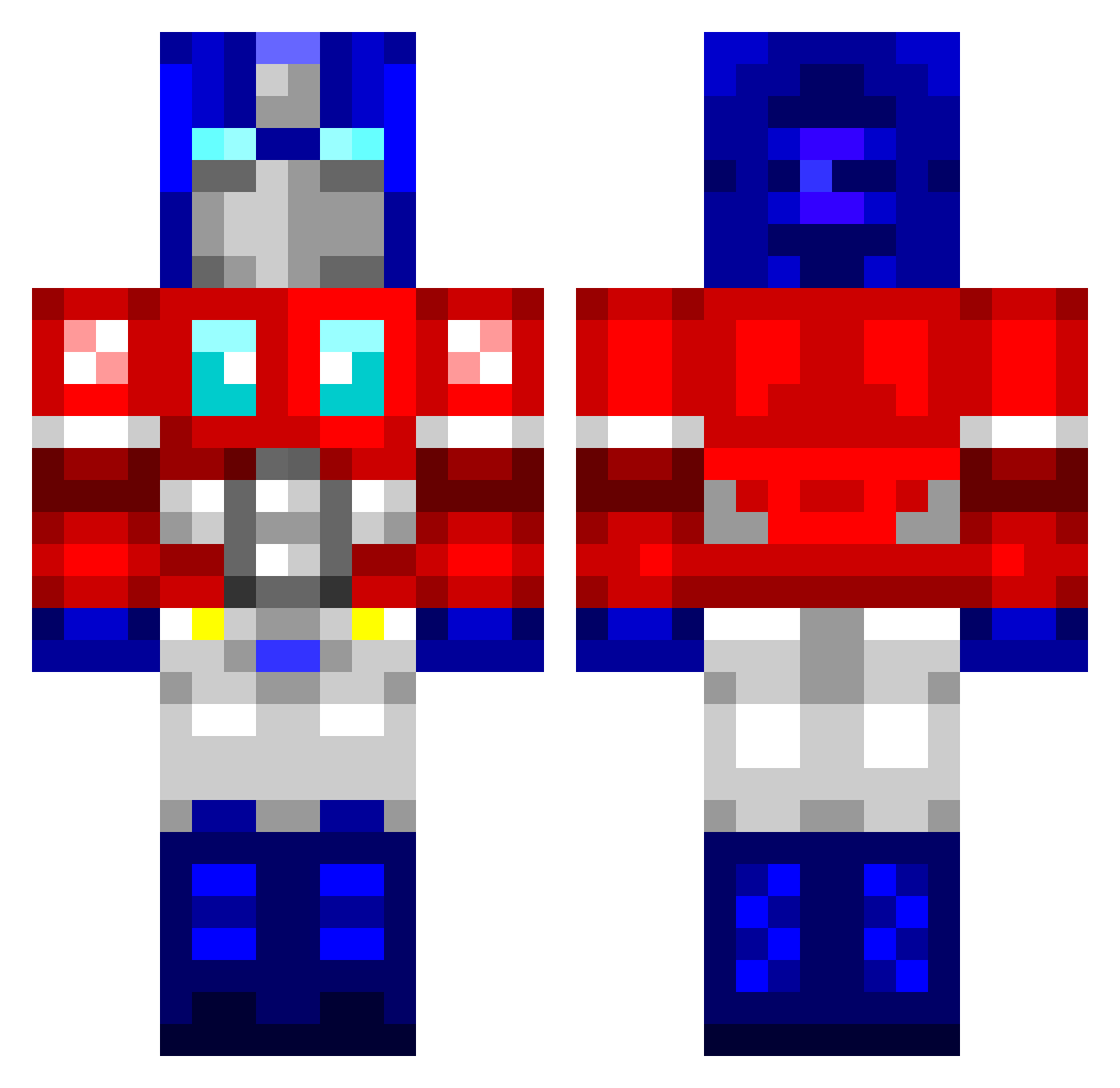
Current Minecraft skin of the player Furby123, loaded from the official Mojang API. Rotate the 3D model with your mouse or finger, then download the skin as a PNG file and use it in Minecraft: Bedrock Edition or Java Edition for free. When Furby123 changes their skin, this page updates automatically and the old skin stays in the history below.
Other players with this skin (762)
Furby123 was the 293rd player we have seen with this skin, first spotted on 02.09.2026. The same skin was seen on these players. Open a nickname to see their current skin and skin history.
 swiper789 retardcaveman megatron300 0ggdogg Louislee8 ImDastardlyDave HelloIAmMichael Cheezypoof supersav11 KenM18 ChenyuTony Jetstream199 WeldonM oprp ajax1o1 Ilikefruitpunch TheTwist3r Duckbert DiverDan844 Captinhawkeye jordansmith456 lykra iOSMac mrmc125 Rayleonard UkraineTrain59 dovahkinn_27 Thatguydough 123walter1234 SargePB tyetree DaveG0d TheLegendofLOL NeilK96 jonnywilliam Rainstar1 MAGSnificent aboldbeginning AnthonyManthony applerocks155 Transformers2609 Dillas TopPrestige APerson01 Shaners3 m0nk3e3 sol2504 black2sr Smell7 Kalajnikov MRshinypantz ICEPRIME3105 Mr_ChoMien IMustBeDreamin Akusuru1234 Fury666 ekol95 teopeht Vunderkind KomyTV
More Optimus Prime Minecraft skins
See all 87 Optimus Prime skins
How to install the Furby123 skin
- Press the Download button above to save the skin as a PNG file.
- Minecraft: Bedrock Edition (PE): open the Dressing Room from the main menu (or tap your character → Edit Character), go to Classic Skins → Owned, press the + (new skin) button, choose the downloaded PNG and pick the Classic (Steve) model. Works on PC and mobile; consoles cannot import custom skins.
- Minecraft: Java Edition: open the Minecraft Launcher, go to the Skins tab, click New Skin, load the PNG, pick the Classic (Steve) model and press Save & Use. You can also upload it at minecraft.net → Profile → Change Skin.
The skin does not show up after import - what should I do?
Restart Minecraft and open the Dressing Room again - imported skins sometimes appear only after a restart. Also make sure you selected the imported skin and picked the Classic (Steve) model.
Which model should I choose, Classic or Slim?
This skin is designed for the Classic (Steve) model. If you pick the wrong model, the arms of the skin will look stretched or squeezed.
Is the skin of Furby123 free to download?
Yes. Press Download, save the PNG file and use it in Minecraft: Bedrock Edition or Java Edition - no payment or registration needed. The skin also works on multiplayer servers and Realms.
More skins
Looking for more? Go back to all Minecraft skins and check the top skins of the week, month and all time, or find any player's skin by nickname.