
Funkadelachronic - Minecraft Skins & Skin History
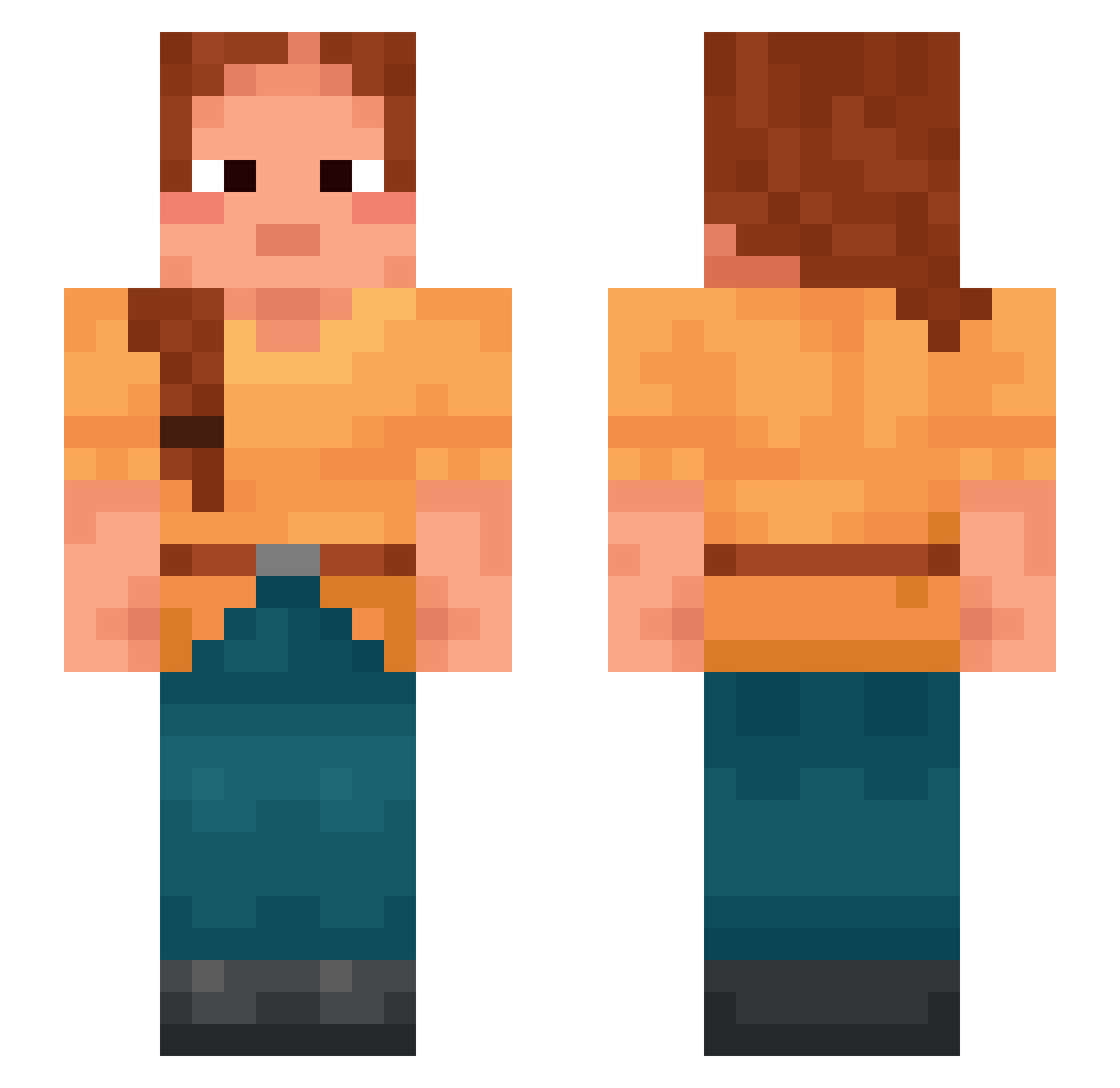
Current Minecraft skin of the player Funkadelachronic, loaded from the official Mojang API. Rotate the 3D model with your mouse or finger, then download the skin as a PNG file and use it in Minecraft: Bedrock Edition or Java Edition for free. When Funkadelachronic changes their skin, this page updates automatically and the old skin stays in the history below.
Other players with this skin (1186)
Funkadelachronic was the 1056th player we have seen with this skin, first spotted on 09.11.2026. The same skin was seen on these players. Open a nickname to see their current skin and skin history.
 Kozodye Psithyrus leef rocks902 Chico_Moedas Latush JoETx_ telegnostic baselevel Bachichi carinthian SlimSamSC AndreyDurak Libertinism tiagq69 Dates notwithstanding unruliest Tigly Droy80 H0MEC0MING Wankle homicide_ Grugpilled Y3sh luka36 foden01 1stDeadMurder Reschedules Spirea Der1kk DementPvP PigFace FlambeS Prattles Ultrafilter shrrk000 LilO8522 JackpotLeSang phanos Basar20 pizzicato Eurypterid pat150447 Outers phalanxes Bruyere kabuli sadalmelik pinki4life ItsAxoha Cabeloo Pontifice Crawfished MarkiNzera Modo_1 Monotreme SCUTTER giovanepvp seedmen
More Braid Minecraft skins
How to install the Funkadelachronic skin
- Press the Download button above to save the skin as a PNG file.
- Minecraft: Bedrock Edition (PE): open the Dressing Room from the main menu (or tap your character → Edit Character), go to Classic Skins → Owned, press the + (new skin) button, choose the downloaded PNG and pick the Slim (Alex) model. Works on PC and mobile; consoles cannot import custom skins.
- Minecraft: Java Edition: open the Minecraft Launcher, go to the Skins tab, click New Skin, load the PNG, pick the Slim (Alex) model and press Save & Use. You can also upload it at minecraft.net → Profile → Change Skin.
The skin does not show up after import - what should I do?
Restart Minecraft and open the Dressing Room again - imported skins sometimes appear only after a restart. Also make sure you selected the imported skin and picked the Slim (Alex) model.
Which model should I choose, Classic or Slim?
This skin is designed for the Slim (Alex) model. If you pick the wrong model, the arms of the skin will look stretched or squeezed.
Is the skin of Funkadelachronic free to download?
Yes. Press Download, save the PNG file and use it in Minecraft: Bedrock Edition or Java Edition - no payment or registration needed. The skin also works on multiplayer servers and Realms.
More skins
Looking for more? Go back to all Minecraft skins and check the top skins of the week, month and all time, or find any player's skin by nickname.