
Fuffy - Minecraft Skins & Skin History
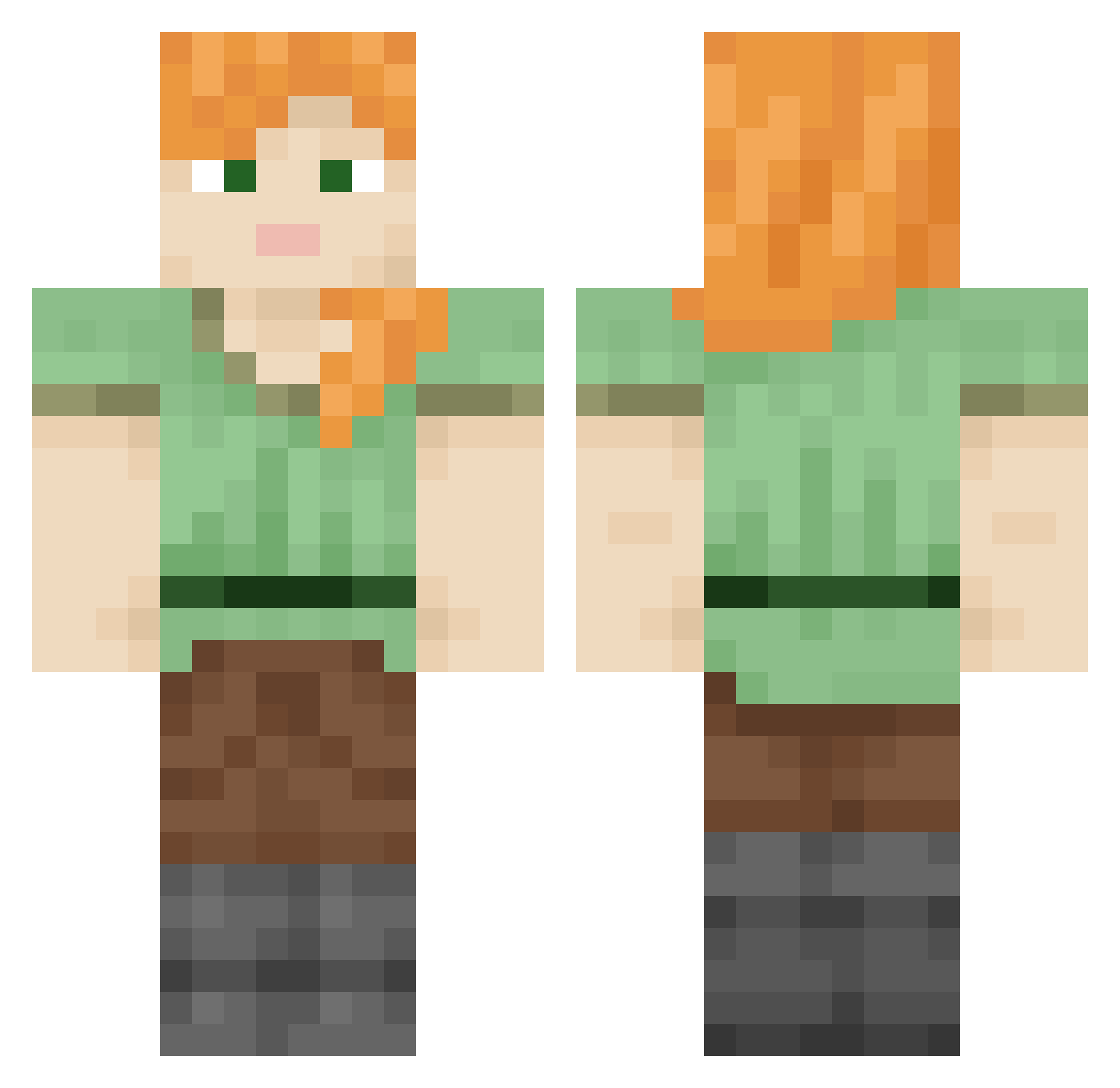
Current Minecraft skin of the player Fuffy, loaded from the official Mojang API. Rotate the 3D model with your mouse or finger, then download the skin as a PNG file and use it in Minecraft: Bedrock Edition or Java Edition for free. When Fuffy changes their skin, this page updates automatically and the old skin stays in the history below.
Other players with this skin (1010)
Fuffy was the 951st player we have seen with this skin, first spotted on 15.11.2026. The same skin was seen on these players. Open a nickname to see their current skin and skin history.
 egressive mr_B0MBastic IanIanGaming Excused rambunctiously Unreleasing EpsteinJwKillr67 craftman29 vysr ManyDixonCider Optative Reversionario Hermeneutics Gasses Fuddruckers abdulazizok editorializing Abbyprettycool megannnn_ SokaM_2 Cetraria conkerz03 _tjdnjswns Groparu25 Verisimilitude Gladden katrachos antiheroism RealZori renip_ oystew DCrown01 Engelmann S_ve_j KingMaking Spolia Niton Rat_King_645 Rosabelle safelypanda stoplogginon 7Asser_0862 closter tetrapterous colonelcy OfOolacile lasselingon siav Psychrophile PhantomRy Transgressed CapoCantina99 drawbridges Carrageenan Gantan1 Thermogenesis FrikadelleFroddo jo0nii monads DoontAutoClicker
How to install the Fuffy skin
- Press the Download button above to save the skin as a PNG file.
- Minecraft: Bedrock Edition (PE): open the Dressing Room from the main menu (or tap your character → Edit Character), go to Classic Skins → Owned, press the + (new skin) button, choose the downloaded PNG and pick the Classic (Steve) model. Works on PC and mobile; consoles cannot import custom skins.
- Minecraft: Java Edition: open the Minecraft Launcher, go to the Skins tab, click New Skin, load the PNG, pick the Classic (Steve) model and press Save & Use. You can also upload it at minecraft.net → Profile → Change Skin.
The skin does not show up after import - what should I do?
Restart Minecraft and open the Dressing Room again - imported skins sometimes appear only after a restart. Also make sure you selected the imported skin and picked the Classic (Steve) model.
Which model should I choose, Classic or Slim?
This skin is designed for the Classic (Steve) model. If you pick the wrong model, the arms of the skin will look stretched or squeezed.
Is the skin of Fuffy free to download?
Yes. Press Download, save the PNG file and use it in Minecraft: Bedrock Edition or Java Edition - no payment or registration needed. The skin also works on multiplayer servers and Realms.
More skins
Looking for more? Go back to all Minecraft skins and check the top skins of the week, month and all time, or find any player's skin by nickname.