
FudgeBiscot - Minecraft Skins & Skin History
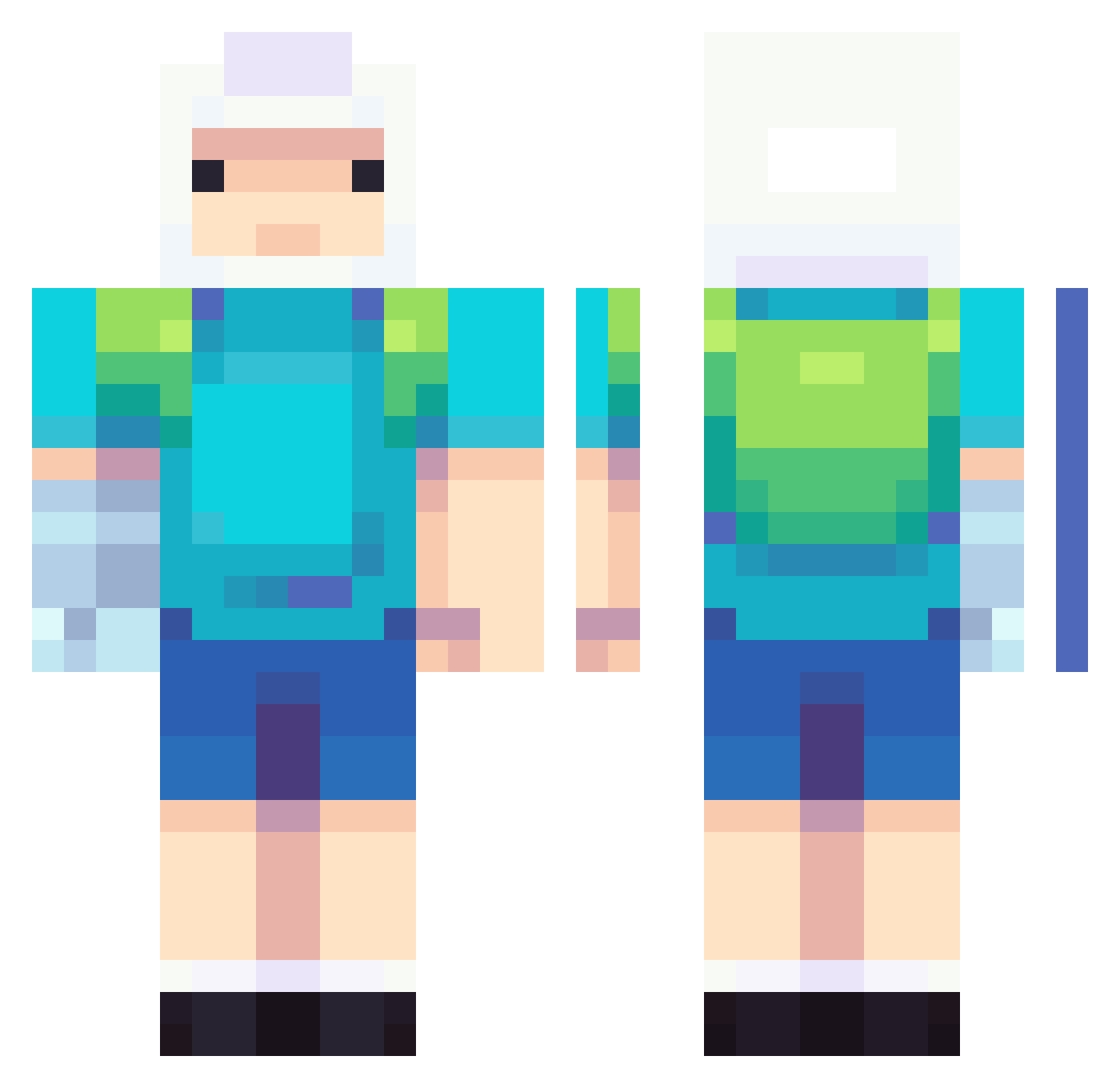
Current Minecraft skin of the player FudgeBiscot, loaded from the official Mojang API. Rotate the 3D model with your mouse or finger, then download the skin as a PNG file and use it in Minecraft: Bedrock Edition or Java Edition for free. When FudgeBiscot changes their skin, this page updates automatically and the old skin stays in the history below.
Other players with this skin (887)
FudgeBiscot was the 824th player we have seen with this skin, first spotted on 12.11.2026. The same skin was seen on these players. Open a nickname to see their current skin and skin history.
 Nolsen_ Samuelmine12346 aynjoll 0min_04 J0NCA Frankienstein909 ksahmet SHIchen06 fuuuji_ iangelote spamxd32 Deepfish666 zDramosXD InLiebeFinn Darkxlvl lacroixapologist Noz5115 Kenos_9 cowleee cChivo Rockrhy IncognitoTG_ Lauchi69 qqre zv7k Kusellur immakissyou iller15 bayhanco mini0402 Tokean MerTTRK Medjay1104 wattlezz96 ddormeng LilBrickyJones wweeesadf Wizzlo noon112 erderdu123 xdpepe123 1beeweed BigBoi_Mathis postie101 Iwanttotouchu6 AgusGiles hector_2134 Boriberto FRANSJAN12 Larrybear BlueChuky JCMTheGamer BEEFYN00DLES Gsnkryu milli4ni tokoda997 Yagoo28 xXYermanFlowiiXx MajiHarr BakedRogue
More Finn The Human Minecraft skins
See all 504 Finn The Human skins
How to install the FudgeBiscot skin
- Press the Download button above to save the skin as a PNG file.
- Minecraft: Bedrock Edition (PE): open the Dressing Room from the main menu (or tap your character → Edit Character), go to Classic Skins → Owned, press the + (new skin) button, choose the downloaded PNG and pick the Classic (Steve) model. Works on PC and mobile; consoles cannot import custom skins.
- Minecraft: Java Edition: open the Minecraft Launcher, go to the Skins tab, click New Skin, load the PNG, pick the Classic (Steve) model and press Save & Use. You can also upload it at minecraft.net → Profile → Change Skin.
The skin does not show up after import - what should I do?
Restart Minecraft and open the Dressing Room again - imported skins sometimes appear only after a restart. Also make sure you selected the imported skin and picked the Classic (Steve) model.
Which model should I choose, Classic or Slim?
This skin is designed for the Classic (Steve) model. If you pick the wrong model, the arms of the skin will look stretched or squeezed.
Is the skin of FudgeBiscot free to download?
Yes. Press Download, save the PNG file and use it in Minecraft: Bedrock Edition or Java Edition - no payment or registration needed. The skin also works on multiplayer servers and Realms.
More skins
Looking for more? Go back to all Minecraft skins and check the top skins of the week, month and all time, or find any player's skin by nickname.