
FruitCake0276 - Minecraft Skins & Skin History
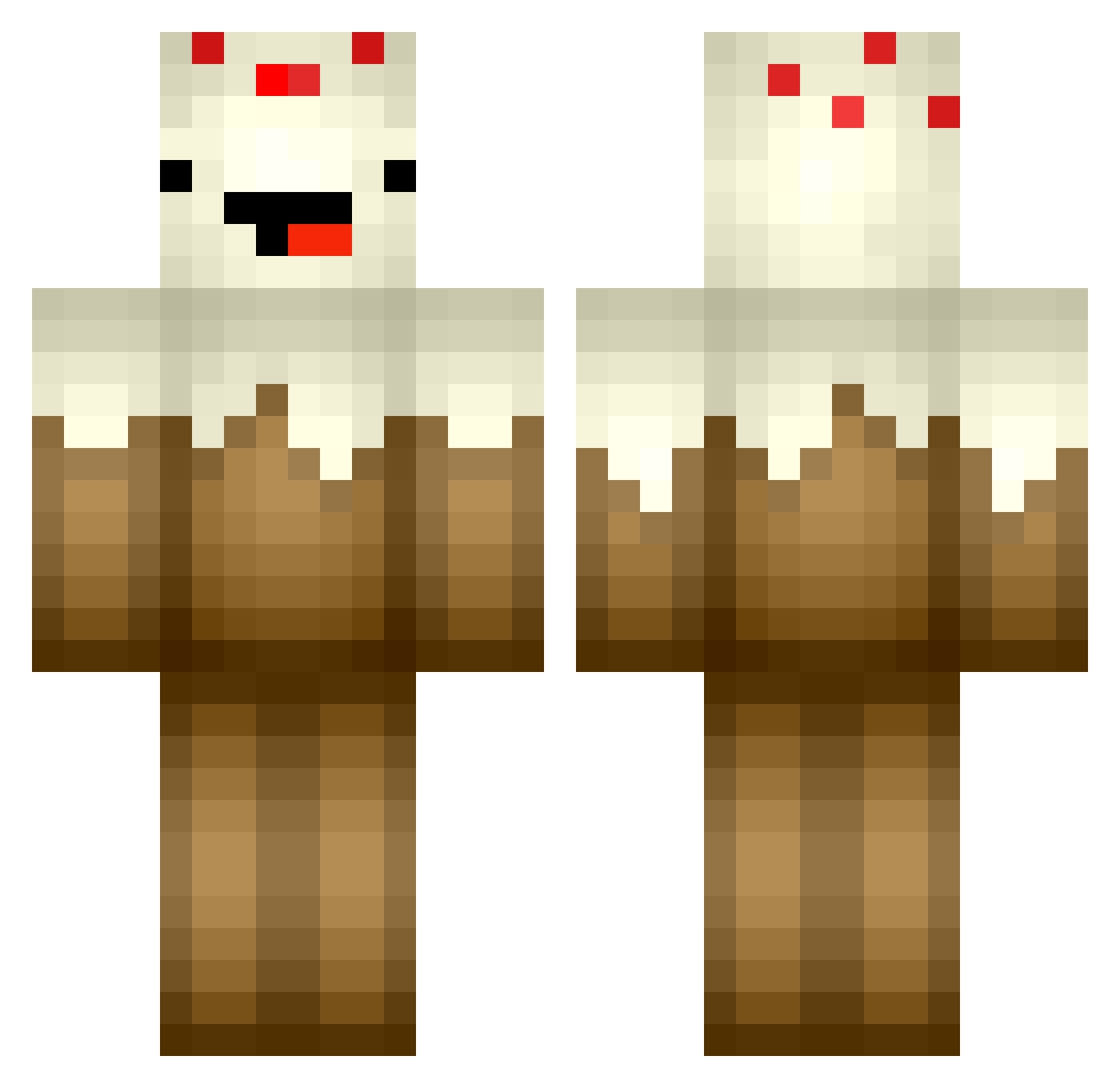
Current Minecraft skin of the player FruitCake0276, loaded from the official Mojang API. Rotate the 3D model with your mouse or finger, then download the skin as a PNG file and use it in Minecraft: Bedrock Edition or Java Edition for free. When FruitCake0276 changes their skin, this page updates automatically and the old skin stays in the history below.
Other players with this skin (104)
FruitCake0276 was the 78th player we have seen with this skin, first spotted on 15.10.2026. The same skin was seen on these players. Open a nickname to see their current skin and skin history.
 Chinchungus Logan_Stella xNaschii AppleCaked 7_dk Noregrets122 LIZIMAOMAO IttyBitty444 RedukCZ SquidneySquid12 xLordBrowny Lottekuchen thecakedude AJFrrr Kix0 GavinRussell Sakado_HR Tauvor Sedful Jonomuffin EzelB28 SpacePowder TavukluPasta keon_301 MparmpaBen AtCCCP roketpants2 astrocesped Beby22 ledejie IAmTheCookie YoungCazBrahEets SpacePimp csaeei mikuqwq39 Kingslayer108 Hofmad07 cole418 a_thom InHumanHotShot cakesongs139 Elias_Cake wtyt0 isabelleskys ajfrrrr Shrampies 1cake hollysimon DuuuAlex MAOmmao_O THEDOOF599 Mojisile _pargo_ Tempest121566 GFLTR Oliver_YC fansi_1 LizCakes YangGwang7 Lrxx_Cake
More Chocolate Cake Minecraft skins
See all 17 Chocolate Cake skins
How to install the FruitCake0276 skin
- Press the Download button above to save the skin as a PNG file.
- Minecraft: Bedrock Edition (PE): open the Dressing Room from the main menu (or tap your character → Edit Character), go to Classic Skins → Owned, press the + (new skin) button, choose the downloaded PNG and pick the Classic (Steve) model. Works on PC and mobile; consoles cannot import custom skins.
- Minecraft: Java Edition: open the Minecraft Launcher, go to the Skins tab, click New Skin, load the PNG, pick the Classic (Steve) model and press Save & Use. You can also upload it at minecraft.net → Profile → Change Skin.
The skin does not show up after import - what should I do?
Restart Minecraft and open the Dressing Room again - imported skins sometimes appear only after a restart. Also make sure you selected the imported skin and picked the Classic (Steve) model.
Which model should I choose, Classic or Slim?
This skin is designed for the Classic (Steve) model. If you pick the wrong model, the arms of the skin will look stretched or squeezed.
Is the skin of FruitCake0276 free to download?
Yes. Press Download, save the PNG file and use it in Minecraft: Bedrock Edition or Java Edition - no payment or registration needed. The skin also works on multiplayer servers and Realms.
More skins
Looking for more? Go back to all Minecraft skins and check the top skins of the week, month and all time, or find any player's skin by nickname.