
Frosty1131 - Minecraft Skins & Skin History
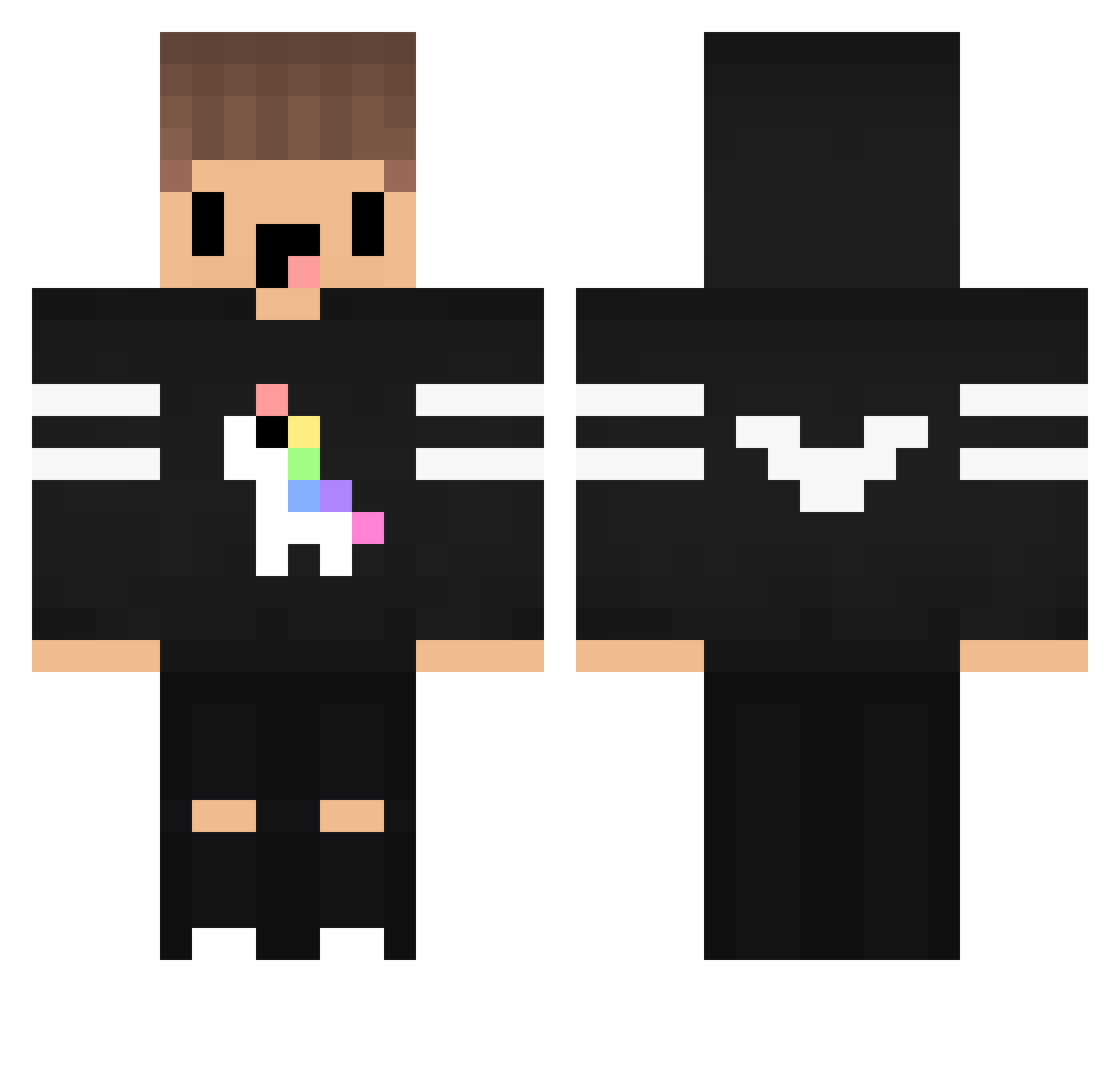
Current Minecraft skin of the player Frosty1131, loaded from the official Mojang API. Rotate the 3D model with your mouse or finger, then download the skin as a PNG file and use it in Minecraft: Bedrock Edition or Java Edition for free. When Frosty1131 changes their skin, this page updates automatically and the old skin stays in the history below.
Other players with this skin (116)
Frosty1131 was the 31st player we have seen with this skin, first spotted on 24.08.2026. The same skin was seen on these players. Open a nickname to see their current skin and skin history.
 Majstrusiekkk toocracked AlesKri123 el_R2 Delta_Hannes TotorLaChenille Pake_ MODIXSANSLAFIBRE VenToxYT05 StarBoyDuJob Xie1204 Felipepsalvi Xz_Elm LiYi13 canecraft BurakLeo KIMGH ryou0703 KatuTv Le_yoshi01 yapamapa mineblockperson Marusca_ Peallius Shetbucket Exlena Byell_GamerBr20 BlackPig__50 SADINPRADA x_Nero_ Ray1026 lokilol27 ShadowGamerLP SoMuchRuben roztomileyyy_ BingXhz kedland665 GatoMojao Niklas145HD_RMN AlexKiller_0984 rugscy Bill04 MROX_ Hedro__ narusian Minemax963 adidasyoung1 MrMattyy DecayNOOB KINGKOBRUH82760 BxnToll I_am_Legend_1 KaanAslanTR Carrot_Stealer Eliaswanni XDJulle aln100 Mcsify Klooceek ApitzQ
More Unicorn Minecraft skins
How to install the Frosty1131 skin
- Press the Download button above to save the skin as a PNG file.
- Minecraft: Bedrock Edition (PE): open the Dressing Room from the main menu (or tap your character → Edit Character), go to Classic Skins → Owned, press the + (new skin) button, choose the downloaded PNG and pick the Classic (Steve) model. Works on PC and mobile; consoles cannot import custom skins.
- Minecraft: Java Edition: open the Minecraft Launcher, go to the Skins tab, click New Skin, load the PNG, pick the Classic (Steve) model and press Save & Use. You can also upload it at minecraft.net → Profile → Change Skin.
The skin does not show up after import - what should I do?
Restart Minecraft and open the Dressing Room again - imported skins sometimes appear only after a restart. Also make sure you selected the imported skin and picked the Classic (Steve) model.
Which model should I choose, Classic or Slim?
This skin is designed for the Classic (Steve) model. If you pick the wrong model, the arms of the skin will look stretched or squeezed.
Is the skin of Frosty1131 free to download?
Yes. Press Download, save the PNG file and use it in Minecraft: Bedrock Edition or Java Edition - no payment or registration needed. The skin also works on multiplayer servers and Realms.
More skins
Looking for more? Go back to all Minecraft skins and check the top skins of the week, month and all time, or find any player's skin by nickname.