
FrostByteOHYEAH - Minecraft Skins & Skin History
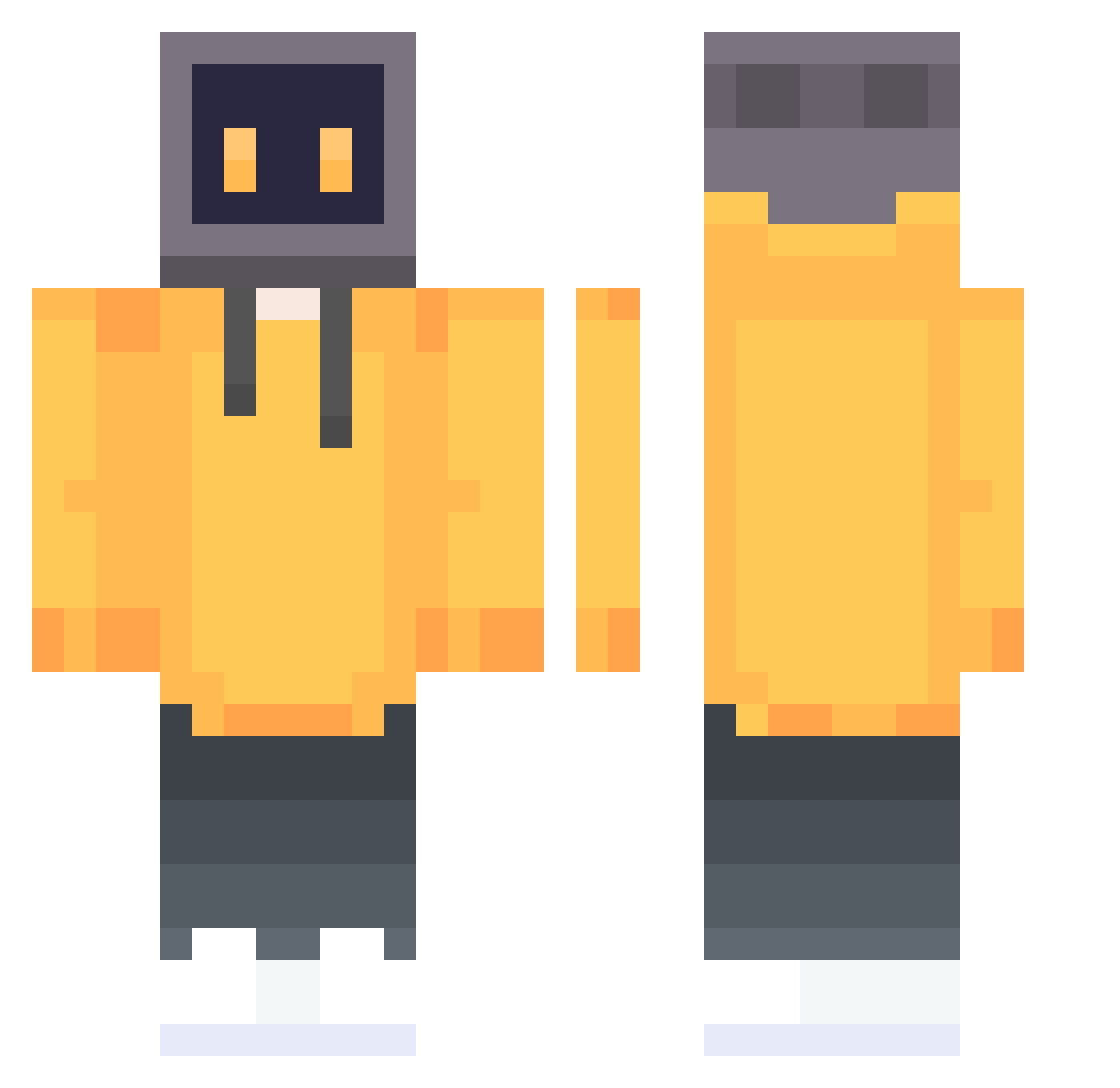
Current Minecraft skin of the player FrostByteOHYEAH, loaded from the official Mojang API. Rotate the 3D model with your mouse or finger, then download the skin as a PNG file and use it in Minecraft: Bedrock Edition or Java Edition for free. When FrostByteOHYEAH changes their skin, this page updates automatically and the old skin stays in the history below.
Other players with this skin (647)
FrostByteOHYEAH was the 37th player we have seen with this skin, first spotted on 29.07.2026. The same skin was seen on these players. Open a nickname to see their current skin and skin history.
 P_Scorpio itsTr1co Qenth ShuZhiHao
 Review0919 dragon_ascent xthefallen0nex GBCTSC MrWonderfuOne A_DW_MC_QWQ L_G_G8228 xantaer HapTuyC Phey7 Crab326 GENERIXT tangming77 DarkShadowFlame GuJiaMing xHackMe_ _amistoso urato Ding_Shou_Zheng XXHH0521 Finifuge OrangeNote technoguy505 qianyu6688 HeMa_hma DYINGK WhitePaper7 QRY1602 Doinc7 wsyyh Zell zhangchenHD bozibozi_ Jennyturtles xiaojiangshi666 NicolaReedz JinitaimeiGeGe6 Xenharu Tomoa0713 wangle11 qvz122 DiegoRa00 htz996 Kstchero KnmByd I7zWillie BIGhao luren_kng sanqiannian Ak1cW jameszheng Rikket28 XKai001 wende070206 Hitomi_iii dove520
More TV Head Minecraft skins
How to install the FrostByteOHYEAH skin
- Press the Download button above to save the skin as a PNG file.
- Minecraft: Bedrock Edition (PE): open the Dressing Room from the main menu (or tap your character → Edit Character), go to Classic Skins → Owned, press the + (new skin) button, choose the downloaded PNG and pick the Classic (Steve) model. Works on PC and mobile; consoles cannot import custom skins.
- Minecraft: Java Edition: open the Minecraft Launcher, go to the Skins tab, click New Skin, load the PNG, pick the Classic (Steve) model and press Save & Use. You can also upload it at minecraft.net → Profile → Change Skin.
The skin does not show up after import - what should I do?
Restart Minecraft and open the Dressing Room again - imported skins sometimes appear only after a restart. Also make sure you selected the imported skin and picked the Classic (Steve) model.
Which model should I choose, Classic or Slim?
This skin is designed for the Classic (Steve) model. If you pick the wrong model, the arms of the skin will look stretched or squeezed.
Is the skin of FrostByteOHYEAH free to download?
Yes. Press Download, save the PNG file and use it in Minecraft: Bedrock Edition or Java Edition - no payment or registration needed. The skin also works on multiplayer servers and Realms.
More skins
Looking for more? Go back to all Minecraft skins and check the top skins of the week, month and all time, or find any player's skin by nickname.