
Frizzoh - Minecraft Skins & Skin History
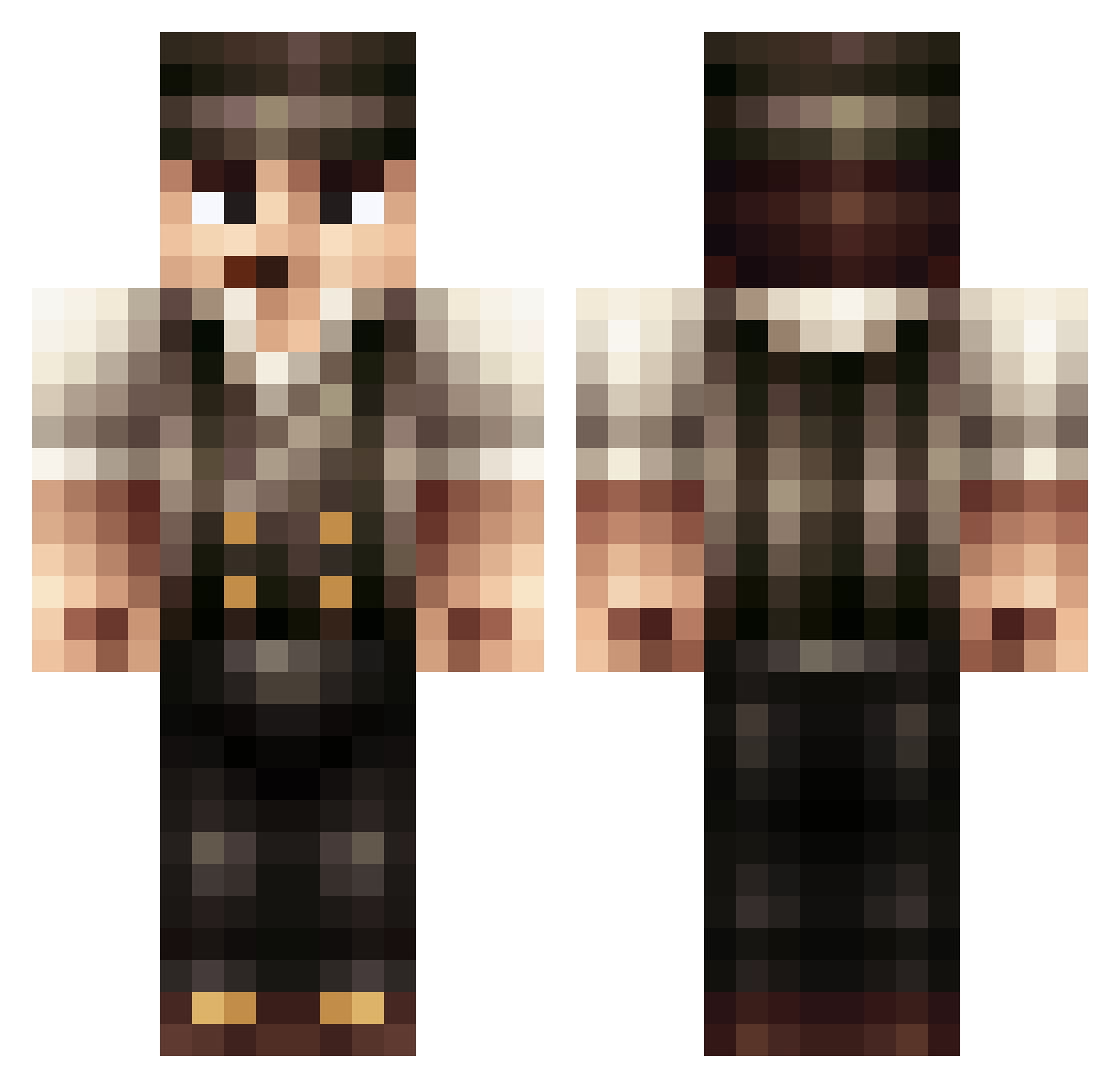
Current Minecraft skin of the player Frizzoh, loaded from the official Mojang API. Rotate the 3D model with your mouse or finger, then download the skin as a PNG file and use it in Minecraft: Bedrock Edition or Java Edition for free. When Frizzoh changes their skin, this page updates automatically and the old skin stays in the history below.
Other players with this skin (397)
Frizzoh was the 160th player we have seen with this skin, first spotted on 31.08.2026. The same skin was seen on these players. Open a nickname to see their current skin and skin history.
 _TheRealOG_ tristus974 Stefan_1911 saltyerik TheBlack_RedHood flyingredhotdog AntoinePom Flayvored jaxmac3 ellieMo3 jtoti11 beaverd2 rs200200 tyler711 DBZshadow13 BMarsh99 VroumVroum Eacamera11 muldyret dakrush13 Skywalker1971 osaile LouSpowels SergeantSpicy Goltin Financreg Mox77 Teoooh McHitler legionario98 gonox zixxel Dorumcraft SkullKeeper_99 BakedBeanBoy BEASTS2012 treinkaper adsjklol BryxHD Caviar_Gold CrazyLary10 DireMonster CarotteBleue InsertName Davidje_ noodlesjr MREP1C3000 is305 DasBrownie afawow Im_Psych SenorBushyBuns NoodNug invader68 Beardo321 Redriderjdtm RhythmRider00 CloClo_1888 Trickery02 ScalettaLV
More Peaky Blinders Minecraft skins
See all 107 Peaky Blinders skins
How to install the Frizzoh skin
- Press the Download button above to save the skin as a PNG file.
- Minecraft: Bedrock Edition (PE): open the Dressing Room from the main menu (or tap your character → Edit Character), go to Classic Skins → Owned, press the + (new skin) button, choose the downloaded PNG and pick the Classic (Steve) model. Works on PC and mobile; consoles cannot import custom skins.
- Minecraft: Java Edition: open the Minecraft Launcher, go to the Skins tab, click New Skin, load the PNG, pick the Classic (Steve) model and press Save & Use. You can also upload it at minecraft.net → Profile → Change Skin.
The skin does not show up after import - what should I do?
Restart Minecraft and open the Dressing Room again - imported skins sometimes appear only after a restart. Also make sure you selected the imported skin and picked the Classic (Steve) model.
Which model should I choose, Classic or Slim?
This skin is designed for the Classic (Steve) model. If you pick the wrong model, the arms of the skin will look stretched or squeezed.
Is the skin of Frizzoh free to download?
Yes. Press Download, save the PNG file and use it in Minecraft: Bedrock Edition or Java Edition - no payment or registration needed. The skin also works on multiplayer servers and Realms.
More skins
Looking for more? Go back to all Minecraft skins and check the top skins of the week, month and all time, or find any player's skin by nickname.