
Frikkoz - Minecraft Skins & Skin History
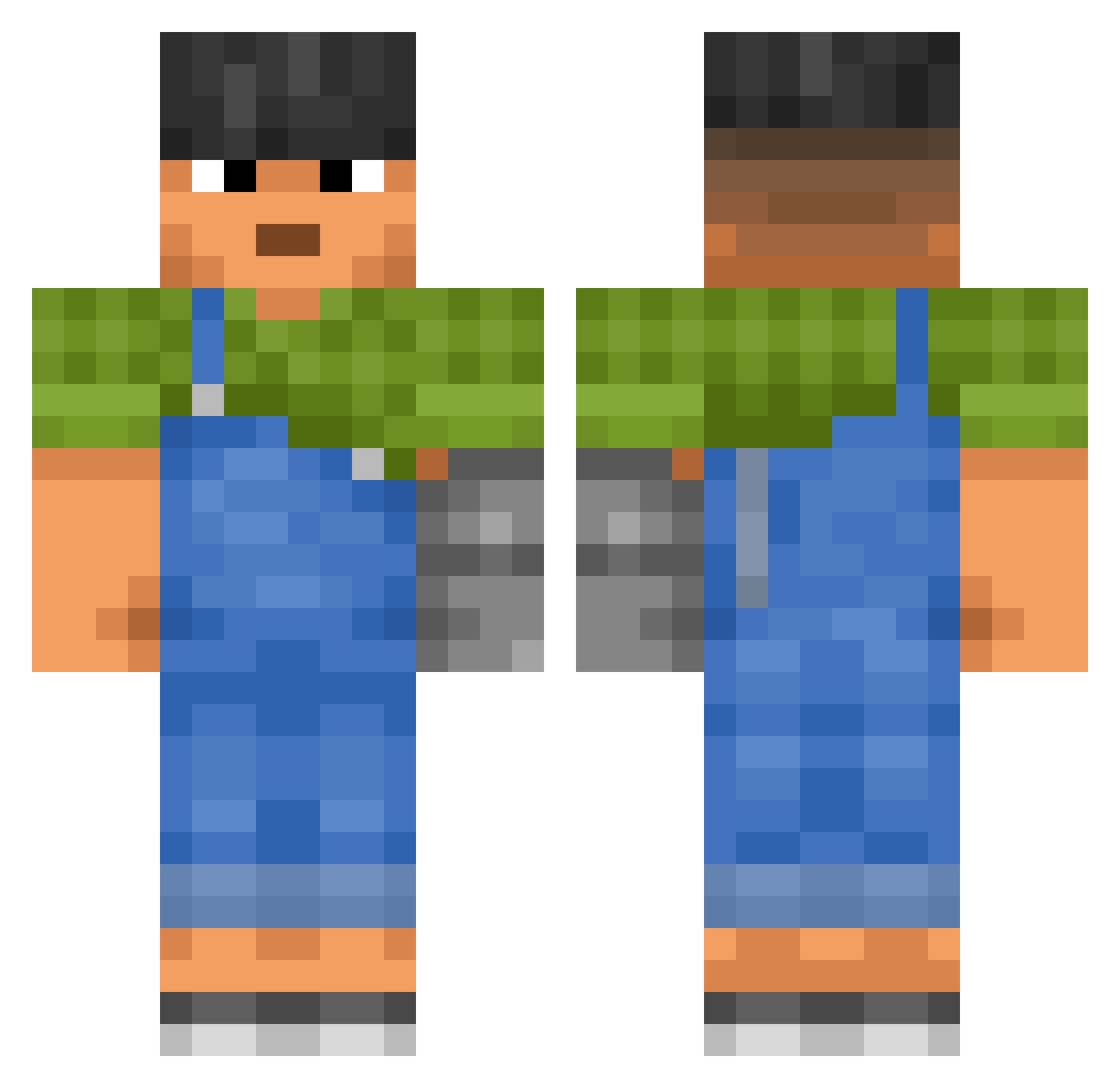
Current Minecraft skin of the player Frikkoz, loaded from the official Mojang API. Rotate the 3D model with your mouse or finger, then download the skin as a PNG file and use it in Minecraft: Bedrock Edition or Java Edition for free. When Frikkoz changes their skin, this page updates automatically and the old skin stays in the history below.
Other players with this skin (3605)
Frikkoz was the 3553rd player we have seen with this skin, first spotted on 19.11.2026. The same skin was seen on these players. Open a nickname to see their current skin and skin history.
 Eisfach_Lohl_HD ulla CITRIXXX GustaAN SkyLordGuy Mismanaging GateRaper Drycal bupppp akuuun TadzioS_ Tikka Chauwa CariocaCareca Gamekiiii Cariri Chiniqua favoritefelix Emul04 MikkelNordberg Kerods DeeDooDaw vertex_vcjdd_ inouk69 Philosophiser Beret_ooo mc_ars curium_96 SlavaDobro Undefinite HateTheHayter Fakeperson101 davitfoxtrot BruceyBoy Sawimbi Iscarron _Shawzypvp willalton Rantize BubbyD12 vexy0s JeeBizZ2 Axxxel Mormon_Miner whyinvite farmyard JustAnOsuGamer Nik05MC ThePopeLaughing stabtown hegwude Tibialis wonderful1129 Prefinal geeked4 Carrot_Pumpkin SuperChill Ayato969 CraftNoob ornithogalum
More Prosthetic Arm Minecraft skins
See all 84 Prosthetic Arm skins
How to install the Frikkoz skin
- Press the Download button above to save the skin as a PNG file.
- Minecraft: Bedrock Edition (PE): open the Dressing Room from the main menu (or tap your character → Edit Character), go to Classic Skins → Owned, press the + (new skin) button, choose the downloaded PNG and pick the Classic (Steve) model. Works on PC and mobile; consoles cannot import custom skins.
- Minecraft: Java Edition: open the Minecraft Launcher, go to the Skins tab, click New Skin, load the PNG, pick the Classic (Steve) model and press Save & Use. You can also upload it at minecraft.net → Profile → Change Skin.
The skin does not show up after import - what should I do?
Restart Minecraft and open the Dressing Room again - imported skins sometimes appear only after a restart. Also make sure you selected the imported skin and picked the Classic (Steve) model.
Which model should I choose, Classic or Slim?
This skin is designed for the Classic (Steve) model. If you pick the wrong model, the arms of the skin will look stretched or squeezed.
Is the skin of Frikkoz free to download?
Yes. Press Download, save the PNG file and use it in Minecraft: Bedrock Edition or Java Edition - no payment or registration needed. The skin also works on multiplayer servers and Realms.
More skins
Looking for more? Go back to all Minecraft skins and check the top skins of the week, month and all time, or find any player's skin by nickname.