
Friday109 - Minecraft Skins & Skin History
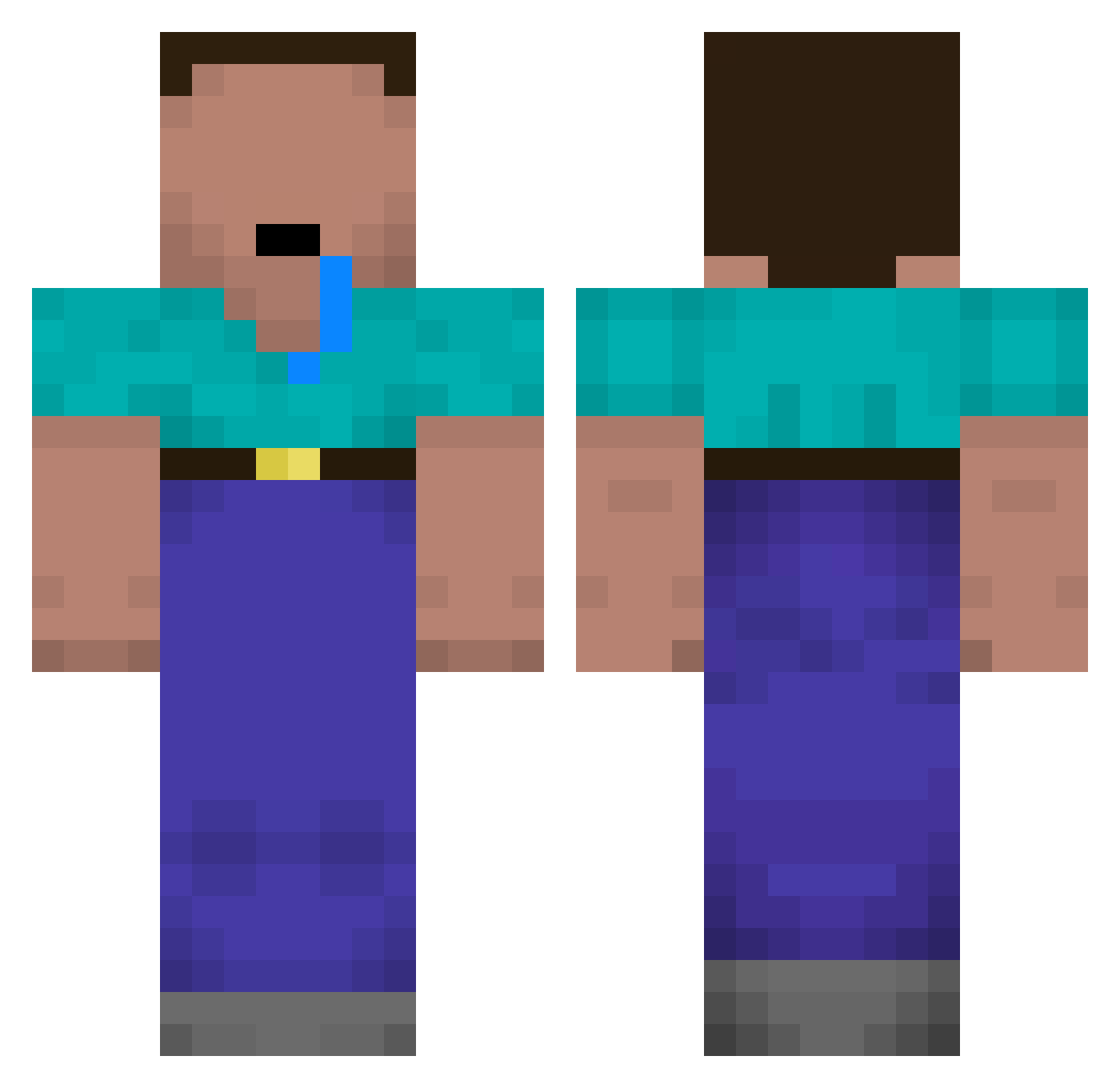
Current Minecraft skin of the player Friday109, loaded from the official Mojang API. Rotate the 3D model with your mouse or finger, then download the skin as a PNG file and use it in Minecraft: Bedrock Edition or Java Edition for free. When Friday109 changes their skin, this page updates automatically and the old skin stays in the history below.
Other players with this skin (116)
Friday109 was the 49th player we have seen with this skin, first spotted on 13.09.2026. The same skin was seen on these players. Open a nickname to see their current skin and skin history.
 MrNico Westwards Gutis GirthyNut Dmen___ xcvsdge mastersyborg Saruvara zolly2005 ArepaConJamon LingardThEGoD Kushsta VeedddeeR katanaxxxxxx Bever_B KeroXzz tRyM3 Mr_MemeLord StoreClerk6969 Moqueefa Reemmk iAddable LeCacaEstCuit_ Balfacan12 leplusbo2013 Jlrkmm77 xxRet4rdSRB__ QK5 D_xander Xehsio castvirus DerGyatButcher AttiRaph Ruls63 H0mels x21mortadela moonchaserr
 WadsXWah NarutoKamado darkyyy___ mvnc Ssvennos snakewood Kasperbis DhangTe TravisScammer JamalDostoyevsky soBuTka_ JerielSSG Josken Saffordxd DorukaPro jamesaddison123 Justa mingg34 N_Abdulhalim RayKoooooooo FREEDIDDY1x Bystra_Panda ToDevendoProC6
More Drooling Minecraft skins
How to install the Friday109 skin
- Press the Download button above to save the skin as a PNG file.
- Minecraft: Bedrock Edition (PE): open the Dressing Room from the main menu (or tap your character → Edit Character), go to Classic Skins → Owned, press the + (new skin) button, choose the downloaded PNG and pick the Classic (Steve) model. Works on PC and mobile; consoles cannot import custom skins.
- Minecraft: Java Edition: open the Minecraft Launcher, go to the Skins tab, click New Skin, load the PNG, pick the Classic (Steve) model and press Save & Use. You can also upload it at minecraft.net → Profile → Change Skin.
The skin does not show up after import - what should I do?
Restart Minecraft and open the Dressing Room again - imported skins sometimes appear only after a restart. Also make sure you selected the imported skin and picked the Classic (Steve) model.
Which model should I choose, Classic or Slim?
This skin is designed for the Classic (Steve) model. If you pick the wrong model, the arms of the skin will look stretched or squeezed.
Is the skin of Friday109 free to download?
Yes. Press Download, save the PNG file and use it in Minecraft: Bedrock Edition or Java Edition - no payment or registration needed. The skin also works on multiplayer servers and Realms.
More skins
Looking for more? Go back to all Minecraft skins and check the top skins of the week, month and all time, or find any player's skin by nickname.