
Frenzy146 - Minecraft Skins & Skin History
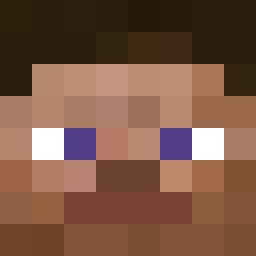
Current Minecraft skin of the player Frenzy146, loaded from the official Mojang API. Rotate the 3D model with your mouse or finger, then download the skin as a PNG file and use it in Minecraft: Bedrock Edition or Java Edition for free. When Frenzy146 changes their skin, this page updates automatically and the old skin stays in the history below.

Other players with this skin (2503)
Frenzy146 was the 764th player we have seen with this skin, first spotted on 22.08.2026. The same skin was seen on these players. Open a nickname to see their current skin and skin history.
 ItzLuc_ Munkkk1 Th_play60eo ritokio beerhouse
 JOIKSUPRESS ShmoLick_1 PamiCSZ Nitinol Silker68 Roninans Misanthropia xd_razer_lel AutisticOwl4 Marcvz chirino zepiums
 Sethickness nikola1111 _Zipp m4lt4 thereupon ganfal icreateawesome Jumbou_ ImMaroo Slomee Jim_Long86 bxbybo Macshine Justzs01 TEXASINHO Lotmot1 3bood_HKJ halo1016 viv444444 DonovanScorp bansheeys Daddy_Bass25 Feloog KR_joungwook
 merkxy gaengsaeng Dimenzion zeepbeeping Fourthhorse Aotorr colonialization Steatorrhea unattained chintu883 AgeQue ryung_2 Jumi1 Dalar recontrol XGI3 Eierkopf08 klawsn pantyan
More Prosthetic Arm Minecraft skins
See all 65 Prosthetic Arm skins
How to install the Frenzy146 skin
- Press the Download button above to save the skin as a PNG file.
- Minecraft: Bedrock Edition (PE): open the Dressing Room from the main menu (or tap your character → Edit Character), go to Classic Skins → Owned, press the + (new skin) button, choose the downloaded PNG and pick the Classic (Steve) model. Works on PC and mobile; consoles cannot import custom skins.
- Minecraft: Java Edition: open the Minecraft Launcher, go to the Skins tab, click New Skin, load the PNG, pick the Classic (Steve) model and press Save & Use. You can also upload it at minecraft.net → Profile → Change Skin.
The skin does not show up after import - what should I do?
Restart Minecraft and open the Dressing Room again - imported skins sometimes appear only after a restart. Also make sure you selected the imported skin and picked the Classic (Steve) model.
Which model should I choose, Classic or Slim?
This skin is designed for the Classic (Steve) model. If you pick the wrong model, the arms of the skin will look stretched or squeezed.
Is the skin of Frenzy146 free to download?
Yes. Press Download, save the PNG file and use it in Minecraft: Bedrock Edition or Java Edition - no payment or registration needed. The skin also works on multiplayer servers and Realms.
More skins
Looking for more? Go back to all Minecraft skins and check the top skins of the week, month and all time, or find any player's skin by nickname.