
FreewheelingSoul - Minecraft Skins & Skin History
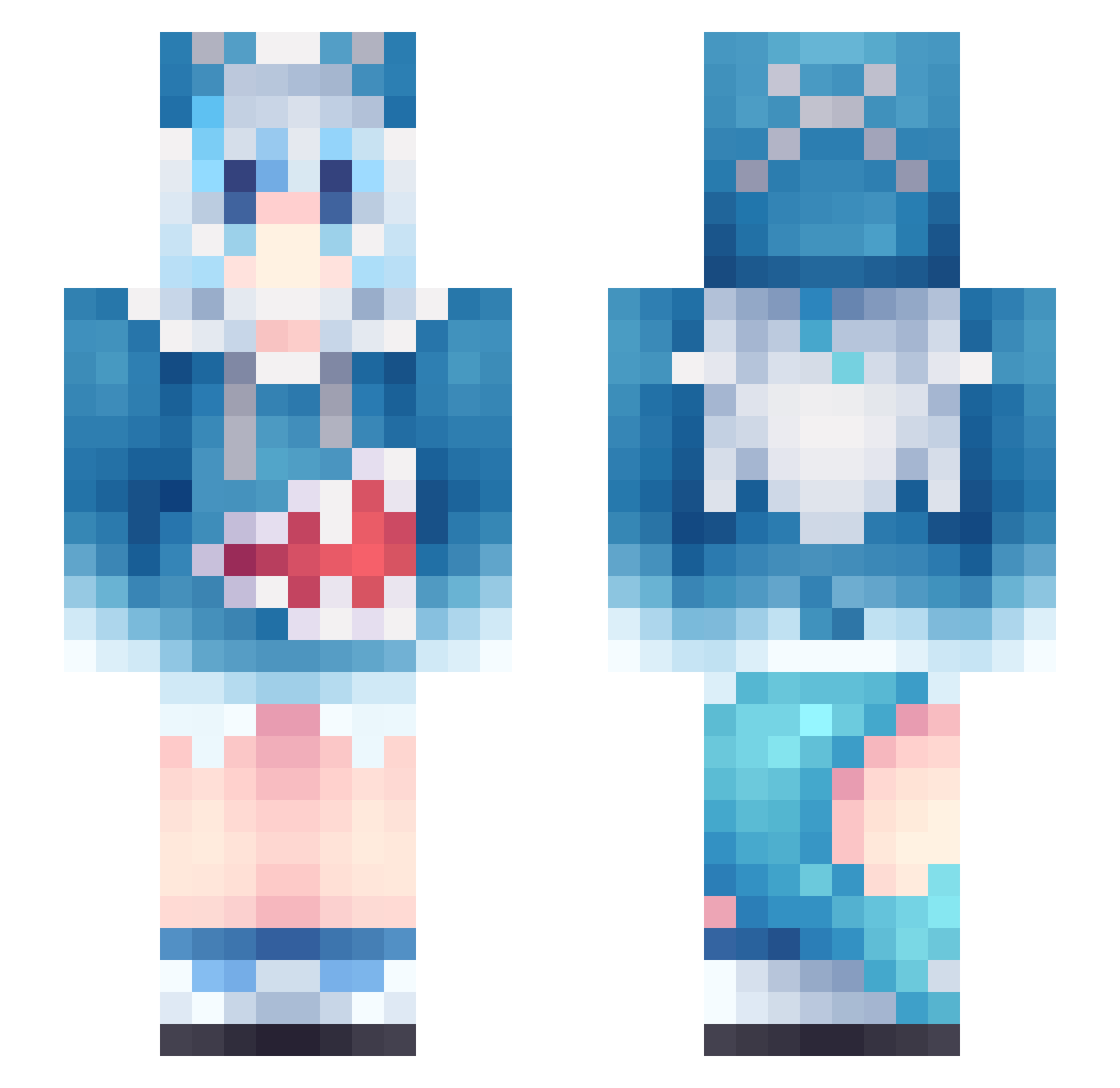
Current Minecraft skin of the player FreewheelingSoul, loaded from the official Mojang API. Rotate the 3D model with your mouse or finger, then download the skin as a PNG file and use it in Minecraft: Bedrock Edition or Java Edition for free. When FreewheelingSoul changes their skin, this page updates automatically and the old skin stays in the history below.
Other players with this skin (1209)
FreewheelingSoul was the 1167th player we have seen with this skin, first spotted on 08.11.2026. The same skin was seen on these players. Open a nickname to see their current skin and skin history.
 Lylss Bronya47 ASHsnl Feeling_Fresh YZHLJ TNKLY amdyes668 ccORnoCC konqirinai Mstabilizers W_Zyu woaixiaoxixi xingure Ashark_ MaGoooob Polikox hisuka Wintral Caffee45 DABOBO666 juaninaz W_Camellia UncleDrew1221 SHOKOLOVE Mimei_ siemanosopranopl MUNPOAW GisellaCruz carollab SHIN_000 GrandaddyGao GodNika69 GuanXing_neko SpongyCat pipimiyiyin KaanFulcrum Karage2091 Sybour lxneii txlwymzp Sky_Bye123 MARM963 hysew goldenglow2007 leveljaap Rush006 BabyPushinP17 snowflake5383 hitokage00 alisk9l iDesxtop Abyssobserver Ryuuko_sama byebyeAsh LitterCatBrother Falukon xx077 T3xq alive0612 wsjntd
More Gawr Gura Minecraft skins
How to install the FreewheelingSoul skin
- Press the Download button above to save the skin as a PNG file.
- Minecraft: Bedrock Edition (PE): open the Dressing Room from the main menu (or tap your character → Edit Character), go to Classic Skins → Owned, press the + (new skin) button, choose the downloaded PNG and pick the Slim (Alex) model. Works on PC and mobile; consoles cannot import custom skins.
- Minecraft: Java Edition: open the Minecraft Launcher, go to the Skins tab, click New Skin, load the PNG, pick the Slim (Alex) model and press Save & Use. You can also upload it at minecraft.net → Profile → Change Skin.
The skin does not show up after import - what should I do?
Restart Minecraft and open the Dressing Room again - imported skins sometimes appear only after a restart. Also make sure you selected the imported skin and picked the Slim (Alex) model.
Which model should I choose, Classic or Slim?
This skin is designed for the Slim (Alex) model. If you pick the wrong model, the arms of the skin will look stretched or squeezed.
Is the skin of FreewheelingSoul free to download?
Yes. Press Download, save the PNG file and use it in Minecraft: Bedrock Edition or Java Edition - no payment or registration needed. The skin also works on multiplayer servers and Realms.
More skins
Looking for more? Go back to all Minecraft skins and check the top skins of the week, month and all time, or find any player's skin by nickname.