
Fredzy - Minecraft Skins & Skin History
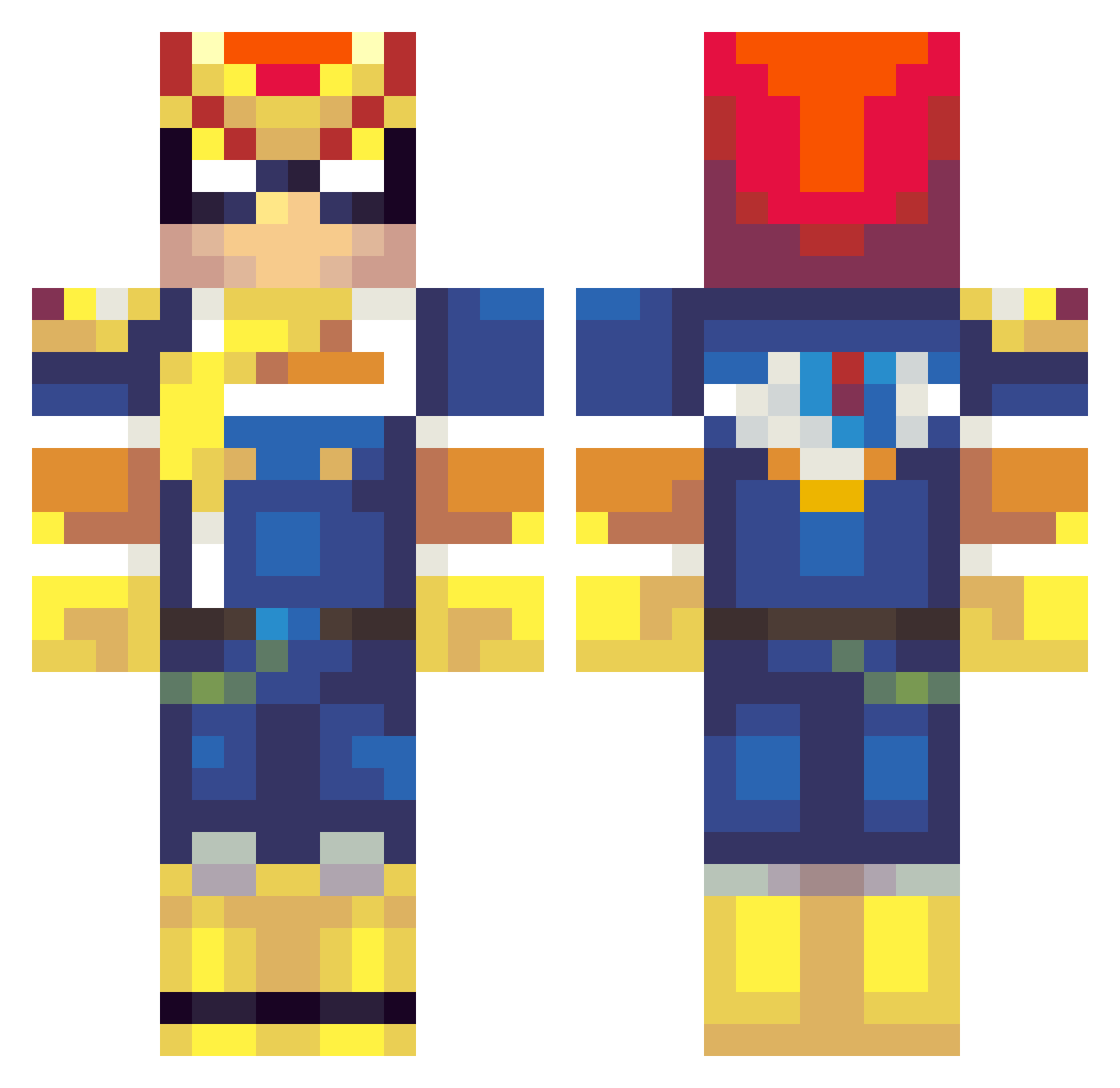
Current Minecraft skin of the player Fredzy, loaded from the official Mojang API. Rotate the 3D model with your mouse or finger, then download the skin as a PNG file and use it in Minecraft: Bedrock Edition or Java Edition for free. When Fredzy changes their skin, this page updates automatically and the old skin stays in the history below.
Other players with this skin (261)
Fredzy was the 227th player we have seen with this skin, first spotted on 18.10.2026. The same skin was seen on these players. Open a nickname to see their current skin and skin history.
 mangomaniac jaydot HeyEvansCool 606nick DJfrick89 ericericerice splur430 BELIAL14 Octotr0n CCDesmond _LionelO_ sutterj123 Decent_Danny Professor_Legit KnifeTime Sevencereal4423 PigeonFlinger Derpywaffle mathissatan Tsar_NIcolas_VII Boongle WAV3_ Gradion hri91 harrysnotter silverrat23 Grimsnake99 falcon1999 mixs80 Damunch95 Sir_HC_ Gamesharp SirScrubbington1 Isac0 DietingHippo SilverSoul855 Stealth_Caveman ThanosTheTitan Pageus_ Samooon Supertrain11 Nakolai FPC_Badbowmen05 djgehle MrNakedBalls NinjaWarrior44 astone12 Crimsonblade124 lacoot1 j4mmydodger TheBasedGod kefkef2121 Bolbol95 CrocsWithSoxx Alex_InThe_Army GoldenSmith elementllama one1punch1man Nannakii Kilhar
More F Zero Minecraft skins
How to install the Fredzy skin
- Press the Download button above to save the skin as a PNG file.
- Minecraft: Bedrock Edition (PE): open the Dressing Room from the main menu (or tap your character → Edit Character), go to Classic Skins → Owned, press the + (new skin) button, choose the downloaded PNG and pick the Classic (Steve) model. Works on PC and mobile; consoles cannot import custom skins.
- Minecraft: Java Edition: open the Minecraft Launcher, go to the Skins tab, click New Skin, load the PNG, pick the Classic (Steve) model and press Save & Use. You can also upload it at minecraft.net → Profile → Change Skin.
The skin does not show up after import - what should I do?
Restart Minecraft and open the Dressing Room again - imported skins sometimes appear only after a restart. Also make sure you selected the imported skin and picked the Classic (Steve) model.
Which model should I choose, Classic or Slim?
This skin is designed for the Classic (Steve) model. If you pick the wrong model, the arms of the skin will look stretched or squeezed.
Is the skin of Fredzy free to download?
Yes. Press Download, save the PNG file and use it in Minecraft: Bedrock Edition or Java Edition - no payment or registration needed. The skin also works on multiplayer servers and Realms.
More skins
Looking for more? Go back to all Minecraft skins and check the top skins of the week, month and all time, or find any player's skin by nickname.