
FreddyChorizo - Minecraft Skins & Skin History
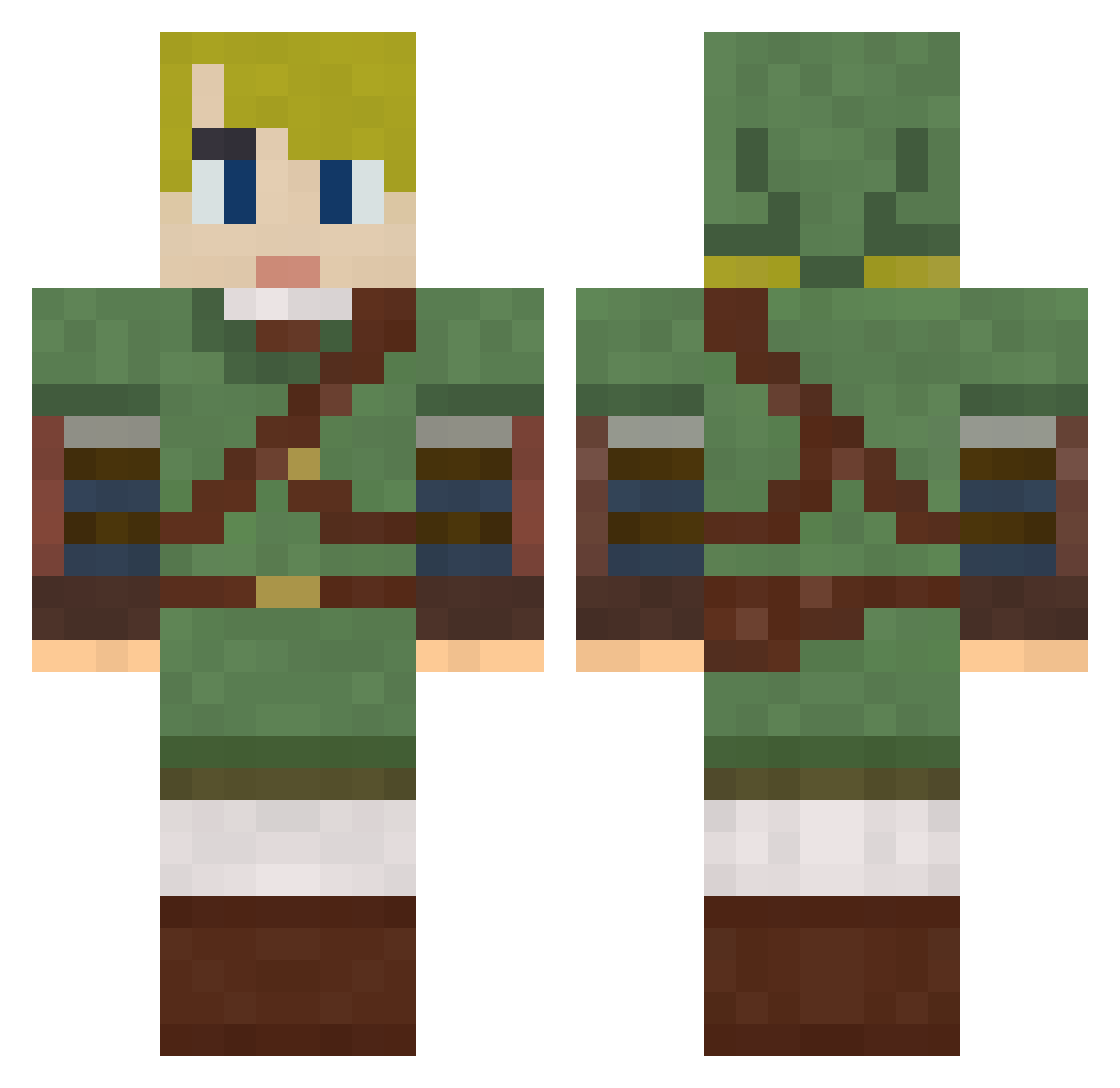
Current Minecraft skin of the player FreddyChorizo, loaded from the official Mojang API. Rotate the 3D model with your mouse or finger, then download the skin as a PNG file and use it in Minecraft: Bedrock Edition or Java Edition for free. When FreddyChorizo changes their skin, this page updates automatically and the old skin stays in the history below.
Other players with this skin (286)
FreddyChorizo was the 272nd player we have seen with this skin, first spotted on 27.10.2026. The same skin was seen on these players. Open a nickname to see their current skin and skin history.
 Pet_Mimic dioxin83 AverageBull6999 WWWht MrBaggins96 MisterLofty Nareya79 SwolHoss Alfie_81 BlessedNoob Kappperz92 KM114514 mrnathnath laughso JonRoberts Dictator_Nobel Riliani shakinglikemilk diddlyus Gurito Hygenia galeliwo MunkyBobo Armithius Finitipluh_ NerdyPixal marvinartsl MrKeuvain Merki1802 Skyblue2108 Phaiyl byrjall Haert77 neetmagic TeeJaySounds hikaricore Dr_Brandy MGonzT LimitBlade617 fdor_20 EliezerHaidon Ribby666 CharlieDaPancake Hexxus420 Joseft_14 SebOfCourse Klumpl ppearrs yukihiro25 Shadowmaster_K guen877 Meltiac CaptainCrunk_ VDog_4lyf Vegatables Sekiur Ivasko Lubie1313 DCPro800 miloisalizard
More Zelda Minecraft skins
How to install the FreddyChorizo skin
- Press the Download button above to save the skin as a PNG file.
- Minecraft: Bedrock Edition (PE): open the Dressing Room from the main menu (or tap your character → Edit Character), go to Classic Skins → Owned, press the + (new skin) button, choose the downloaded PNG and pick the Classic (Steve) model. Works on PC and mobile; consoles cannot import custom skins.
- Minecraft: Java Edition: open the Minecraft Launcher, go to the Skins tab, click New Skin, load the PNG, pick the Classic (Steve) model and press Save & Use. You can also upload it at minecraft.net → Profile → Change Skin.
The skin does not show up after import - what should I do?
Restart Minecraft and open the Dressing Room again - imported skins sometimes appear only after a restart. Also make sure you selected the imported skin and picked the Classic (Steve) model.
Which model should I choose, Classic or Slim?
This skin is designed for the Classic (Steve) model. If you pick the wrong model, the arms of the skin will look stretched or squeezed.
Is the skin of FreddyChorizo free to download?
Yes. Press Download, save the PNG file and use it in Minecraft: Bedrock Edition or Java Edition - no payment or registration needed. The skin also works on multiplayer servers and Realms.
More skins
Looking for more? Go back to all Minecraft skins and check the top skins of the week, month and all time, or find any player's skin by nickname.