
Freddy13579 - Minecraft Skins & Skin History
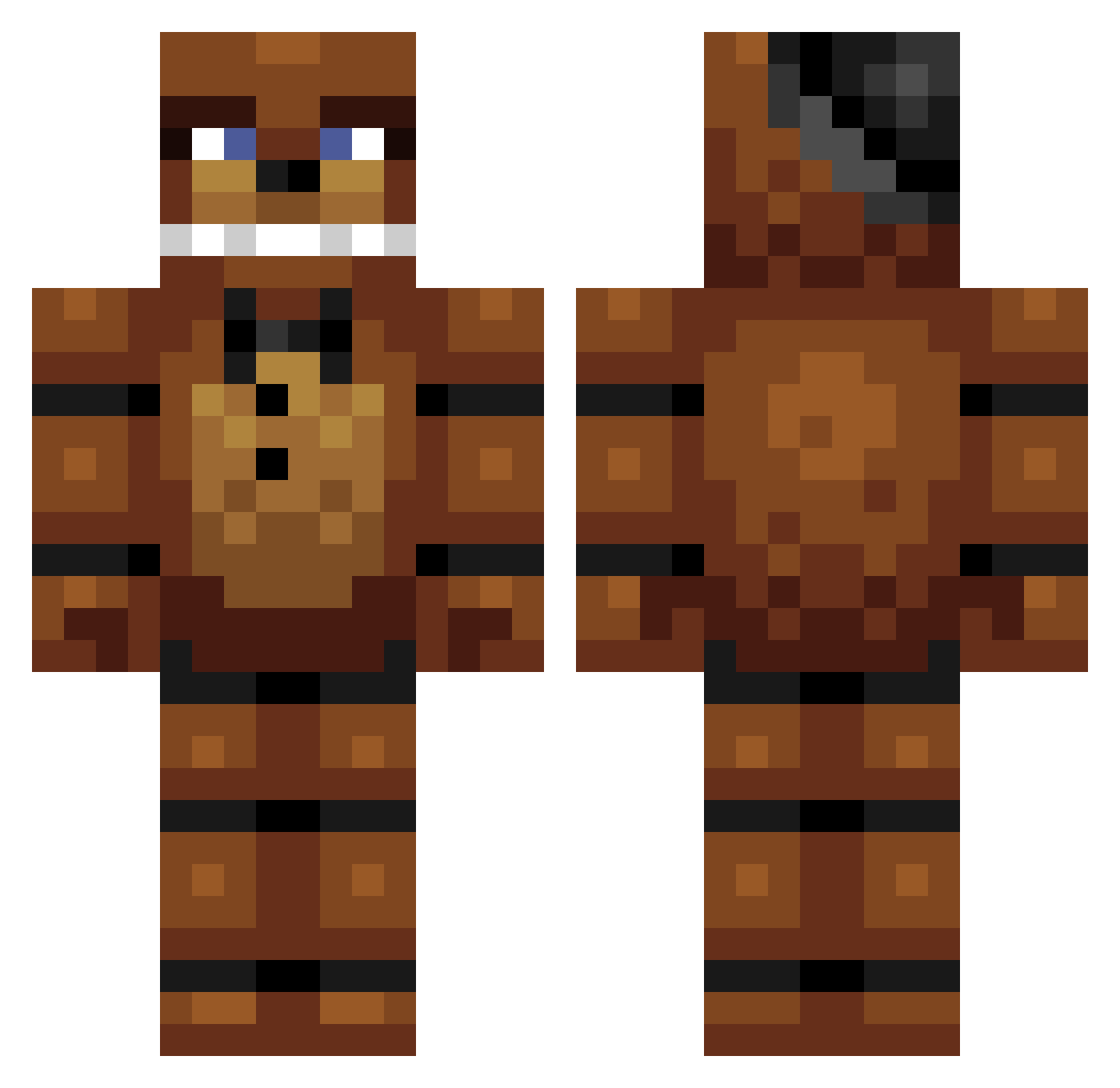
Current Minecraft skin of the player Freddy13579, loaded from the official Mojang API. Rotate the 3D model with your mouse or finger, then download the skin as a PNG file and use it in Minecraft: Bedrock Edition or Java Edition for free. When Freddy13579 changes their skin, this page updates automatically and the old skin stays in the history below.
Other players with this skin (317)
Freddy13579 was the 288th player we have seen with this skin, first spotted on 09.11.2026. The same skin was seen on these players. Open a nickname to see their current skin and skin history.
 TheGamingKing82 UnderCoverGoblin KOCTNKk critter000 Mizrath IamPain97 _loremastering Hanselbooboo pituwutary flamingoted xhtnb233 Crypotic Uncle_Wammy JESUD_347 Bullitt_da_doggo Cyrenus MoodyMIL011 YoItsMrRex ChrisCarrols PinelaM SIL4RS RoseyPetals12 Homelessraider Noobie2610 FrownElio TheNathanBacon SteveSuperior M0WGLYYY feelmyass Boeing7877 TubularTurtle25 GYC666 Gelzy420 huanxin95 LibrusXdXdXd stneza CableConnect jjangjun4808 DMHGrosso Alpha_Rexy HeavyClaw Zachator Skintact Wells_Clan BookBag1737 fredyfasbeir LokerLad gamerboy0827 Hs_legends MalikOtaku ludvig_22 freddy__fazbear_ Bubbafett9 EternalRTM Assur1to sammoomin Gabers84 ReidWhacker sean_windsor JaderTato
More Freddy Fazbear Minecraft skins
See all 282 Freddy Fazbear skins
How to install the Freddy13579 skin
- Press the Download button above to save the skin as a PNG file.
- Minecraft: Bedrock Edition (PE): open the Dressing Room from the main menu (or tap your character → Edit Character), go to Classic Skins → Owned, press the + (new skin) button, choose the downloaded PNG and pick the Classic (Steve) model. Works on PC and mobile; consoles cannot import custom skins.
- Minecraft: Java Edition: open the Minecraft Launcher, go to the Skins tab, click New Skin, load the PNG, pick the Classic (Steve) model and press Save & Use. You can also upload it at minecraft.net → Profile → Change Skin.
The skin does not show up after import - what should I do?
Restart Minecraft and open the Dressing Room again - imported skins sometimes appear only after a restart. Also make sure you selected the imported skin and picked the Classic (Steve) model.
Which model should I choose, Classic or Slim?
This skin is designed for the Classic (Steve) model. If you pick the wrong model, the arms of the skin will look stretched or squeezed.
Is the skin of Freddy13579 free to download?
Yes. Press Download, save the PNG file and use it in Minecraft: Bedrock Edition or Java Edition - no payment or registration needed. The skin also works on multiplayer servers and Realms.
More skins
Looking for more? Go back to all Minecraft skins and check the top skins of the week, month and all time, or find any player's skin by nickname.