
FrancoPMGM - Minecraft Skins & Skin History
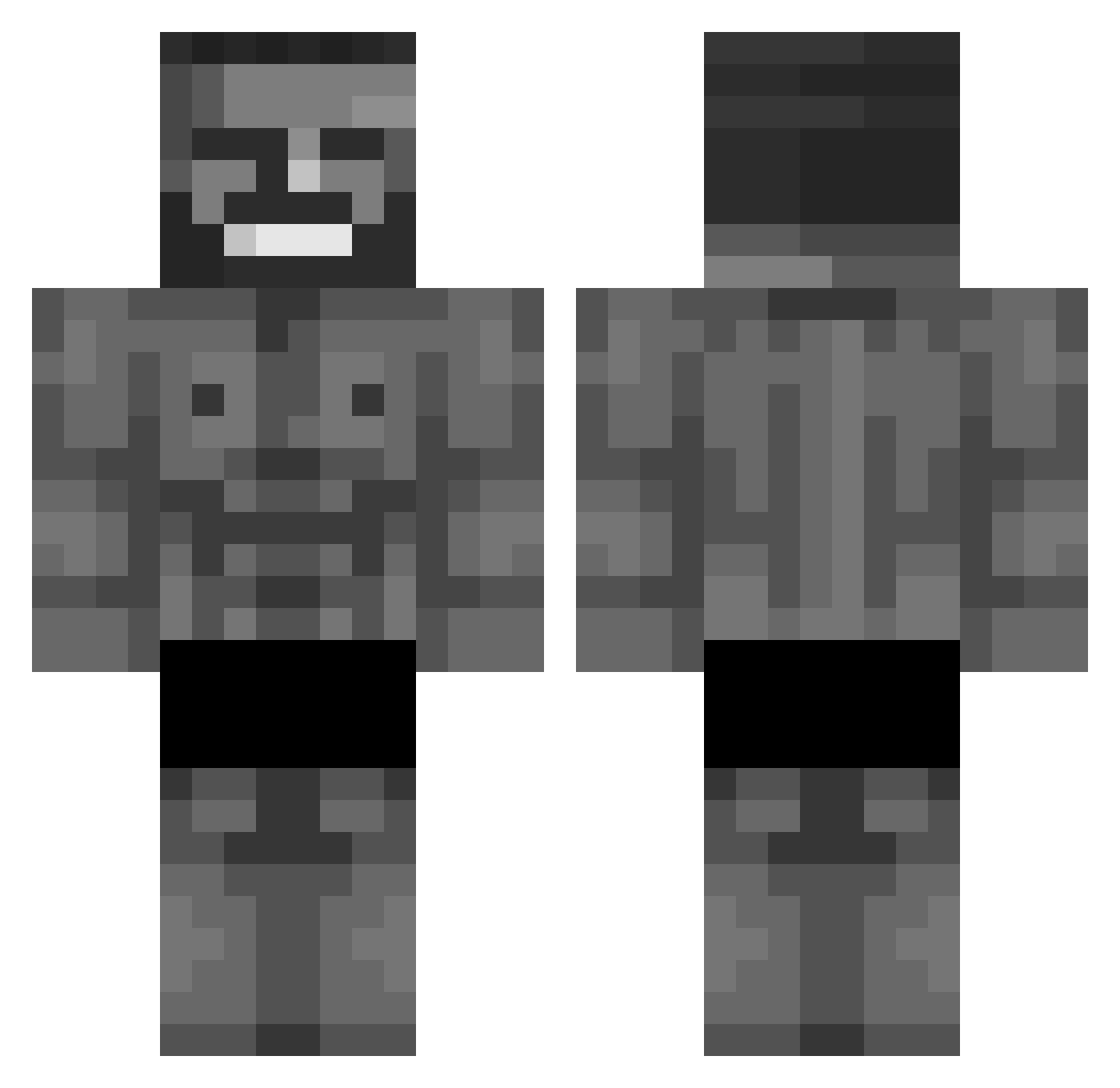
Current Minecraft skin of the player FrancoPMGM, loaded from the official Mojang API. Rotate the 3D model with your mouse or finger, then download the skin as a PNG file and use it in Minecraft: Bedrock Edition or Java Edition for free. When FrancoPMGM changes their skin, this page updates automatically and the old skin stays in the history below.
Other players with this skin (876)
FrancoPMGM was the 564th player we have seen with this skin, first spotted on 04.10.2026. The same skin was seen on these players. Open a nickname to see their current skin and skin history.
 Hertok TheBadBossKiller Walkingferret KSYWAI IdkWho2204 brooooo123 IHAVEASCENDED Khalil_Goat Gigi_07 Jounecy KevZyx IwwoKiwi ricomars7 Zerking2987 Anidruh Leptaar LotusLou ItsDiego3883 umbrasko Tinsly BurntLobster69 4przem7 Cyrtos hamsterman99 0Jojo0 RyanLePon Swigzs Sid525 caparoik PrussianPounder Thekinglion2012 Fishyboi6077 TTVimstonevs lego31 Zackary7105 Zjaranykrasnal PetitPalmier1 CanadaRevAgency Conman3912 N1trobandit Kyu_Bin Sugar2006 The5CRanch Anthonyesp evgmasterlolz MarioPrada rothepro1234 kee9 opetodcarad yaibaw FancyLove EeduT Bobbyflame TinMAn15987 Nimbus_Idle iTurd_ DDHH_ ekteHaris LukyPatuky fatfreenemo
More Gigachad Minecraft skins
How to install the FrancoPMGM skin
- Press the Download button above to save the skin as a PNG file.
- Minecraft: Bedrock Edition (PE): open the Dressing Room from the main menu (or tap your character → Edit Character), go to Classic Skins → Owned, press the + (new skin) button, choose the downloaded PNG and pick the Classic (Steve) model. Works on PC and mobile; consoles cannot import custom skins.
- Minecraft: Java Edition: open the Minecraft Launcher, go to the Skins tab, click New Skin, load the PNG, pick the Classic (Steve) model and press Save & Use. You can also upload it at minecraft.net → Profile → Change Skin.
The skin does not show up after import - what should I do?
Restart Minecraft and open the Dressing Room again - imported skins sometimes appear only after a restart. Also make sure you selected the imported skin and picked the Classic (Steve) model.
Which model should I choose, Classic or Slim?
This skin is designed for the Classic (Steve) model. If you pick the wrong model, the arms of the skin will look stretched or squeezed.
Is the skin of FrancoPMGM free to download?
Yes. Press Download, save the PNG file and use it in Minecraft: Bedrock Edition or Java Edition - no payment or registration needed. The skin also works on multiplayer servers and Realms.
More skins
Looking for more? Go back to all Minecraft skins and check the top skins of the week, month and all time, or find any player's skin by nickname.