
Fqczz - Minecraft Skins & Skin History
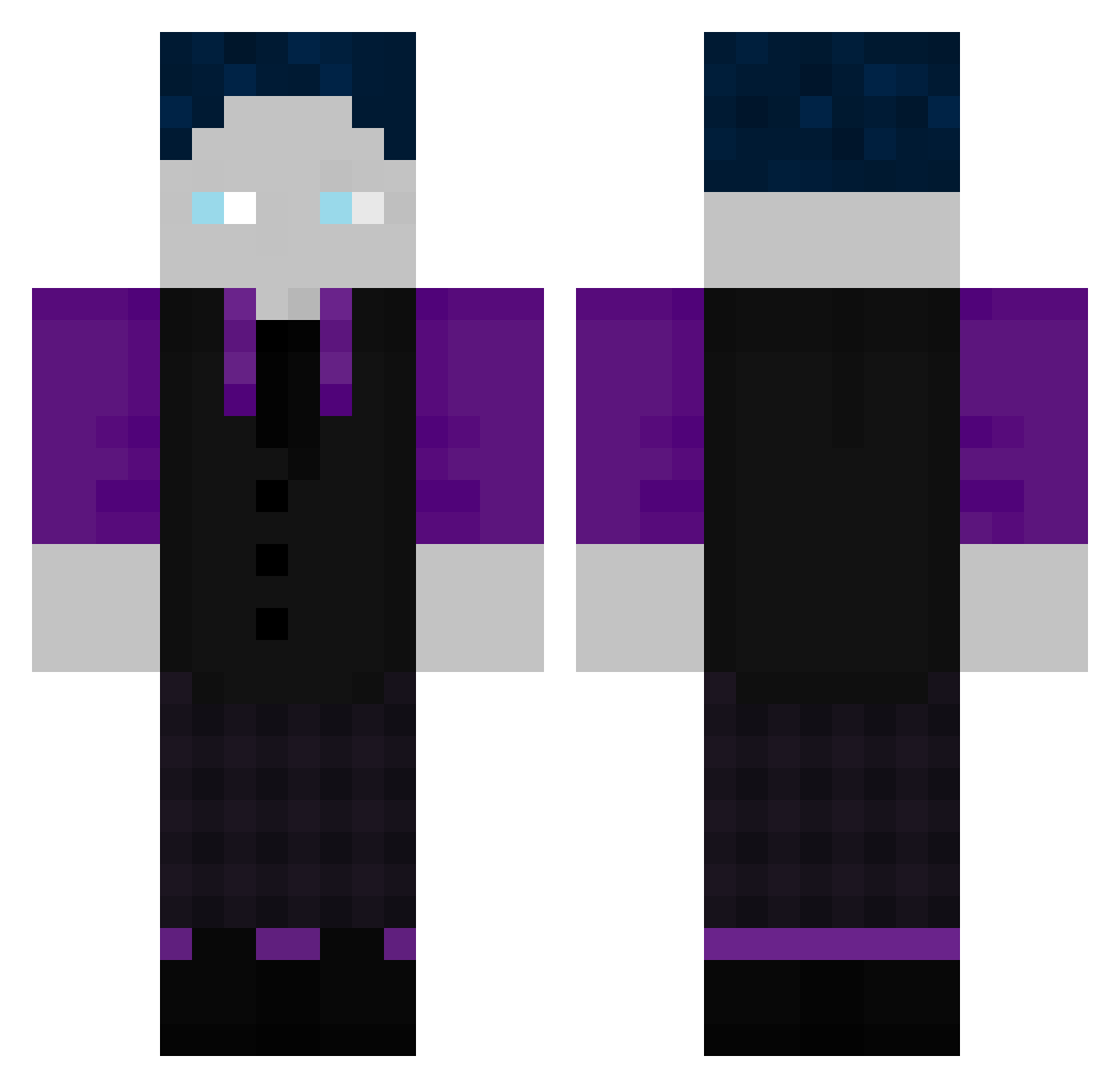
Current Minecraft skin of the player Fqczz, loaded from the official Mojang API. Rotate the 3D model with your mouse or finger, then download the skin as a PNG file and use it in Minecraft: Bedrock Edition or Java Edition for free. When Fqczz changes their skin, this page updates automatically and the old skin stays in the history below.
Other players with this skin (507)
Fqczz was the 261st player we have seen with this skin, first spotted on 20.09.2026. The same skin was seen on these players. Open a nickname to see their current skin and skin history.
 Riconimus LuckyLuki09 Luca_hym47 Simon3423456 KougatMage6558 COCO69E Fabrice2010 Kaufi211 Murqs1 WAve12 Maxi97311 SheLovesAbusing DrSharkEye REDDEVILS124 RiasSlave KingShotta WilderKaiser04 KrasperGHG DemonGHG_ Mytix965 JDM_stxnced Flu_09 ARAZHULHD1234 NotCreative009 Timi3958 K1ngTriss Zapdos_der_God Puritas Jasch_gt5 Peace_Leute jannism05 Boomboogie157 Marlin1027 MoosLio LioTheGOAT Arazuhloskar Quenyut CeTaBu08 Knaxfyy marrosan Roblox187GHG Mattis8156 OnlyThomas Mdados MrFinanzamt Eddi2024 fAbIoDz1254025 SxkunaXX XMAN6729 Katermickyy ossibs Reezy1703 Cakir23 GamerAlex_9 LeonGamer925 AnwaltOhneGeld movista elias2007dfg TinyBond007 7qxnt
How to install the Fqczz skin
- Press the Download button above to save the skin as a PNG file.
- Minecraft: Bedrock Edition (PE): open the Dressing Room from the main menu (or tap your character → Edit Character), go to Classic Skins → Owned, press the + (new skin) button, choose the downloaded PNG and pick the Classic (Steve) model. Works on PC and mobile; consoles cannot import custom skins.
- Minecraft: Java Edition: open the Minecraft Launcher, go to the Skins tab, click New Skin, load the PNG, pick the Classic (Steve) model and press Save & Use. You can also upload it at minecraft.net → Profile → Change Skin.
The skin does not show up after import - what should I do?
Restart Minecraft and open the Dressing Room again - imported skins sometimes appear only after a restart. Also make sure you selected the imported skin and picked the Classic (Steve) model.
Which model should I choose, Classic or Slim?
This skin is designed for the Classic (Steve) model. If you pick the wrong model, the arms of the skin will look stretched or squeezed.
Is the skin of Fqczz free to download?
Yes. Press Download, save the PNG file and use it in Minecraft: Bedrock Edition or Java Edition - no payment or registration needed. The skin also works on multiplayer servers and Realms.
More skins
Looking for more? Go back to all Minecraft skins and check the top skins of the week, month and all time, or find any player's skin by nickname.