
Fppppppp5 - Minecraft Skins & Skin History
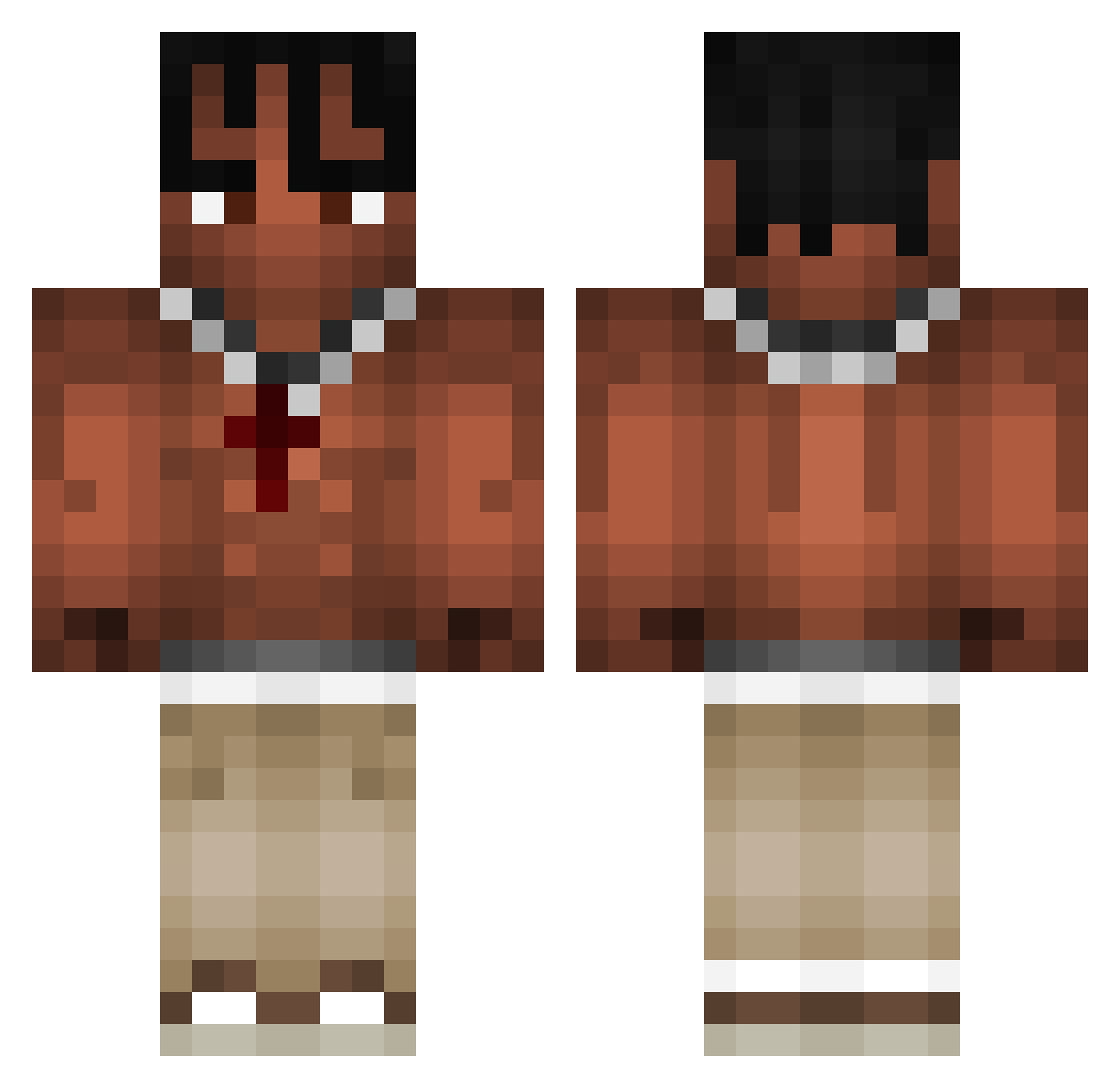
Current Minecraft skin of the player Fppppppp5, loaded from the official Mojang API. Rotate the 3D model with your mouse or finger, then download the skin as a PNG file and use it in Minecraft: Bedrock Edition or Java Edition for free. When Fppppppp5 changes their skin, this page updates automatically and the old skin stays in the history below.
Other players with this skin (973)
Fppppppp5 was the 315th player we have seen with this skin, first spotted on 27.08.2026. The same skin was seen on these players. Open a nickname to see their current skin and skin history.
 naxsos67 SweetKumar God_Mailow TremLouco22 fGiaco verpex_ Eliot93 NoteSplitter499 BedrockChest qmxga llabnogard23 SqueebieSpider
 Naboflex TheRealAtomic1 ItsjustJake34 Revel1s Gogos502 AlecQuebraBan TR4MP0 1pDaniel Vearex unsatisfyin OrionDN Thecoopsta Manone69 KostekPlay Tlendev Gordyn19777 Lesenre Tehzxxx ne7rus IKERNH77 Simon160109 Pulqzr kibisek Bonny_48 IdeNaBucha CaptainBlack1939
 HeymechqOnTop luhhjvckson 8ahmed 9839284 sebdebel steezynosy Clax42 Paul1t00 kaktusxpp kim_changgyun Oshael Wilmaarehot
 doinkmister Mclazza24 wiltar12345 Pinoletas xPsyco8 TominoHD Zsumi93 Spidermel123 _Dariox_ Lonis69
More Xxxtentacion Minecraft skins
See all 409 Xxxtentacion skins
How to install the Fppppppp5 skin
- Press the Download button above to save the skin as a PNG file.
- Minecraft: Bedrock Edition (PE): open the Dressing Room from the main menu (or tap your character → Edit Character), go to Classic Skins → Owned, press the + (new skin) button, choose the downloaded PNG and pick the Classic (Steve) model. Works on PC and mobile; consoles cannot import custom skins.
- Minecraft: Java Edition: open the Minecraft Launcher, go to the Skins tab, click New Skin, load the PNG, pick the Classic (Steve) model and press Save & Use. You can also upload it at minecraft.net → Profile → Change Skin.
The skin does not show up after import - what should I do?
Restart Minecraft and open the Dressing Room again - imported skins sometimes appear only after a restart. Also make sure you selected the imported skin and picked the Classic (Steve) model.
Which model should I choose, Classic or Slim?
This skin is designed for the Classic (Steve) model. If you pick the wrong model, the arms of the skin will look stretched or squeezed.
Is the skin of Fppppppp5 free to download?
Yes. Press Download, save the PNG file and use it in Minecraft: Bedrock Edition or Java Edition - no payment or registration needed. The skin also works on multiplayer servers and Realms.
More skins
Looking for more? Go back to all Minecraft skins and check the top skins of the week, month and all time, or find any player's skin by nickname.