
ForRohan - Minecraft Skins & Skin History
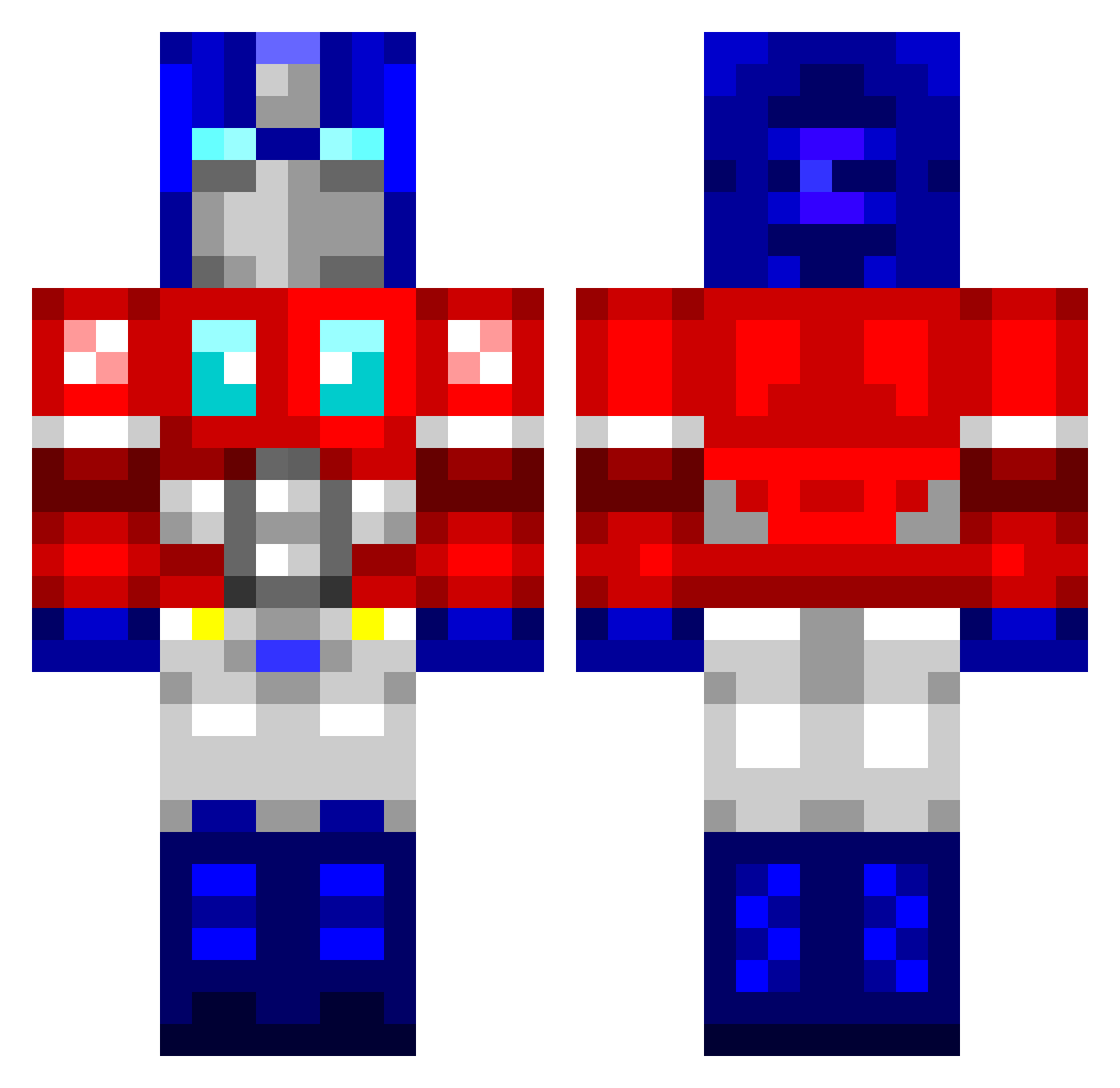
Current Minecraft skin of the player ForRohan, loaded from the official Mojang API. Rotate the 3D model with your mouse or finger, then download the skin as a PNG file and use it in Minecraft: Bedrock Edition or Java Edition for free. When ForRohan changes their skin, this page updates automatically and the old skin stays in the history below.
Other players with this skin (762)
ForRohan was the 426th player we have seen with this skin, first spotted on 23.09.2026. The same skin was seen on these players. Open a nickname to see their current skin and skin history.
 jamiewillplays xxNumbskullxx AaeroHD jwoerner83 Retroza Ironic_Prophet Optimus_Pixel Victor_du_02 buzral09 JIongYe Sting1717 Kippo44 marqpark Sloworg wolfwarrior25 Sonickirby III_IIIIIIIII NZSinister RCogburn ChewyNZ josedrv2 J_Ferret altrockftw chrispoos123 MechBot9971 robogriller cadet110 degreen11 ANGUS_95 kkaaattyy mistleaf cameronk_3 xXx_Astro_xXx Zar430 minhkunshadow hardcore_pie2000 magnificentballs batmandog1 sweeno grimeybadger MoritzNRW AlexDelux Expl0dingseal JackV096 louiswilson11 Koonsbot Giwrgiz21 ojoelephant kimyuu AmoebaPrime rshrum aNaBoLiKa18 rsivillo Ozman75 DriftedTable SSJRenegade afrodude22 crows0808 ghost__SK Yoojin
More Optimus Prime Minecraft skins
See all 87 Optimus Prime skins
How to install the ForRohan skin
- Press the Download button above to save the skin as a PNG file.
- Minecraft: Bedrock Edition (PE): open the Dressing Room from the main menu (or tap your character → Edit Character), go to Classic Skins → Owned, press the + (new skin) button, choose the downloaded PNG and pick the Classic (Steve) model. Works on PC and mobile; consoles cannot import custom skins.
- Minecraft: Java Edition: open the Minecraft Launcher, go to the Skins tab, click New Skin, load the PNG, pick the Classic (Steve) model and press Save & Use. You can also upload it at minecraft.net → Profile → Change Skin.
The skin does not show up after import - what should I do?
Restart Minecraft and open the Dressing Room again - imported skins sometimes appear only after a restart. Also make sure you selected the imported skin and picked the Classic (Steve) model.
Which model should I choose, Classic or Slim?
This skin is designed for the Classic (Steve) model. If you pick the wrong model, the arms of the skin will look stretched or squeezed.
Is the skin of ForRohan free to download?
Yes. Press Download, save the PNG file and use it in Minecraft: Bedrock Edition or Java Edition - no payment or registration needed. The skin also works on multiplayer servers and Realms.
More skins
Looking for more? Go back to all Minecraft skins and check the top skins of the week, month and all time, or find any player's skin by nickname.