
Fogo_Colorido - Minecraft Skins & Skin History
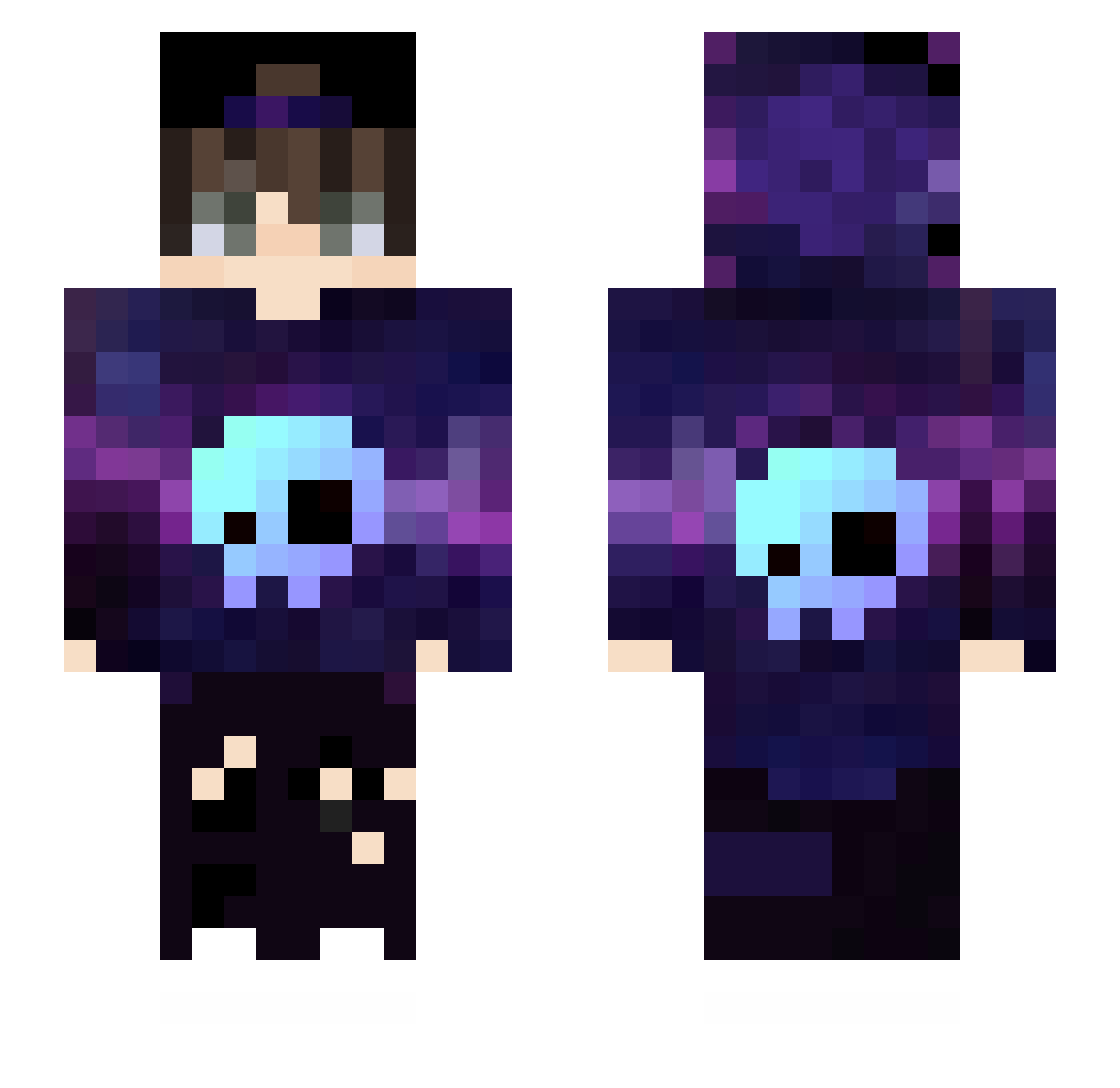
Current Minecraft skin of the player Fogo_Colorido, loaded from the official Mojang API. Rotate the 3D model with your mouse or finger, then download the skin as a PNG file and use it in Minecraft: Bedrock Edition or Java Edition for free. When Fogo_Colorido changes their skin, this page updates automatically and the old skin stays in the history below.
Other players with this skin (432)
Fogo_Colorido was the 96th player we have seen with this skin, first spotted on 12.08.2026. The same skin was seen on these players. Open a nickname to see their current skin and skin history.
 jeannes__ Fbrama Birspy Deskiler e1172 ALEX6765 Begx Flyiso anye158 Gorditagamer myluke1977 PathKNTT hariobo Koda777 FaithfulBike793 Akr_One Jatabibi yousef30gaming Piotrek_Kox HaruNobuNao
 Dreadcrown6212 PurpleCraft_Id1 dibotian Cghan0991 Raapii matheusfgdo Lukaxks TEUBR_GAMER ozanbulut Bubble_gum__ Axel25S gaby545 BinElFruko kyogin F_e_a_r_n_y artur34214 Altoriss NagakiSl 3XLyn sak1ra7 Nerd1BR LeleUkulele canony2014 beeleng TheDeathLord GGYUDIO TaxableWolf ItsJplayz Pandarada2009 EsoApolo Xoulx LuigjiHD Hacker5907 Eduardus03 KiberK0tlet04ka Matw_Da_LegenD Fexe09
 Ibims1yougurt ixCayde SSon_2010
More Skull Minecraft skins
How to install the Fogo_Colorido skin
- Press the Download button above to save the skin as a PNG file.
- Minecraft: Bedrock Edition (PE): open the Dressing Room from the main menu (or tap your character → Edit Character), go to Classic Skins → Owned, press the + (new skin) button, choose the downloaded PNG and pick the Slim (Alex) model. Works on PC and mobile; consoles cannot import custom skins.
- Minecraft: Java Edition: open the Minecraft Launcher, go to the Skins tab, click New Skin, load the PNG, pick the Slim (Alex) model and press Save & Use. You can also upload it at minecraft.net → Profile → Change Skin.
The skin does not show up after import - what should I do?
Restart Minecraft and open the Dressing Room again - imported skins sometimes appear only after a restart. Also make sure you selected the imported skin and picked the Slim (Alex) model.
Which model should I choose, Classic or Slim?
This skin is designed for the Slim (Alex) model. If you pick the wrong model, the arms of the skin will look stretched or squeezed.
Is the skin of Fogo_Colorido free to download?
Yes. Press Download, save the PNG file and use it in Minecraft: Bedrock Edition or Java Edition - no payment or registration needed. The skin also works on multiplayer servers and Realms.
More skins
Looking for more? Go back to all Minecraft skins and check the top skins of the week, month and all time, or find any player's skin by nickname.