
Foggiestport359 - Minecraft Skins & Skin History
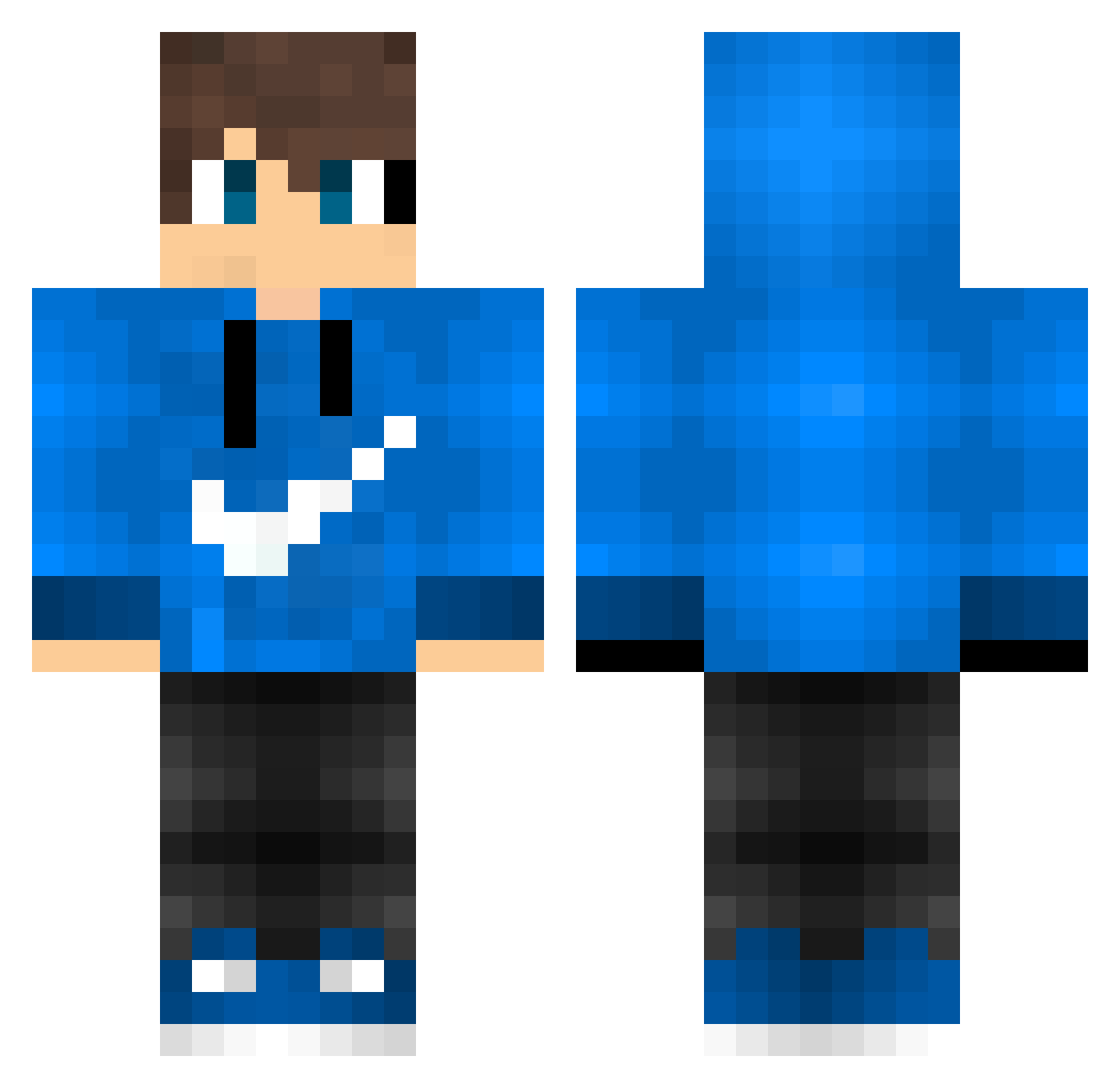
Current Minecraft skin of the player Foggiestport359, loaded from the official Mojang API. Rotate the 3D model with your mouse or finger, then download the skin as a PNG file and use it in Minecraft: Bedrock Edition or Java Edition for free. When Foggiestport359 changes their skin, this page updates automatically and the old skin stays in the history below.
Other players with this skin (595)
Foggiestport359 was the 560th player we have seen with this skin, first spotted on 13.11.2026. The same skin was seen on these players. Open a nickname to see their current skin and skin history.
 blue_cell Lemonly Spider_GaMeR_96 Bm0151 JonJonDan PIMENTEL77 Yazan321 Tejdik adarshrao Sevenzada Adriano23 SliceBB Robica08 april9119 AirRazor013 Nickdome92 Crea77 Adx2015 Turk_EsesOyuncu Crxb_capa creator0902 daKevke FREDDEALF ZAXS1188 Gamer9617 LordMires20 RaYensworld Veysel_K Dawsini ArkiGaming26 Wijdan7002 TheJ3ster MicsPlays TheSeal21 Naccatk333 GreenArrow777 KarlX_3 Xiiao_Yu FenixXHR fififi12221 JuhkuZ jpcpleme kumuuuuuuuu Milda123 screqi Vrifmus KBO23 Drop451 Escaravei Draken_VN Tbsen Hard__ Kserosd LUCASWINS miguelplayers Arthermis godc3 DemonicChronic7 Relly_o zFlxsh102
How to install the Foggiestport359 skin
- Press the Download button above to save the skin as a PNG file.
- Minecraft: Bedrock Edition (PE): open the Dressing Room from the main menu (or tap your character → Edit Character), go to Classic Skins → Owned, press the + (new skin) button, choose the downloaded PNG and pick the Classic (Steve) model. Works on PC and mobile; consoles cannot import custom skins.
- Minecraft: Java Edition: open the Minecraft Launcher, go to the Skins tab, click New Skin, load the PNG, pick the Classic (Steve) model and press Save & Use. You can also upload it at minecraft.net → Profile → Change Skin.
The skin does not show up after import - what should I do?
Restart Minecraft and open the Dressing Room again - imported skins sometimes appear only after a restart. Also make sure you selected the imported skin and picked the Classic (Steve) model.
Which model should I choose, Classic or Slim?
This skin is designed for the Classic (Steve) model. If you pick the wrong model, the arms of the skin will look stretched or squeezed.
Is the skin of Foggiestport359 free to download?
Yes. Press Download, save the PNG file and use it in Minecraft: Bedrock Edition or Java Edition - no payment or registration needed. The skin also works on multiplayer servers and Realms.
More skins
Looking for more? Go back to all Minecraft skins and check the top skins of the week, month and all time, or find any player's skin by nickname.