
Foggiest - Minecraft Skins & Skin History
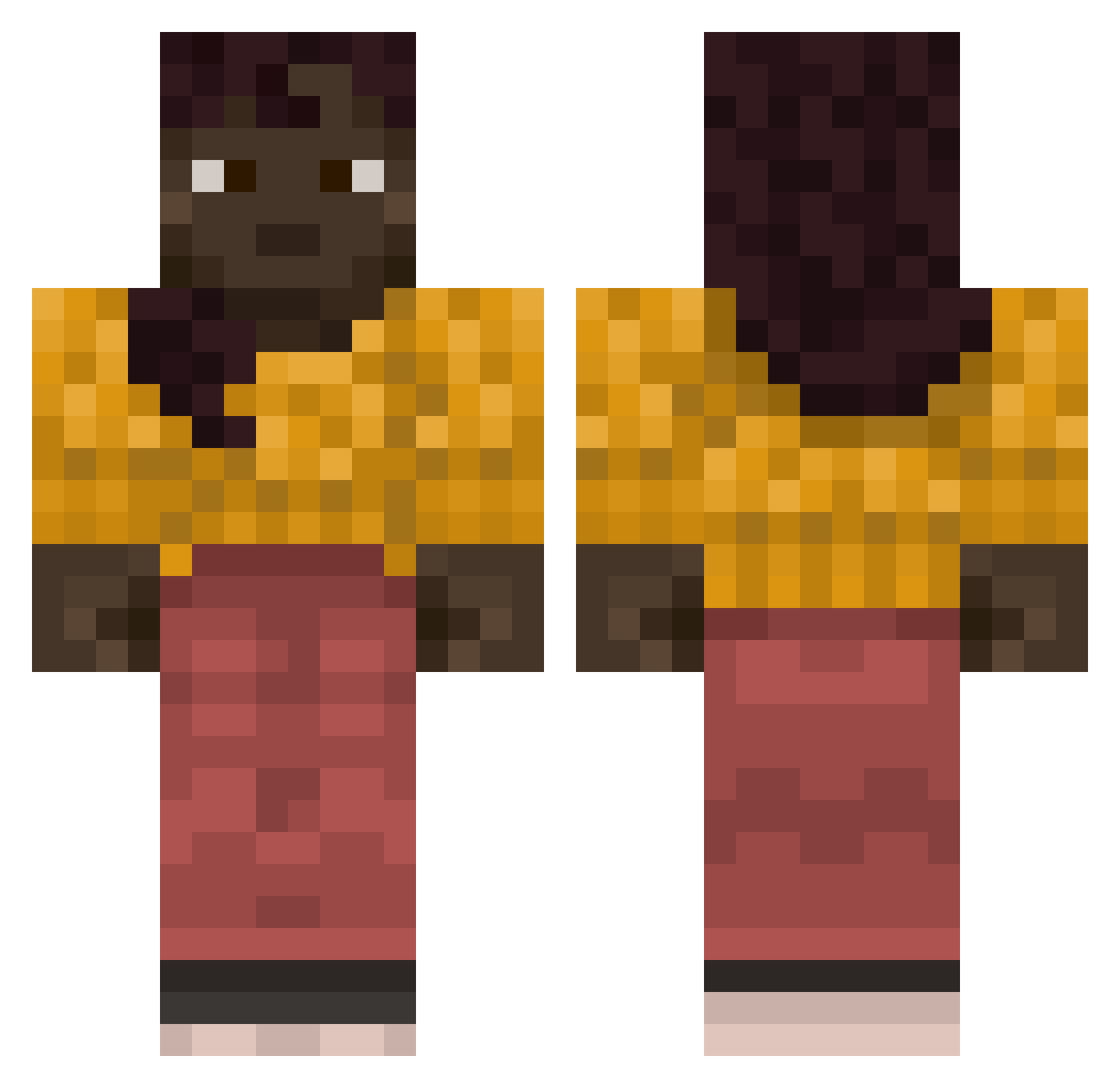
Current Minecraft skin of the player Foggiest, loaded from the official Mojang API. Rotate the 3D model with your mouse or finger, then download the skin as a PNG file and use it in Minecraft: Bedrock Edition or Java Edition for free. When Foggiest changes their skin, this page updates automatically and the old skin stays in the history below.
Other players with this skin (853)
Foggiest was the 762nd player we have seen with this skin, first spotted on 26.10.2026. The same skin was seen on these players. Open a nickname to see their current skin and skin history.
 MrNiceGuy963 Gennypo TheTroller4220 Circumnavigation Cicuta Dr_Hakim Mutilla Hadassah Neutrophilia Aqua777x Mysty247 Marcus737 Rooooooy Saltbox Altophobic2 mm00ooo sabri225 slumpy12 T1e_ DDCOHEN MaxPlayFox frontally Linearity Particulate commencer mobocrat Farkas015 Schemers Osmittty Chal Machination LaChica37 Arrest Stranik5983 Odinic Fulguration Ceratosaurus antimythic PANDOREA Misfiles onlyapoet Cornsack Hejunl supinator Exodic WafuPanther QuilaTe Domination 7Rxbin Dynameter josepingp lower EitherAcorn gapperi curtis4995 Invaliding Overcap Sput redstonenoob HNereQ
More Girl Minecraft skins
How to install the Foggiest skin
- Press the Download button above to save the skin as a PNG file.
- Minecraft: Bedrock Edition (PE): open the Dressing Room from the main menu (or tap your character → Edit Character), go to Classic Skins → Owned, press the + (new skin) button, choose the downloaded PNG and pick the Classic (Steve) model. Works on PC and mobile; consoles cannot import custom skins.
- Minecraft: Java Edition: open the Minecraft Launcher, go to the Skins tab, click New Skin, load the PNG, pick the Classic (Steve) model and press Save & Use. You can also upload it at minecraft.net → Profile → Change Skin.
The skin does not show up after import - what should I do?
Restart Minecraft and open the Dressing Room again - imported skins sometimes appear only after a restart. Also make sure you selected the imported skin and picked the Classic (Steve) model.
Which model should I choose, Classic or Slim?
This skin is designed for the Classic (Steve) model. If you pick the wrong model, the arms of the skin will look stretched or squeezed.
Is the skin of Foggiest free to download?
Yes. Press Download, save the PNG file and use it in Minecraft: Bedrock Edition or Java Edition - no payment or registration needed. The skin also works on multiplayer servers and Realms.
More skins
Looking for more? Go back to all Minecraft skins and check the top skins of the week, month and all time, or find any player's skin by nickname.