
FlorisW14 - Minecraft Skins & Skin History
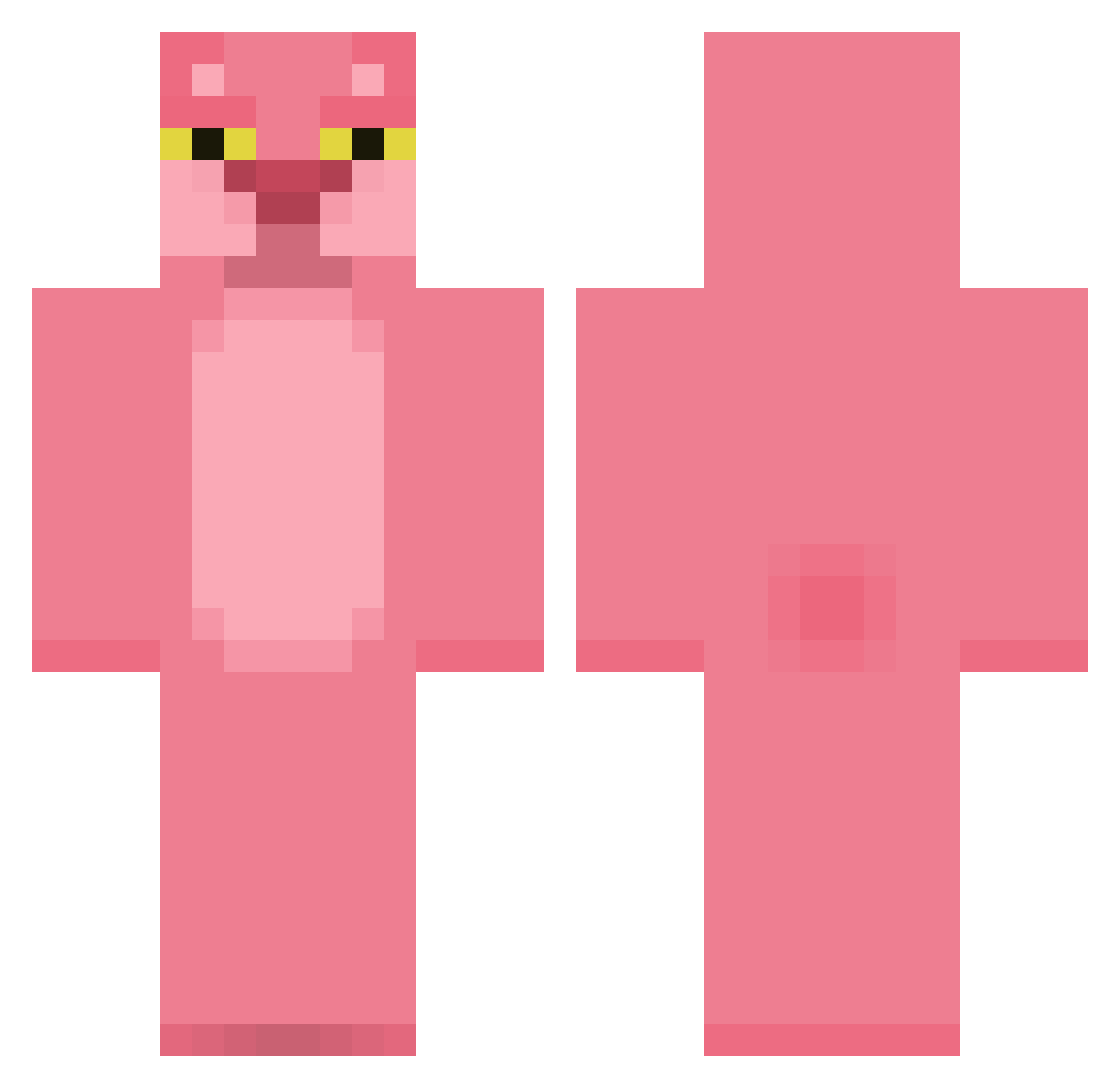
Current Minecraft skin of the player FlorisW14, loaded from the official Mojang API. Rotate the 3D model with your mouse or finger, then download the skin as a PNG file and use it in Minecraft: Bedrock Edition or Java Edition for free. When FlorisW14 changes their skin, this page updates automatically and the old skin stays in the history below.
Other players with this skin (420)
FlorisW14 was the 370th player we have seen with this skin, first spotted on 23.10.2026. The same skin was seen on these players. Open a nickname to see their current skin and skin history.
 Heidulf_ grimad Kalasa ben_jammin33333 chally1212 BiggsysV2 Tippxble smilodone paitynhop feezybreezy vcntrc DrPepperburger immkoda nnaciveee OnlyF_E5 BELV7 DDDDdwc DookieBombs MMarshmallow00 Momotrashh HydroLaBanane AdvisingDuck 999XHack Farrias80GG24 LaMontada saragomezsz gooose007 XxThomas_StabuxX Izanx04 3s8_balls_kz5 Supremepenuet257 SvgGoggins carinapanz _MOMO_o Kitaya_02 FadingAmaranth AchaGranola2003 Moucito Enilev icyscout200 ginja04 Hikra Virile Diegolum Gigallith cecii_mari Al3joo byeonggwon Duh__Panda keydiddy mcmoose Erik_And10 nicouill Heberex kookoo512 niubaoovo arugom Inshakee Julialady MOLBONI
More The Pink Panther Minecraft skins
See all 147 The Pink Panther skins
How to install the FlorisW14 skin
- Press the Download button above to save the skin as a PNG file.
- Minecraft: Bedrock Edition (PE): open the Dressing Room from the main menu (or tap your character → Edit Character), go to Classic Skins → Owned, press the + (new skin) button, choose the downloaded PNG and pick the Classic (Steve) model. Works on PC and mobile; consoles cannot import custom skins.
- Minecraft: Java Edition: open the Minecraft Launcher, go to the Skins tab, click New Skin, load the PNG, pick the Classic (Steve) model and press Save & Use. You can also upload it at minecraft.net → Profile → Change Skin.
The skin does not show up after import - what should I do?
Restart Minecraft and open the Dressing Room again - imported skins sometimes appear only after a restart. Also make sure you selected the imported skin and picked the Classic (Steve) model.
Which model should I choose, Classic or Slim?
This skin is designed for the Classic (Steve) model. If you pick the wrong model, the arms of the skin will look stretched or squeezed.
Is the skin of FlorisW14 free to download?
Yes. Press Download, save the PNG file and use it in Minecraft: Bedrock Edition or Java Edition - no payment or registration needed. The skin also works on multiplayer servers and Realms.
More skins
Looking for more? Go back to all Minecraft skins and check the top skins of the week, month and all time, or find any player's skin by nickname.