
FloppyWein - Minecraft Skins & Skin History
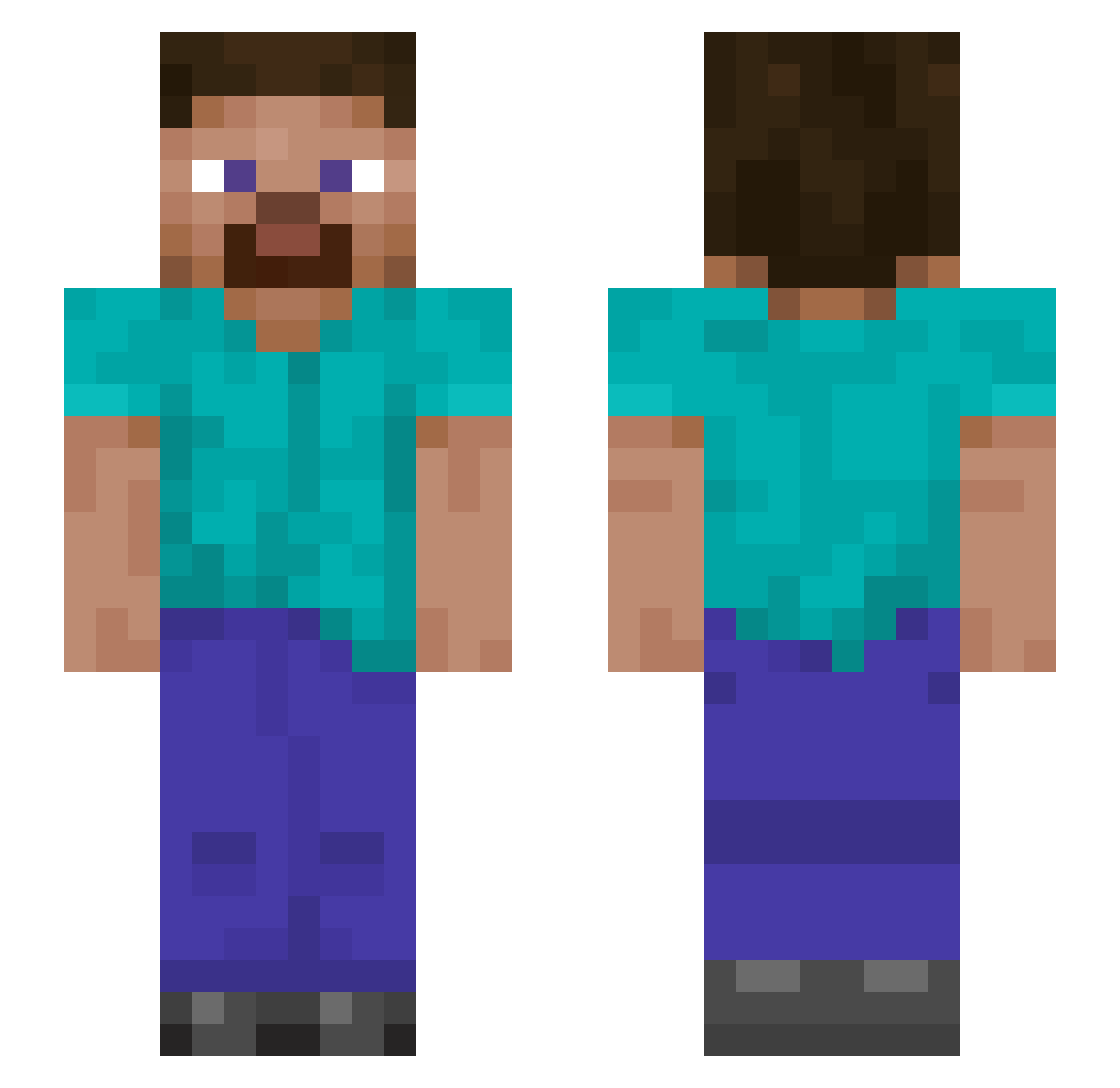
Current Minecraft skin of the player FloppyWein, loaded from the official Mojang API. Rotate the 3D model with your mouse or finger, then download the skin as a PNG file and use it in Minecraft: Bedrock Edition or Java Edition for free. When FloppyWein changes their skin, this page updates automatically and the old skin stays in the history below.
Other players with this skin (890)
FloppyWein was the 124th player we have seen with this skin, first spotted on 06.08.2026. The same skin was seen on these players. Open a nickname to see their current skin and skin history.
 Uilengamer DaRkCyBr kelsonclive exlaxking freeedum Kreyjo ButtaLord qaz2wsxe E6E6FA plevits keityann GBoony AWAKEDEER SpicyFriend Davidoso93 Madoka2016 RisingPhoenix98 clzin12 ddmegadoodoo69 MrKrabs187 AllHailOm Farajjjj Mangonate Pauljamas chinaman666233 JairkeN MobKit Mickey857 the_fiddler1 519zzq OakAardvark789 Malorn45 odi_a Chazlaaar bananaslice10 SickDyno15 YouTube_Rayzen19 SirMikeys Gokillan CerZeP Beto0806 MCCNG zhaolinlin oldGammeler ceginhoo AKA92 Carloslettuce Saucin_Dawson Vroksmeq CHN_Tao Melnia44 SirCatsup alexchen0729 gauhir JasonTetem enokim725 R0YM zx1107 mothertaker6000 Corbyzxz
How to install the FloppyWein skin
- Press the Download button above to save the skin as a PNG file.
- Minecraft: Bedrock Edition (PE): open the Dressing Room from the main menu (or tap your character → Edit Character), go to Classic Skins → Owned, press the + (new skin) button, choose the downloaded PNG and pick the Slim (Alex) model. Works on PC and mobile; consoles cannot import custom skins.
- Minecraft: Java Edition: open the Minecraft Launcher, go to the Skins tab, click New Skin, load the PNG, pick the Slim (Alex) model and press Save & Use. You can also upload it at minecraft.net → Profile → Change Skin.
The skin does not show up after import - what should I do?
Restart Minecraft and open the Dressing Room again - imported skins sometimes appear only after a restart. Also make sure you selected the imported skin and picked the Slim (Alex) model.
Which model should I choose, Classic or Slim?
This skin is designed for the Slim (Alex) model. If you pick the wrong model, the arms of the skin will look stretched or squeezed.
Is the skin of FloppyWein free to download?
Yes. Press Download, save the PNG file and use it in Minecraft: Bedrock Edition or Java Edition - no payment or registration needed. The skin also works on multiplayer servers and Realms.
More skins
Looking for more? Go back to all Minecraft skins and check the top skins of the week, month and all time, or find any player's skin by nickname.