
FloppyMonster - Minecraft Skins & Skin History
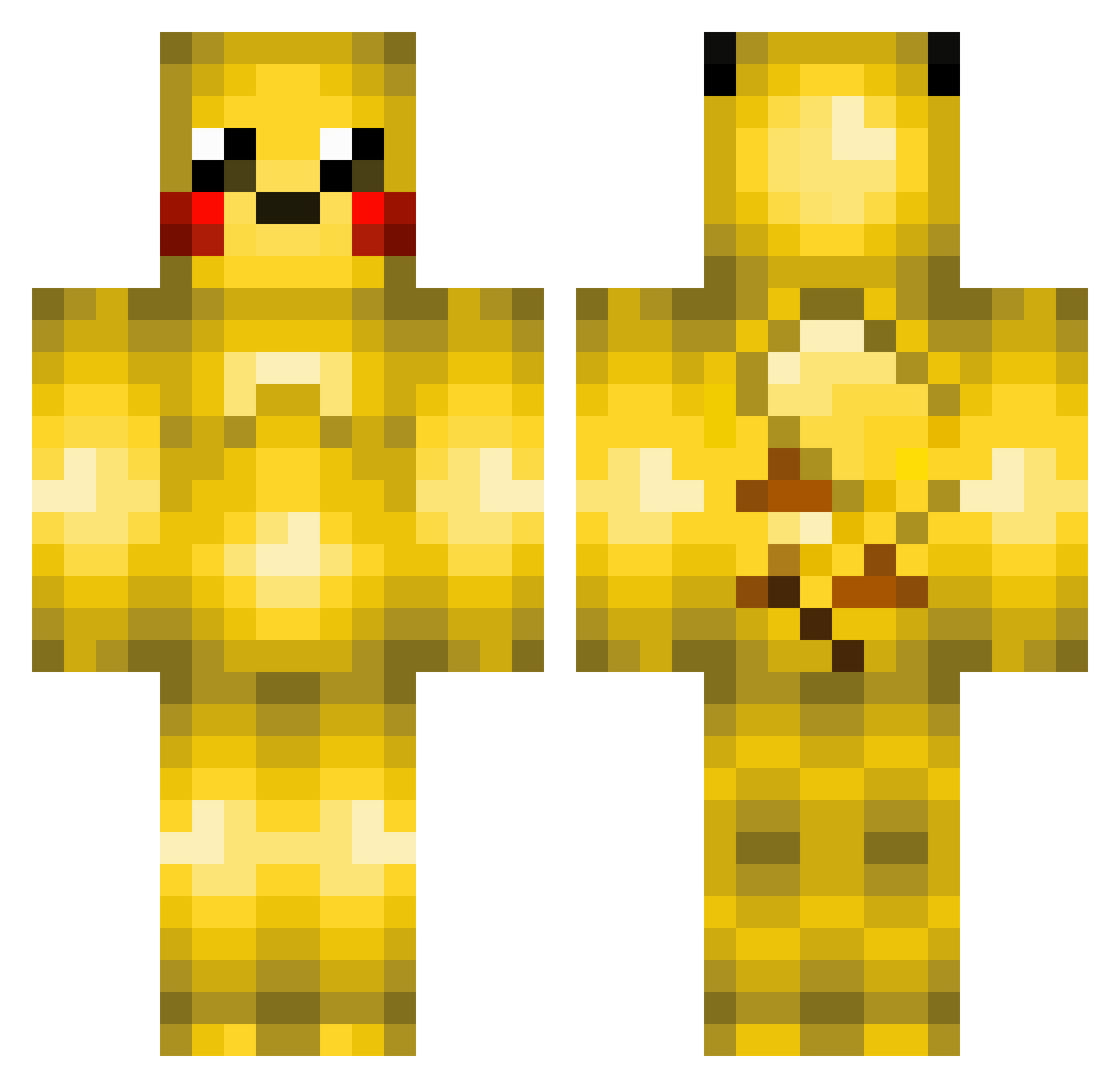
Current Minecraft skin of the player FloppyMonster, loaded from the official Mojang API. Rotate the 3D model with your mouse or finger, then download the skin as a PNG file and use it in Minecraft: Bedrock Edition or Java Edition for free. When FloppyMonster changes their skin, this page updates automatically and the old skin stays in the history below.
Other players with this skin (456)
FloppyMonster was the 393rd player we have seen with this skin, first spotted on 06.11.2026. The same skin was seen on these players. Open a nickname to see their current skin and skin history.
 itisbecky BurningDragon24 PokemonLv24 ml87321 Pikachu1234546 jemac5 rules456 FilippoInzaghi superjonny watadjol Bandital_13 17i iNsFlash maxcoop12 m8rv7n HdogTheDestroyer _EnjoyMyHacking_ cutiepie519 baxterjosh99 Pianoplayer24 djdilldog geraw247 fireanimal123 kyle4216 VigilantMedal3 jaymario13 NeXiz_68 MiningDad maxvader19 SuperBacon415 hellometurtles Empathyyy PikachuMinner tosimies88 DivinitySprit EisenNico wille200303 connormonro1234 WinneThePoo GimliKid RoyalLP pikaho12 Sunnychen11elf cowboysammy ohDrizzle Daduz3 MaKaOeEeN Theannoyingking MrBloxson Kaizarrrr Xx2WolffloW2xX griffinmiller Jailbreaker6000 hyakunichisou AmundFPL mariohoyland99 PicassoKG JamesandWills Goofnuggett darrsky21
More Pikachu Minecraft skins
How to install the FloppyMonster skin
- Press the Download button above to save the skin as a PNG file.
- Minecraft: Bedrock Edition (PE): open the Dressing Room from the main menu (or tap your character → Edit Character), go to Classic Skins → Owned, press the + (new skin) button, choose the downloaded PNG and pick the Classic (Steve) model. Works on PC and mobile; consoles cannot import custom skins.
- Minecraft: Java Edition: open the Minecraft Launcher, go to the Skins tab, click New Skin, load the PNG, pick the Classic (Steve) model and press Save & Use. You can also upload it at minecraft.net → Profile → Change Skin.
The skin does not show up after import - what should I do?
Restart Minecraft and open the Dressing Room again - imported skins sometimes appear only after a restart. Also make sure you selected the imported skin and picked the Classic (Steve) model.
Which model should I choose, Classic or Slim?
This skin is designed for the Classic (Steve) model. If you pick the wrong model, the arms of the skin will look stretched or squeezed.
Is the skin of FloppyMonster free to download?
Yes. Press Download, save the PNG file and use it in Minecraft: Bedrock Edition or Java Edition - no payment or registration needed. The skin also works on multiplayer servers and Realms.
More skins
Looking for more? Go back to all Minecraft skins and check the top skins of the week, month and all time, or find any player's skin by nickname.