
FloppistaYtGamer - Minecraft Skins & Skin History
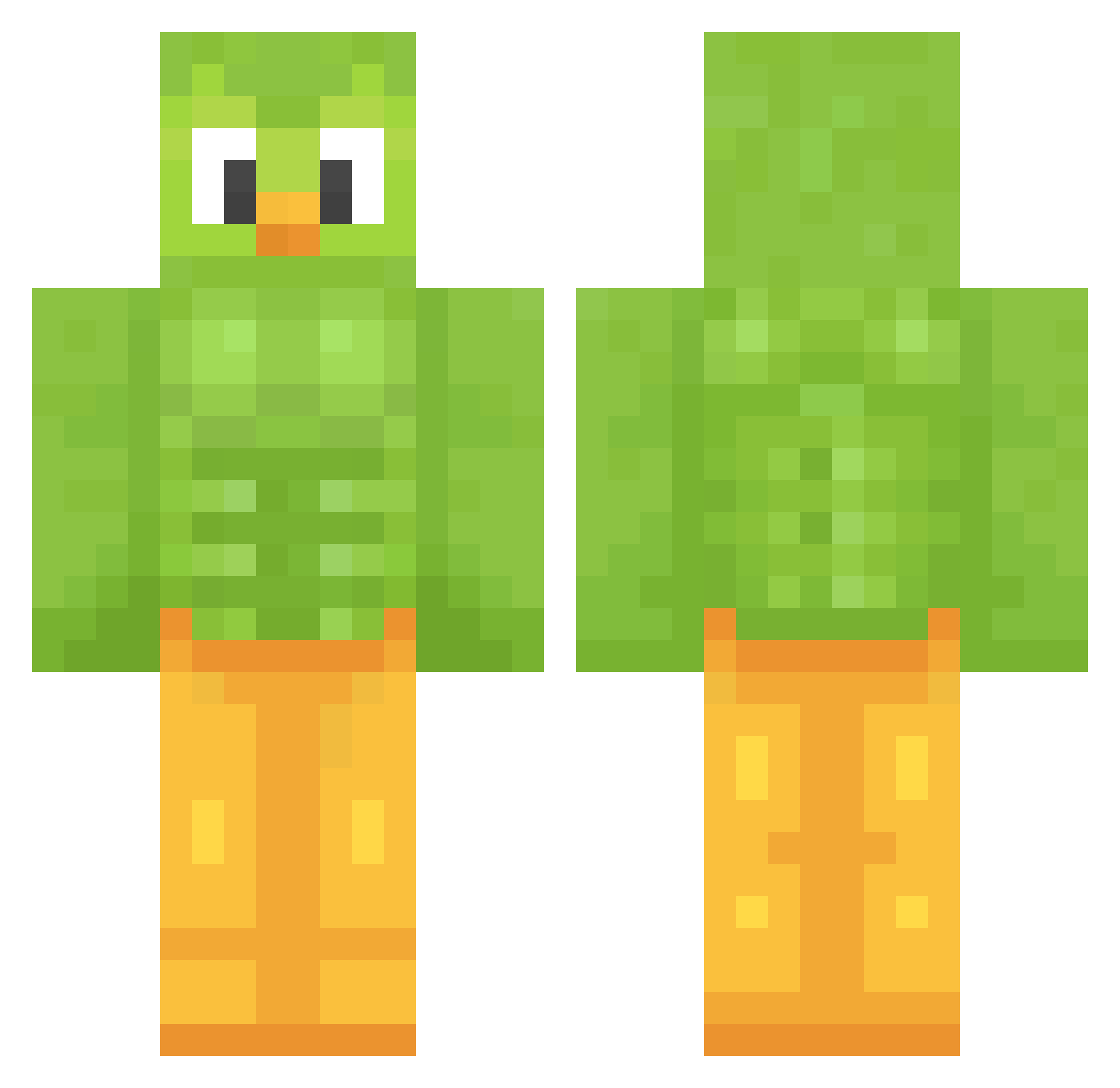
Current Minecraft skin of the player FloppistaYtGamer, loaded from the official Mojang API. Rotate the 3D model with your mouse or finger, then download the skin as a PNG file and use it in Minecraft: Bedrock Edition or Java Edition for free. When FloppistaYtGamer changes their skin, this page updates automatically and the old skin stays in the history below.
Other players with this skin (1207)
FloppistaYtGamer was the 1010th player we have seen with this skin, first spotted on 16.10.2026. The same skin was seen on these players. Open a nickname to see their current skin and skin history.
 Fane2001 amaris2091 Roland099 Bastichello sebastian194158 jjun9833 Sir_Cicir ukampka Libre_sonico R0B0TED1 elephant55688 Marcdog25 HypnoHyena ethancool485 PollitoSetsi SpicyFruitLoops Roitmyr CircusBoy1 duolvr rafael6611 ActuallyLuna A_Harbinger Reverse_Mode Darckbleys18 Dark_Ace69 Ikuyim1 Akila22 superveneco danielmann54 chako21 UTOPEK213 tlw1219 LeifBjarne Hat_on_your_head jang10124 capSchettinoo livelore123 ValkyrieQueen99 Wolf0_ susama48 Swunkypoo Benno320 1188456s wyrwadlo DrowningLessons6 October28th lillilee DS_ray Snyzn Jaider1410 NewCesam Biberoom TheOldFox Champaz69 Hekuetille chobro3 Tazyk_ PhyloGen RedCardinal2020 theOGbendog
More Duo Minecraft skins
How to install the FloppistaYtGamer skin
- Press the Download button above to save the skin as a PNG file.
- Minecraft: Bedrock Edition (PE): open the Dressing Room from the main menu (or tap your character → Edit Character), go to Classic Skins → Owned, press the + (new skin) button, choose the downloaded PNG and pick the Classic (Steve) model. Works on PC and mobile; consoles cannot import custom skins.
- Minecraft: Java Edition: open the Minecraft Launcher, go to the Skins tab, click New Skin, load the PNG, pick the Classic (Steve) model and press Save & Use. You can also upload it at minecraft.net → Profile → Change Skin.
The skin does not show up after import - what should I do?
Restart Minecraft and open the Dressing Room again - imported skins sometimes appear only after a restart. Also make sure you selected the imported skin and picked the Classic (Steve) model.
Which model should I choose, Classic or Slim?
This skin is designed for the Classic (Steve) model. If you pick the wrong model, the arms of the skin will look stretched or squeezed.
Is the skin of FloppistaYtGamer free to download?
Yes. Press Download, save the PNG file and use it in Minecraft: Bedrock Edition or Java Edition - no payment or registration needed. The skin also works on multiplayer servers and Realms.
More skins
Looking for more? Go back to all Minecraft skins and check the top skins of the week, month and all time, or find any player's skin by nickname.