
Flobo2007 - Minecraft Skins & Skin History
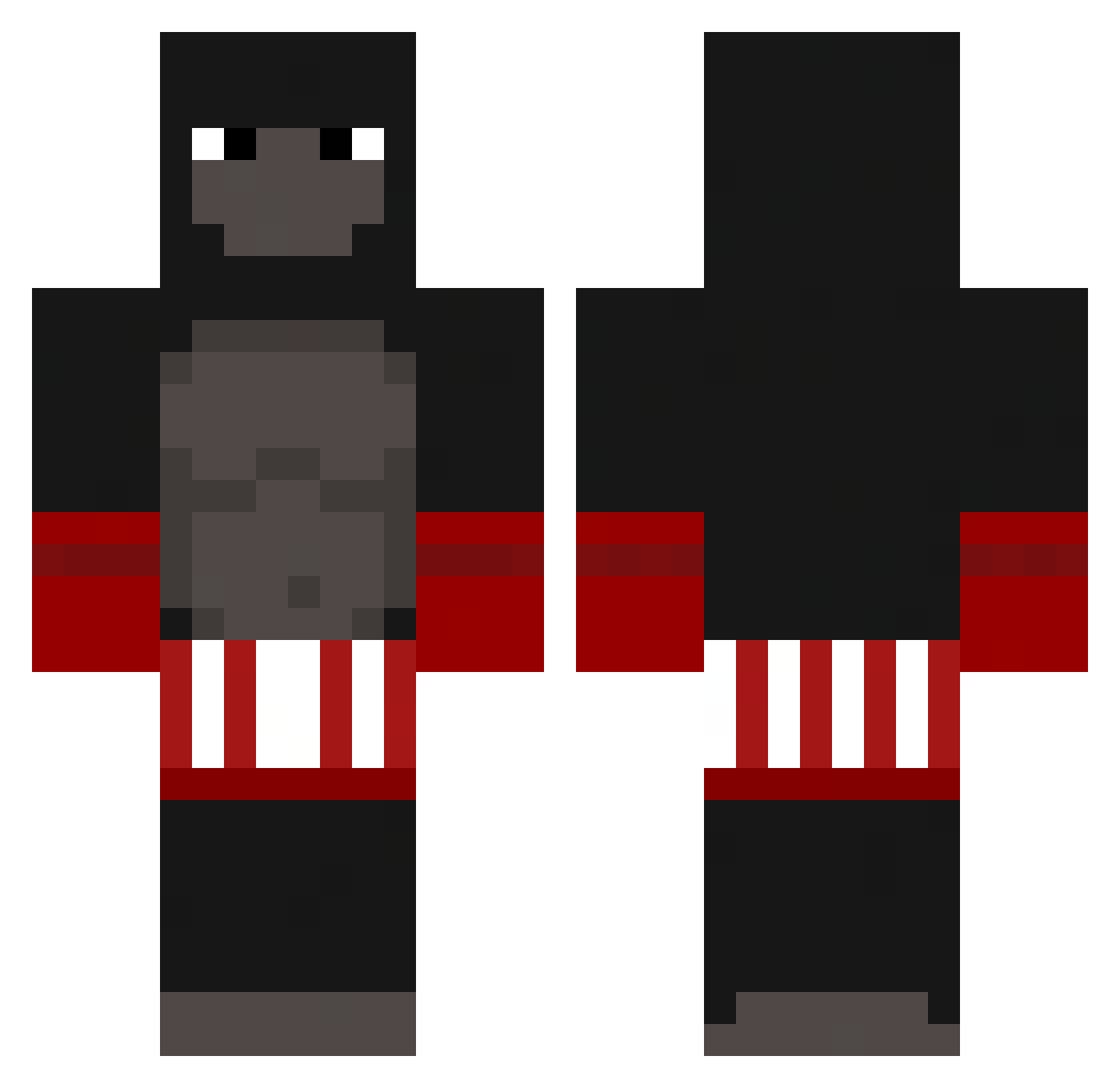
Current Minecraft skin of the player Flobo2007, loaded from the official Mojang API. Rotate the 3D model with your mouse or finger, then download the skin as a PNG file and use it in Minecraft: Bedrock Edition or Java Edition for free. When Flobo2007 changes their skin, this page updates automatically and the old skin stays in the history below.
Other players with this skin (235)
Flobo2007 was the 175th player we have seen with this skin, first spotted on 09.10.2026. The same skin was seen on these players. Open a nickname to see their current skin and skin history.
 lolobuldog Rwimp _SafteVand__ 0smik Birdwurst_ AnPrTeAwu Aron_1308 REDThornRock SCXRVL AwildPiranha_a Fapie Bozek_ UchihaSz SgtspacecatYT Jemal69 Budzik69420 Gaipirocool kamdyn4 Yatado Kirolu bathroomsnacker wojtussi Soloken Zaosu Monkey_Man_1 Splixent Sadece_Mirac CoolKalle Flankie 00PAULUS nguoiden1 OnLukeR Coconut__Enjoyer PiscouTOMOU 714andrew pupupupupupu G0rilla19 dababybakaballs Slewingo matthew_otto 6scopes NirTrex Kntb15 Callefar DNA_MD _danicruuz_ Raim3x ts_marden KampfGorillaOle SeriousSl0th aymansbm Itzkuba NiiNBaaB Ft_jamesmccain SURGEthe1st Sqtary hamonchiy C9_NASA lolster1210 GamerCheney
More Boxer Minecraft skins
How to install the Flobo2007 skin
- Press the Download button above to save the skin as a PNG file.
- Minecraft: Bedrock Edition (PE): open the Dressing Room from the main menu (or tap your character → Edit Character), go to Classic Skins → Owned, press the + (new skin) button, choose the downloaded PNG and pick the Classic (Steve) model. Works on PC and mobile; consoles cannot import custom skins.
- Minecraft: Java Edition: open the Minecraft Launcher, go to the Skins tab, click New Skin, load the PNG, pick the Classic (Steve) model and press Save & Use. You can also upload it at minecraft.net → Profile → Change Skin.
The skin does not show up after import - what should I do?
Restart Minecraft and open the Dressing Room again - imported skins sometimes appear only after a restart. Also make sure you selected the imported skin and picked the Classic (Steve) model.
Which model should I choose, Classic or Slim?
This skin is designed for the Classic (Steve) model. If you pick the wrong model, the arms of the skin will look stretched or squeezed.
Is the skin of Flobo2007 free to download?
Yes. Press Download, save the PNG file and use it in Minecraft: Bedrock Edition or Java Edition - no payment or registration needed. The skin also works on multiplayer servers and Realms.
More skins
Looking for more? Go back to all Minecraft skins and check the top skins of the week, month and all time, or find any player's skin by nickname.