
Floaxed - Minecraft Skins & Skin History
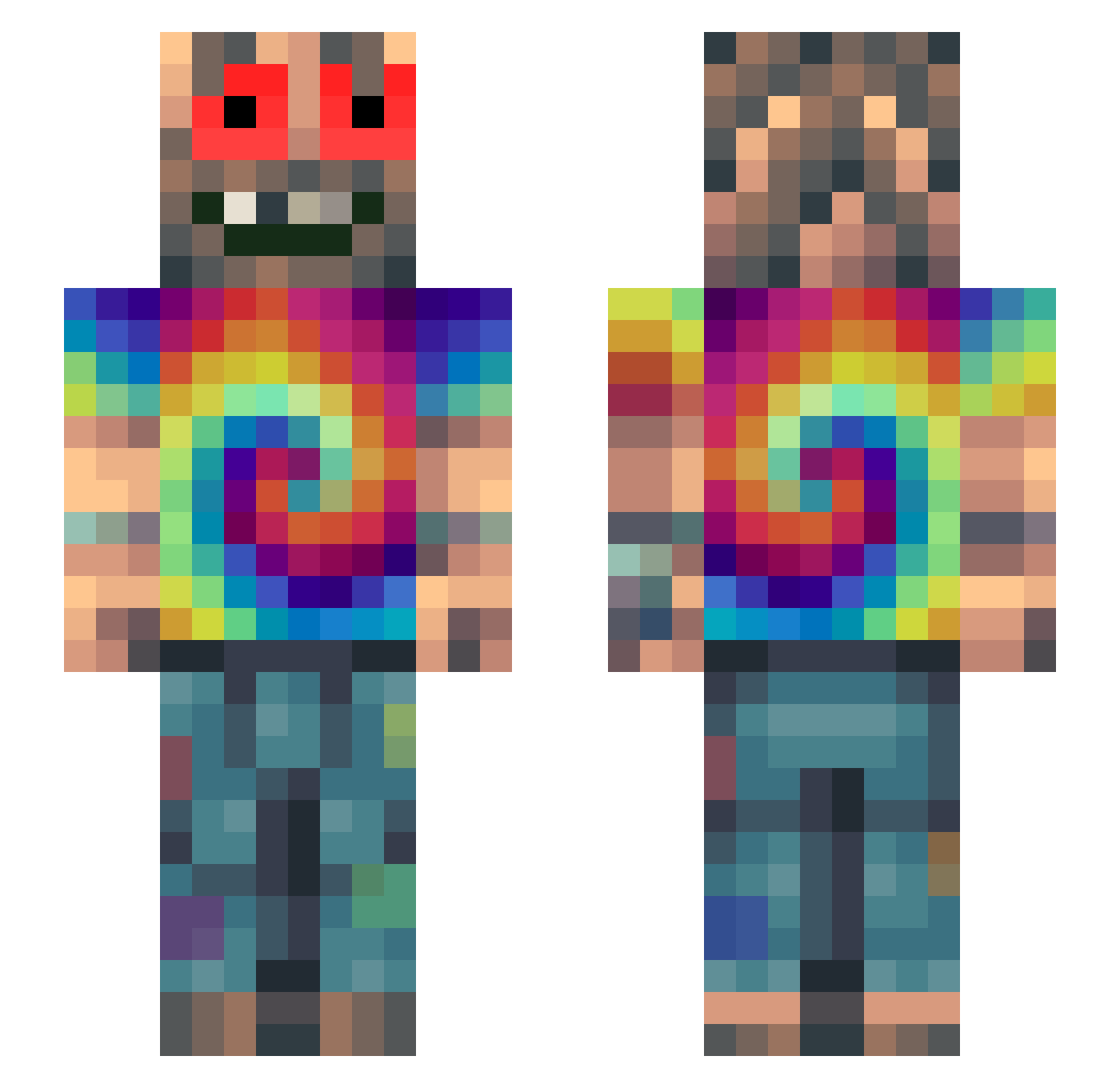
Current Minecraft skin of the player Floaxed, loaded from the official Mojang API. Rotate the 3D model with your mouse or finger, then download the skin as a PNG file and use it in Minecraft: Bedrock Edition or Java Edition for free. When Floaxed changes their skin, this page updates automatically and the old skin stays in the history below.
Other players with this skin (330)
Floaxed was the 19th player we have seen with this skin, first spotted on 31.07.2026. The same skin was seen on these players. Open a nickname to see their current skin and skin history.
 AngeLaChienne CristianElite
 SteveKrumps hooligan_chase ignSimp 7kushOG YgRoley AmGone teamseshcraze Jesus3830 Altair7000
 obahia
 Felisaurio ErWiederDa Xanderri GoodGuyJayy weeduser124 Byktor Weinmann FEaDaZz eulangs guirpinheio sushicreamrolls defnotgraceee AnimaHaze Cyroxxy MarleyMandem iCR000 ArKade27 ZULTECHNO Nic2Fat BoleslawKaktus WumboPanda imperium_aeterna ToJah Hydrionix terrana_06 Spiewaczek mrpluto1101 TheDereck TitoBR RAGEMUCH2000 Paco_Porros420 ZoneThreat boness1 TheAlekks Didern09 MyPlague666 _Sickneess_ hardkorowyhardko Jyndryys oddsloth Resqonseful Gdiazz Tjernaaa Lukecox1234 Piriwille NZK_1602 Brocrazzy Staticfly
How to install the Floaxed skin
- Press the Download button above to save the skin as a PNG file.
- Minecraft: Bedrock Edition (PE): open the Dressing Room from the main menu (or tap your character → Edit Character), go to Classic Skins → Owned, press the + (new skin) button, choose the downloaded PNG and pick the Slim (Alex) model. Works on PC and mobile; consoles cannot import custom skins.
- Minecraft: Java Edition: open the Minecraft Launcher, go to the Skins tab, click New Skin, load the PNG, pick the Slim (Alex) model and press Save & Use. You can also upload it at minecraft.net → Profile → Change Skin.
The skin does not show up after import - what should I do?
Restart Minecraft and open the Dressing Room again - imported skins sometimes appear only after a restart. Also make sure you selected the imported skin and picked the Slim (Alex) model.
Which model should I choose, Classic or Slim?
This skin is designed for the Slim (Alex) model. If you pick the wrong model, the arms of the skin will look stretched or squeezed.
Is the skin of Floaxed free to download?
Yes. Press Download, save the PNG file and use it in Minecraft: Bedrock Edition or Java Edition - no payment or registration needed. The skin also works on multiplayer servers and Realms.
More skins
Looking for more? Go back to all Minecraft skins and check the top skins of the week, month and all time, or find any player's skin by nickname.