
FlkkerNinja - Minecraft Skins & Skin History
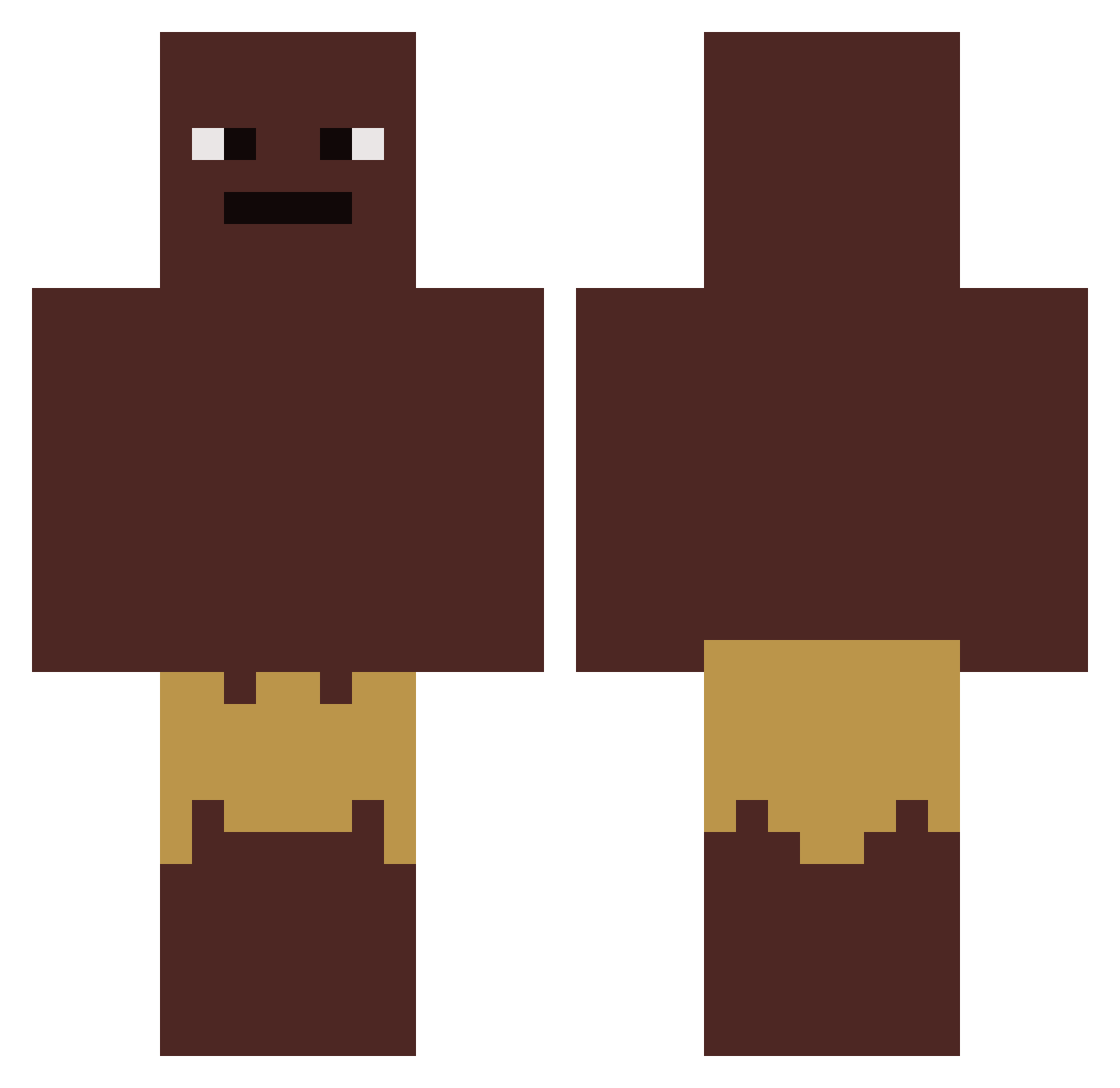
Current Minecraft skin of the player FlkkerNinja, loaded from the official Mojang API. Rotate the 3D model with your mouse or finger, then download the skin as a PNG file and use it in Minecraft: Bedrock Edition or Java Edition for free. When FlkkerNinja changes their skin, this page updates automatically and the old skin stays in the history below.
Other players with this skin (535)
FlkkerNinja was the 445th player we have seen with this skin, first spotted on 30.10.2026. The same skin was seen on these players. Open a nickname to see their current skin and skin history.
 marszeli Uffe_Pangare LUARRRR brrrrigga Filzer47 Saloty MoonawSlave Kamilll997 Swordsperi yohnnythemonkey scottiegotcrack charlesbg9023 ZerCOWer FEELIEBOY Fabio55 LouisTiron IcyFlame1225 Donut_MD 67ohad_epstein67 Tornadish LoliSlayer87 Duckymonee GoogleeDudee Im_out_of_ideas2 Terryn29 Chris_035 razzledazzle1011 DieRealLuzi PhantomHyper7 MagicMagines PeaceR0ss NutOfGandalf Rockpox omankokusai GobiBOT blueoshee Edmond56 Jose0719 spayzeee OfficialDuck Nigglesinparis CloudzyOP ByExotiiC tw_ss Piciluare Oskar_raka_bajs Ratatullie RobertBrunsas Grindy3 MugiwaraJono PhilippAmthor landonbruh_ Moin4000 hunvr24 DrumstickWarrior kubox1 abdulkrem MRMG4 Relayers mx5mazda
How to install the FlkkerNinja skin
- Press the Download button above to save the skin as a PNG file.
- Minecraft: Bedrock Edition (PE): open the Dressing Room from the main menu (or tap your character → Edit Character), go to Classic Skins → Owned, press the + (new skin) button, choose the downloaded PNG and pick the Classic (Steve) model. Works on PC and mobile; consoles cannot import custom skins.
- Minecraft: Java Edition: open the Minecraft Launcher, go to the Skins tab, click New Skin, load the PNG, pick the Classic (Steve) model and press Save & Use. You can also upload it at minecraft.net → Profile → Change Skin.
The skin does not show up after import - what should I do?
Restart Minecraft and open the Dressing Room again - imported skins sometimes appear only after a restart. Also make sure you selected the imported skin and picked the Classic (Steve) model.
Which model should I choose, Classic or Slim?
This skin is designed for the Classic (Steve) model. If you pick the wrong model, the arms of the skin will look stretched or squeezed.
Is the skin of FlkkerNinja free to download?
Yes. Press Download, save the PNG file and use it in Minecraft: Bedrock Edition or Java Edition - no payment or registration needed. The skin also works on multiplayer servers and Realms.
More skins
Looking for more? Go back to all Minecraft skins and check the top skins of the week, month and all time, or find any player's skin by nickname.