
Flayb - Minecraft Skins & Skin History
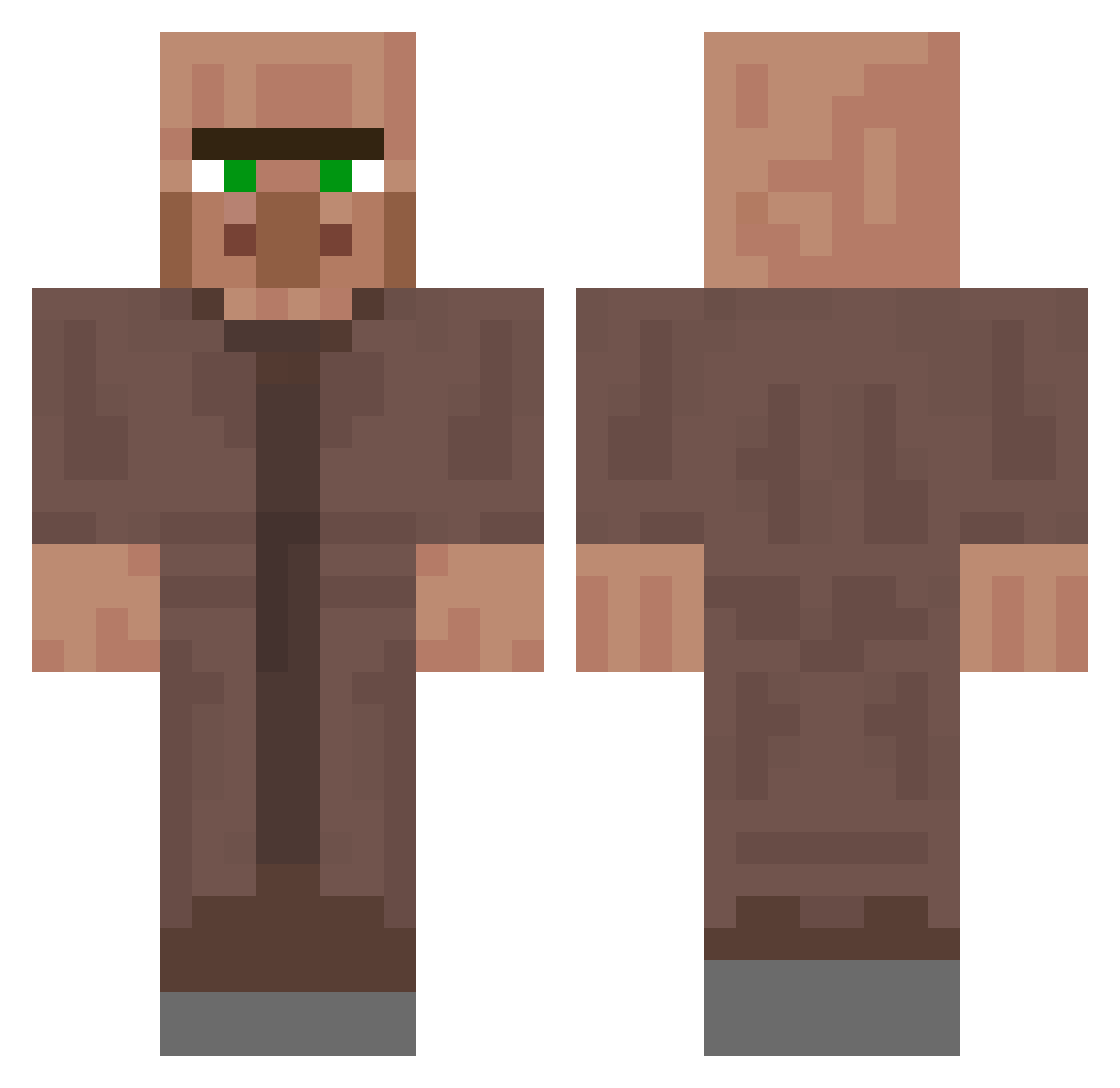
Current Minecraft skin of the player Flayb, loaded from the official Mojang API. Rotate the 3D model with your mouse or finger, then download the skin as a PNG file and use it in Minecraft: Bedrock Edition or Java Edition for free. When Flayb changes their skin, this page updates automatically and the old skin stays in the history below.
Other players with this skin (250)
Flayb was the 231st player we have seen with this skin, first spotted on 23.10.2026. The same skin was seen on these players. Open a nickname to see their current skin and skin history.
 elbrunogaming Dodoi _MisterX__ spawnll fwyuza ziropeYT Mr_Equilibrium nganoahhM afoolmoonronaldo Hwoo1465 PAI_ollo yasupin MrDuckyyyy 9hz5 E_xO1738 Cardboard_Monke1 Capy1169 Xing_qui INSUINSUYAYA mulmul4001 Cheese_Snake BADNEWSDRIDI DrCpvp _CreamyRick SylverGaming ggokjidongha AllGo1 PowerBrake4334 Kokololi_ parkseong0507 kimppoppi2371 Mr_Spongebobs 2Spiderman _toxic_wed mydlilmibarana FlameDragon4490 Warszywka LeonisLehrbua DaddyBoombastic EU_Atsumu WalkingVillager YoungMaster6152 Chris_Lickytung PGB2008 BrunoH030709 serwan55 Maicol_feo Quft LT3Toasty ThemCombos Roar1976 RustFE NaGan123 ilyha0211 SmilesMyles0323 infraYellow Sturm_undDrang Odin1123 JohnnyTien Francesco1234
More NPC Minecraft skins
How to install the Flayb skin
- Press the Download button above to save the skin as a PNG file.
- Minecraft: Bedrock Edition (PE): open the Dressing Room from the main menu (or tap your character → Edit Character), go to Classic Skins → Owned, press the + (new skin) button, choose the downloaded PNG and pick the Classic (Steve) model. Works on PC and mobile; consoles cannot import custom skins.
- Minecraft: Java Edition: open the Minecraft Launcher, go to the Skins tab, click New Skin, load the PNG, pick the Classic (Steve) model and press Save & Use. You can also upload it at minecraft.net → Profile → Change Skin.
The skin does not show up after import - what should I do?
Restart Minecraft and open the Dressing Room again - imported skins sometimes appear only after a restart. Also make sure you selected the imported skin and picked the Classic (Steve) model.
Which model should I choose, Classic or Slim?
This skin is designed for the Classic (Steve) model. If you pick the wrong model, the arms of the skin will look stretched or squeezed.
Is the skin of Flayb free to download?
Yes. Press Download, save the PNG file and use it in Minecraft: Bedrock Edition or Java Edition - no payment or registration needed. The skin also works on multiplayer servers and Realms.
More skins
Looking for more? Go back to all Minecraft skins and check the top skins of the week, month and all time, or find any player's skin by nickname.