
FlauschusMcFluff - Minecraft Skins & Skin History
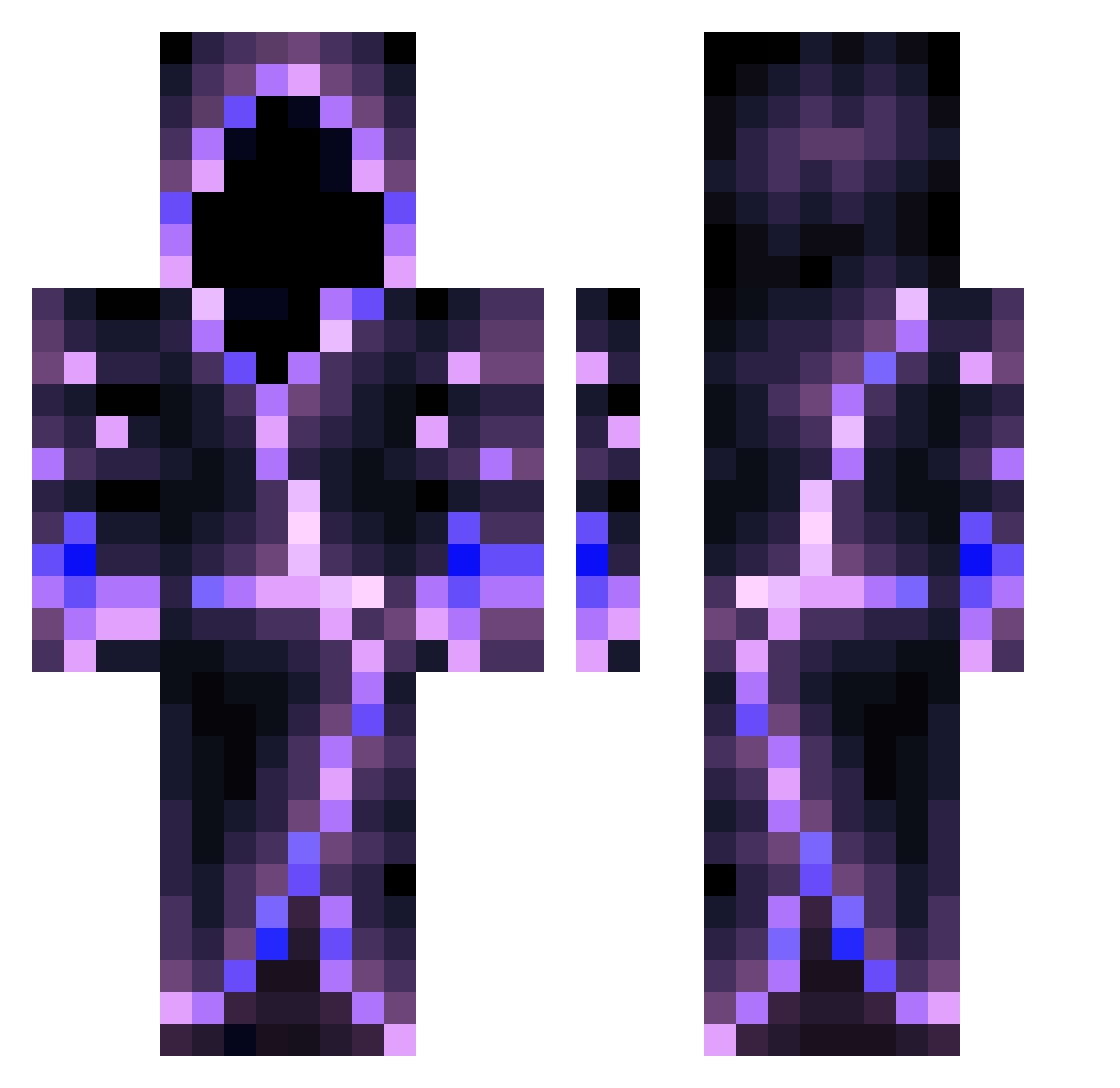
Current Minecraft skin of the player FlauschusMcFluff, loaded from the official Mojang API. Rotate the 3D model with your mouse or finger, then download the skin as a PNG file and use it in Minecraft: Bedrock Edition or Java Edition for free. When FlauschusMcFluff changes their skin, this page updates automatically and the old skin stays in the history below.
Other players with this skin (560)
FlauschusMcFluff was the 5th player we have seen with this skin, first spotted on 23.07.2026. The same skin was seen on these players. Open a nickname to see their current skin and skin history.
 werdrew420 Caney00 xxLcar Savag3ry SlangSAMA Magnus88j FranciumPlaysMC Mientus_11 JahsehVII HenCube2802 049marco Anxietypebbles FireIce2866 Lesosen Kiandough Luk_735 suxuansama kaixuanatm LaBraguette Xert15 Jaxonisbetter JohnnyKaos Carnoraptor Alfonso_XD Astro4896 In_Sup Bubbly_Huck Phewzion OwO212 Comebackv2 shrooompy Brianton_ Lydar8751 LotusWG
 TrustaZeu HenselBoss oBenc TheAssassinX
 Remexxl clover_fn K1NG_25 Zinncraft NotAgony AzrielNil poloxk07 Vipperro Dragon2147 Jingwu420 Piff8940 MC_Toxic Poulet_tout_cru FLAIR_ZN SirKnowsNothing Ch3ckpoint Invictus8481 Mar_tin00 Najtsabes JeanKevin68 ThatCarDude signiture235711
More Hooded Figure Minecraft skins
See all 1222 Hooded Figure skins
How to install the FlauschusMcFluff skin
- Press the Download button above to save the skin as a PNG file.
- Minecraft: Bedrock Edition (PE): open the Dressing Room from the main menu (or tap your character → Edit Character), go to Classic Skins → Owned, press the + (new skin) button, choose the downloaded PNG and pick the Classic (Steve) model. Works on PC and mobile; consoles cannot import custom skins.
- Minecraft: Java Edition: open the Minecraft Launcher, go to the Skins tab, click New Skin, load the PNG, pick the Classic (Steve) model and press Save & Use. You can also upload it at minecraft.net → Profile → Change Skin.
The skin does not show up after import - what should I do?
Restart Minecraft and open the Dressing Room again - imported skins sometimes appear only after a restart. Also make sure you selected the imported skin and picked the Classic (Steve) model.
Which model should I choose, Classic or Slim?
This skin is designed for the Classic (Steve) model. If you pick the wrong model, the arms of the skin will look stretched or squeezed.
Is the skin of FlauschusMcFluff free to download?
Yes. Press Download, save the PNG file and use it in Minecraft: Bedrock Edition or Java Edition - no payment or registration needed. The skin also works on multiplayer servers and Realms.
More skins
Looking for more? Go back to all Minecraft skins and check the top skins of the week, month and all time, or find any player's skin by nickname.