
Flash_Wing - Minecraft Skins & Skin History
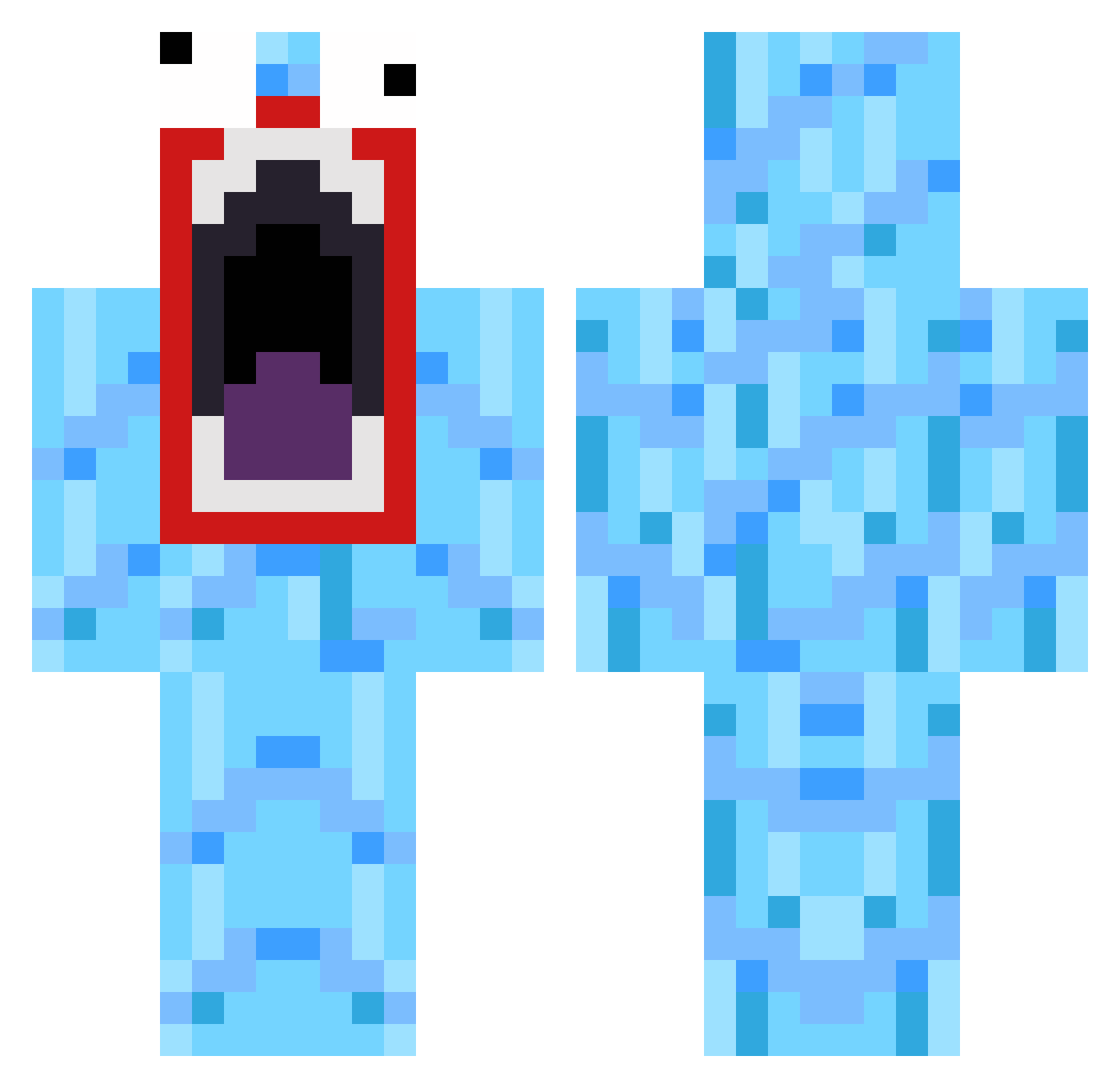
Current Minecraft skin of the player Flash_Wing, loaded from the official Mojang API. Rotate the 3D model with your mouse or finger, then download the skin as a PNG file and use it in Minecraft: Bedrock Edition or Java Edition for free. When Flash_Wing changes their skin, this page updates automatically and the old skin stays in the history below.
Other players with this skin (519)
Flash_Wing was the 200th player we have seen with this skin, first spotted on 16.09.2026. The same skin was seen on these players. Open a nickname to see their current skin and skin history.
 automaticjt joelb93 jcooper12 KeyboardMage exeiver1 hoff9thousand benjamin_gross Krauser950 axel2304 IsaiahMartinez11 frazle123 Kerkerkind lacrosse491 zhaalia K0olaidjr Chalky165 melvinvv seolgun eminemtwzd happytreefriends Stefhing CaptianWiggles0 whambo7 wipbot3 bicmann 3deeee MadArab1966 wabagoon bu11e7pr00f SuperSneaky7 miklas789 OrIGInalPyRO Ridderlykke JoeBurger18 AvozM8 AlohaCobra tyddown leafsfan83 Levee mullyman1 FlyingFish44 therock9 Wilfster101 SkyWeep coreyb97 Chiickenss LowellStudent5 Kinkara klaeus Deficit Jaro5919 AbruptEscape Fouroneseven ROCCASTEADY TypicalGrandpa PotatoMode 572560 Ecco76 janusnyborg1 PonyNotFound
How to install the Flash_Wing skin
- Press the Download button above to save the skin as a PNG file.
- Minecraft: Bedrock Edition (PE): open the Dressing Room from the main menu (or tap your character → Edit Character), go to Classic Skins → Owned, press the + (new skin) button, choose the downloaded PNG and pick the Classic (Steve) model. Works on PC and mobile; consoles cannot import custom skins.
- Minecraft: Java Edition: open the Minecraft Launcher, go to the Skins tab, click New Skin, load the PNG, pick the Classic (Steve) model and press Save & Use. You can also upload it at minecraft.net → Profile → Change Skin.
The skin does not show up after import - what should I do?
Restart Minecraft and open the Dressing Room again - imported skins sometimes appear only after a restart. Also make sure you selected the imported skin and picked the Classic (Steve) model.
Which model should I choose, Classic or Slim?
This skin is designed for the Classic (Steve) model. If you pick the wrong model, the arms of the skin will look stretched or squeezed.
Is the skin of Flash_Wing free to download?
Yes. Press Download, save the PNG file and use it in Minecraft: Bedrock Edition or Java Edition - no payment or registration needed. The skin also works on multiplayer servers and Realms.
More skins
Looking for more? Go back to all Minecraft skins and check the top skins of the week, month and all time, or find any player's skin by nickname.