
Final_Ares - Minecraft Skins & Skin History
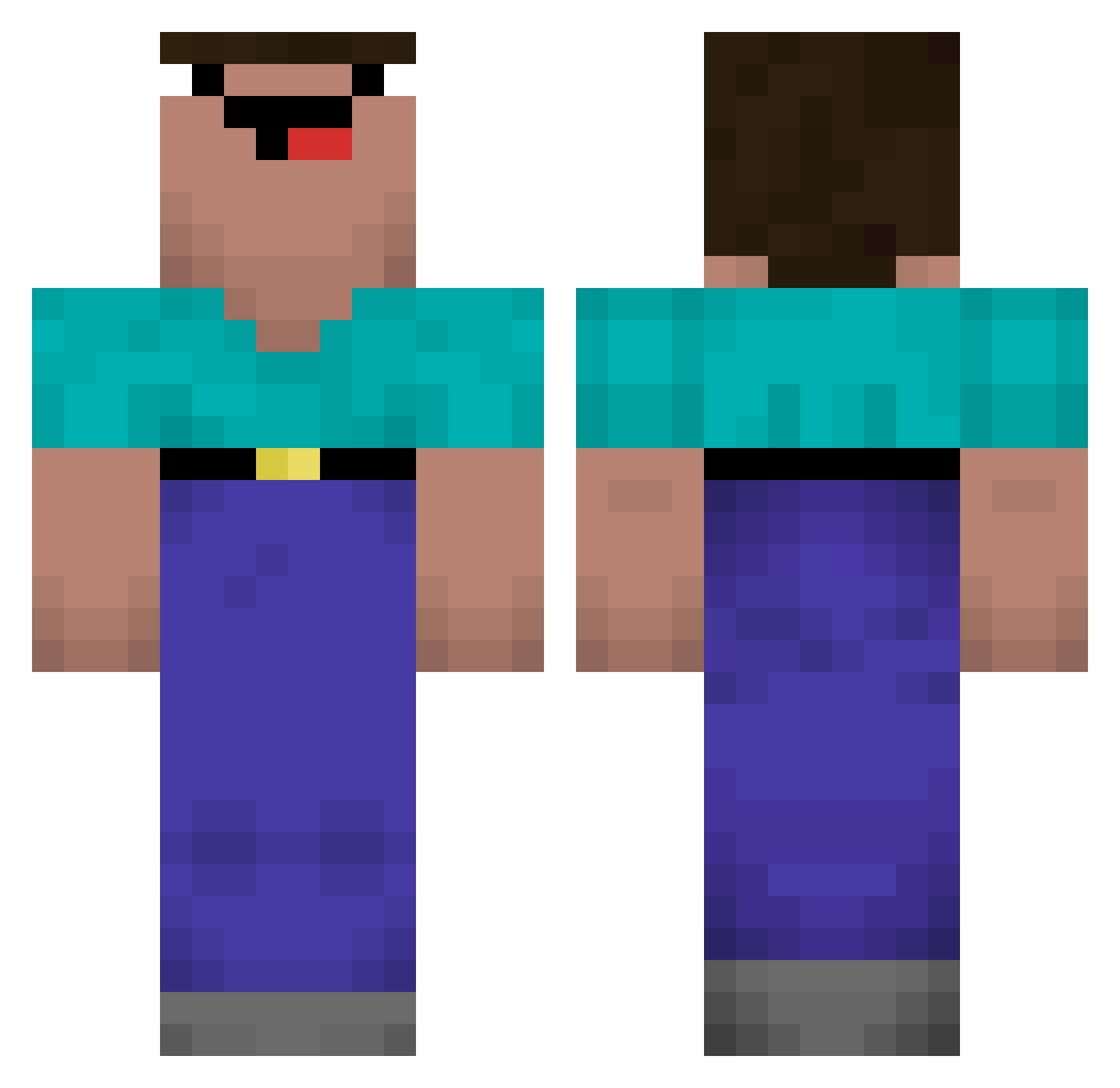
Current Minecraft skin of the player Final_Ares, loaded from the official Mojang API. Rotate the 3D model with your mouse or finger, then download the skin as a PNG file and use it in Minecraft: Bedrock Edition or Java Edition for free. When Final_Ares changes their skin, this page updates automatically and the old skin stays in the history below.
Other players with this skin (569)
Final_Ares was the 84th player we have seen with this skin, first spotted on 14.08.2026. The same skin was seen on these players. Open a nickname to see their current skin and skin history.
 Ricsesz78 dommeman CreeperSword243 Toliky_rz Chou_lan_jiao Afvallen Nagykukacc ByggareBob22 ohn3or Mingyue488 TomtheXyv MTmengnan Gaelsito DouGEBR XIANGSU_ KIsaaKI charlie3710 Evylk_23 ahmetpro1325 SSamgae Althearia EryckKaizer Lazy_Q vyrukz Birkegaard zGots Duckslay Kha_Zhix hjw4624 DonLechuga1 pcg0629 needing123 quast_ DonyV IrishladScark saggymelons5555 Mine84 SPBloockBR eliasbes darkshisha culotette DcMystic ShadowYeet24 Swing_Rainbow Jonaswed1 RustyPiano blockman_023 QuDeConcreto Superlek1 Henrique9970 DavDan_ MidshipCoin788 keviin912 AgraroekonomDB ErwannP Studiovare NBK_mask Sonenbume zukrlk NotXanher
More Classic Minecraft skins
How to install the Final_Ares skin
- Press the Download button above to save the skin as a PNG file.
- Minecraft: Bedrock Edition (PE): open the Dressing Room from the main menu (or tap your character → Edit Character), go to Classic Skins → Owned, press the + (new skin) button, choose the downloaded PNG and pick the Classic (Steve) model. Works on PC and mobile; consoles cannot import custom skins.
- Minecraft: Java Edition: open the Minecraft Launcher, go to the Skins tab, click New Skin, load the PNG, pick the Classic (Steve) model and press Save & Use. You can also upload it at minecraft.net → Profile → Change Skin.
The skin does not show up after import - what should I do?
Restart Minecraft and open the Dressing Room again - imported skins sometimes appear only after a restart. Also make sure you selected the imported skin and picked the Classic (Steve) model.
Which model should I choose, Classic or Slim?
This skin is designed for the Classic (Steve) model. If you pick the wrong model, the arms of the skin will look stretched or squeezed.
Is the skin of Final_Ares free to download?
Yes. Press Download, save the PNG file and use it in Minecraft: Bedrock Edition or Java Edition - no payment or registration needed. The skin also works on multiplayer servers and Realms.
More skins
Looking for more? Go back to all Minecraft skins and check the top skins of the week, month and all time, or find any player's skin by nickname.