
Final75FG - Minecraft Skins & Skin History
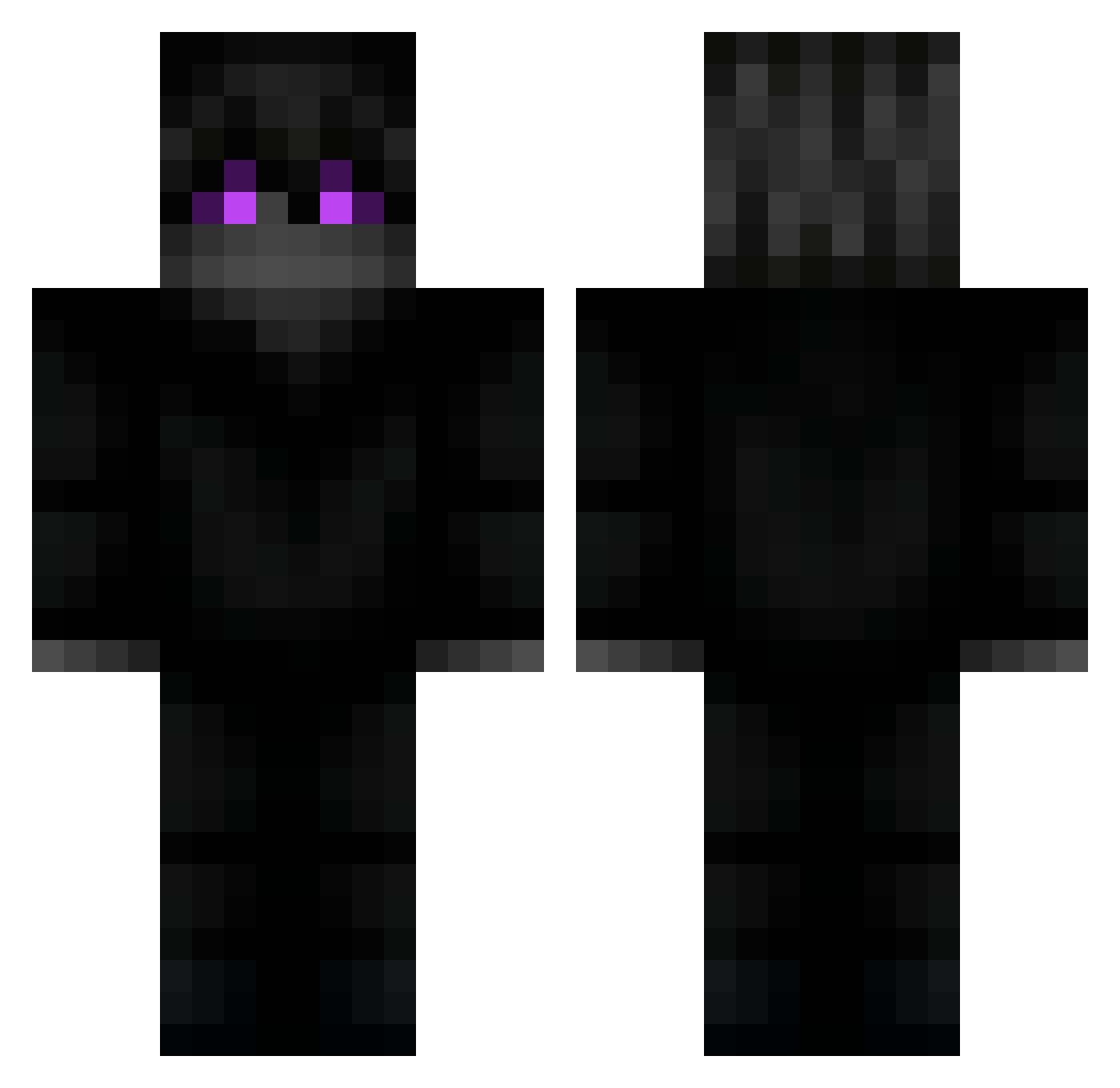
Current Minecraft skin of the player Final75FG, loaded from the official Mojang API. Rotate the 3D model with your mouse or finger, then download the skin as a PNG file and use it in Minecraft: Bedrock Edition or Java Edition for free. When Final75FG changes their skin, this page updates automatically and the old skin stays in the history below.
Other players with this skin (219)
Final75FG was the 192nd player we have seen with this skin, first spotted on 22.10.2026. The same skin was seen on these players. Open a nickname to see their current skin and skin history.
 unambushed MoacirFranco RebornOfLegend WaVeZv2 144ms8246 remzon_ goodforhealth Maaaaaddy xAssim PowerGrunt Lemonui PoLoL Keljaden KHM0829 Frozeadx_ zihf itsmePurpie PNDX sneakyyzs Mattdicine WhiteLeaf xDomZee_ ANoobyPlayer SamuraiBSY order66grougu SankoP0ne yaruwa SingeUnisFort MessyGoon DavideNotReal ImmortalsPvP pl7xd ArtKon2 Sdk_Berkaa jinho439 Tomich001 legonicofra Veetiiixd Myoryeo Modski_ Swemet Doesk Dbledese Asxtro46 vinidev kusarinrin M4NO1R PapiImmortals PoletPeter Gqve_ MR_jOKER_j ElMutMutt Andraith641 N_BossTH66 loss__ FagePVP LeGamerOBG coolkididk77 Kushyy_ LayLaiTatCa
More Ender Dragon Minecraft skins
See all 649 Ender Dragon skins
How to install the Final75FG skin
- Press the Download button above to save the skin as a PNG file.
- Minecraft: Bedrock Edition (PE): open the Dressing Room from the main menu (or tap your character → Edit Character), go to Classic Skins → Owned, press the + (new skin) button, choose the downloaded PNG and pick the Classic (Steve) model. Works on PC and mobile; consoles cannot import custom skins.
- Minecraft: Java Edition: open the Minecraft Launcher, go to the Skins tab, click New Skin, load the PNG, pick the Classic (Steve) model and press Save & Use. You can also upload it at minecraft.net → Profile → Change Skin.
The skin does not show up after import - what should I do?
Restart Minecraft and open the Dressing Room again - imported skins sometimes appear only after a restart. Also make sure you selected the imported skin and picked the Classic (Steve) model.
Which model should I choose, Classic or Slim?
This skin is designed for the Classic (Steve) model. If you pick the wrong model, the arms of the skin will look stretched or squeezed.
Is the skin of Final75FG free to download?
Yes. Press Download, save the PNG file and use it in Minecraft: Bedrock Edition or Java Edition - no payment or registration needed. The skin also works on multiplayer servers and Realms.
More skins
Looking for more? Go back to all Minecraft skins and check the top skins of the week, month and all time, or find any player's skin by nickname.