
Filipetto10 - Minecraft Skins & Skin History
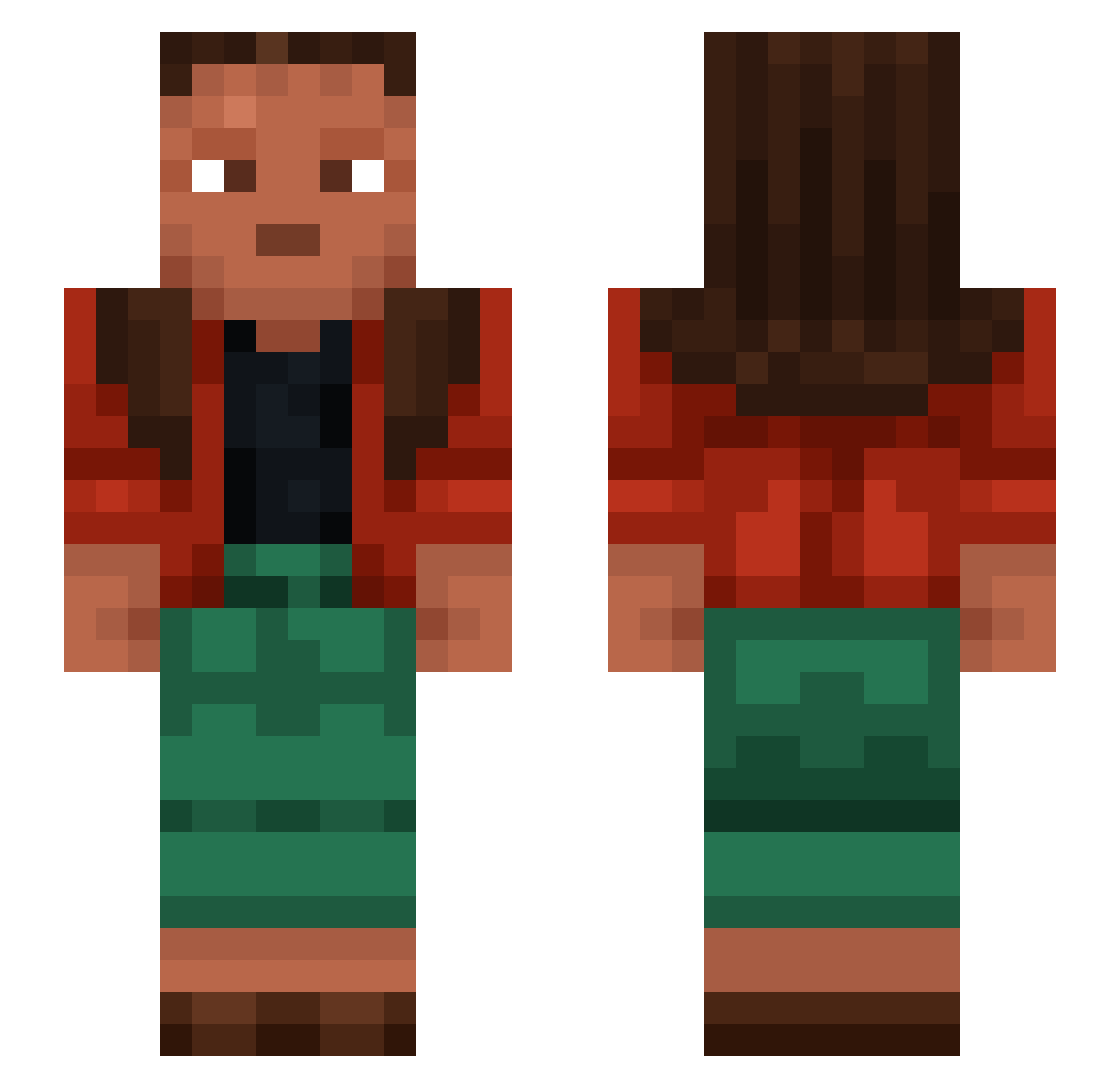
Current Minecraft skin of the player Filipetto10, loaded from the official Mojang API. Rotate the 3D model with your mouse or finger, then download the skin as a PNG file and use it in Minecraft: Bedrock Edition or Java Edition for free. When Filipetto10 changes their skin, this page updates automatically and the old skin stays in the history below.
Other players with this skin (1073)
Filipetto10 was the 150th player we have seen with this skin, first spotted on 08.08.2026. The same skin was seen on these players. Open a nickname to see their current skin and skin history.
 Beguine King_Ikea LordMaligant bluey_axolotl Firin Merles iiFlinty Iggywandernerd charlestheman14 kelpi5555 HorseHoof manitou Uglyb0b Otrox kylanzer Dichotomic Cam_Sk
 supergovernment chionis Hohenstaufen pinacotheca bigg RAMSTEAD cexemperor blende Welt GitGudx partable Gabu1001 limuli camelstoes123 Burst FSorXT reboot_protocol blemish Alphavinicius6 GrustniyMudak ESS_YALA Baconburgare Static_Earlobe TheNachoChip AMD1927 PeterHyballade MithicWolfe Alfreithr spises ozark NickTang_ luridness Christoneo Tholes NotAlob Rippet IDK_name2005 Libidos Toggimagg
 Puzon1k Egemenito MOOZABI_CRONG Radiometer
How to install the Filipetto10 skin
- Press the Download button above to save the skin as a PNG file.
- Minecraft: Bedrock Edition (PE): open the Dressing Room from the main menu (or tap your character → Edit Character), go to Classic Skins → Owned, press the + (new skin) button, choose the downloaded PNG and pick the Slim (Alex) model. Works on PC and mobile; consoles cannot import custom skins.
- Minecraft: Java Edition: open the Minecraft Launcher, go to the Skins tab, click New Skin, load the PNG, pick the Slim (Alex) model and press Save & Use. You can also upload it at minecraft.net → Profile → Change Skin.
The skin does not show up after import - what should I do?
Restart Minecraft and open the Dressing Room again - imported skins sometimes appear only after a restart. Also make sure you selected the imported skin and picked the Slim (Alex) model.
Which model should I choose, Classic or Slim?
This skin is designed for the Slim (Alex) model. If you pick the wrong model, the arms of the skin will look stretched or squeezed.
Is the skin of Filipetto10 free to download?
Yes. Press Download, save the PNG file and use it in Minecraft: Bedrock Edition or Java Edition - no payment or registration needed. The skin also works on multiplayer servers and Realms.
More skins
Looking for more? Go back to all Minecraft skins and check the top skins of the week, month and all time, or find any player's skin by nickname.