
Fidaa - Minecraft Skins & Skin History
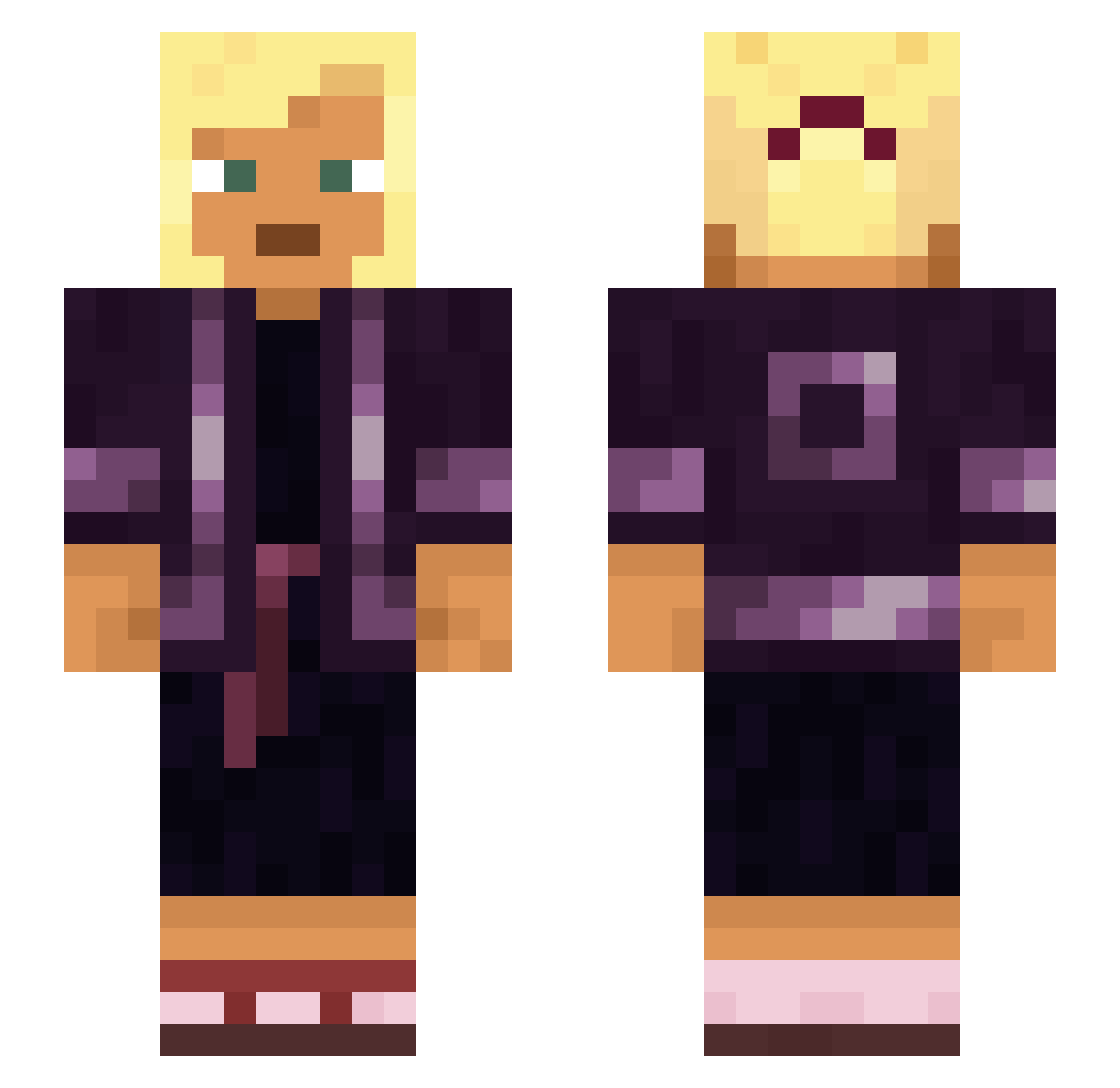
Current Minecraft skin of the player Fidaa, loaded from the official Mojang API. Rotate the 3D model with your mouse or finger, then download the skin as a PNG file and use it in Minecraft: Bedrock Edition or Java Edition for free. When Fidaa changes their skin, this page updates automatically and the old skin stays in the history below.
Other players with this skin (932)
Fidaa was the 376th player we have seen with this skin, first spotted on 08.09.2026. The same skin was seen on these players. Open a nickname to see their current skin and skin history.
 ipm qwerty989 RIP_ReyZax Hyperkeratosis THUNDERRED64 Finagler WinterS2 iluvDoritos Sorgos cockscomb FerryMan MeraMeraNoMii MR_PAIN_69 WisppytooCwispy takenoko1739 Symbolics Skt15svoo Rooses shiliuwei tacitean Shizux Orthographic
 spasming YoungThug nockab Tidelands Symbiotes lobeless Hugsy_15 JAMIEMAGI Cornus ycuSchizoLover Puku nwmoscar Wrobel55 Exanthematous KrisKras77 palometa Merrymaking Thorfynn_Jandvik Leorina favonius Bito mmmdelicious Tub0lster Tumblings BearChords mzvyga Cafe763 Cafmop xDonRamonx 400kgtorta ferroelectric Guardeen petraKh MacFlecknoe GabOnTrash juryman Hattic Geodetic
More Asian Minecraft skins
How to install the Fidaa skin
- Press the Download button above to save the skin as a PNG file.
- Minecraft: Bedrock Edition (PE): open the Dressing Room from the main menu (or tap your character → Edit Character), go to Classic Skins → Owned, press the + (new skin) button, choose the downloaded PNG and pick the Slim (Alex) model. Works on PC and mobile; consoles cannot import custom skins.
- Minecraft: Java Edition: open the Minecraft Launcher, go to the Skins tab, click New Skin, load the PNG, pick the Slim (Alex) model and press Save & Use. You can also upload it at minecraft.net → Profile → Change Skin.
The skin does not show up after import - what should I do?
Restart Minecraft and open the Dressing Room again - imported skins sometimes appear only after a restart. Also make sure you selected the imported skin and picked the Slim (Alex) model.
Which model should I choose, Classic or Slim?
This skin is designed for the Slim (Alex) model. If you pick the wrong model, the arms of the skin will look stretched or squeezed.
Is the skin of Fidaa free to download?
Yes. Press Download, save the PNG file and use it in Minecraft: Bedrock Edition or Java Edition - no payment or registration needed. The skin also works on multiplayer servers and Realms.
More skins
Looking for more? Go back to all Minecraft skins and check the top skins of the week, month and all time, or find any player's skin by nickname.