
Fernanq1DK77cR3W - Minecraft Skins & Skin History
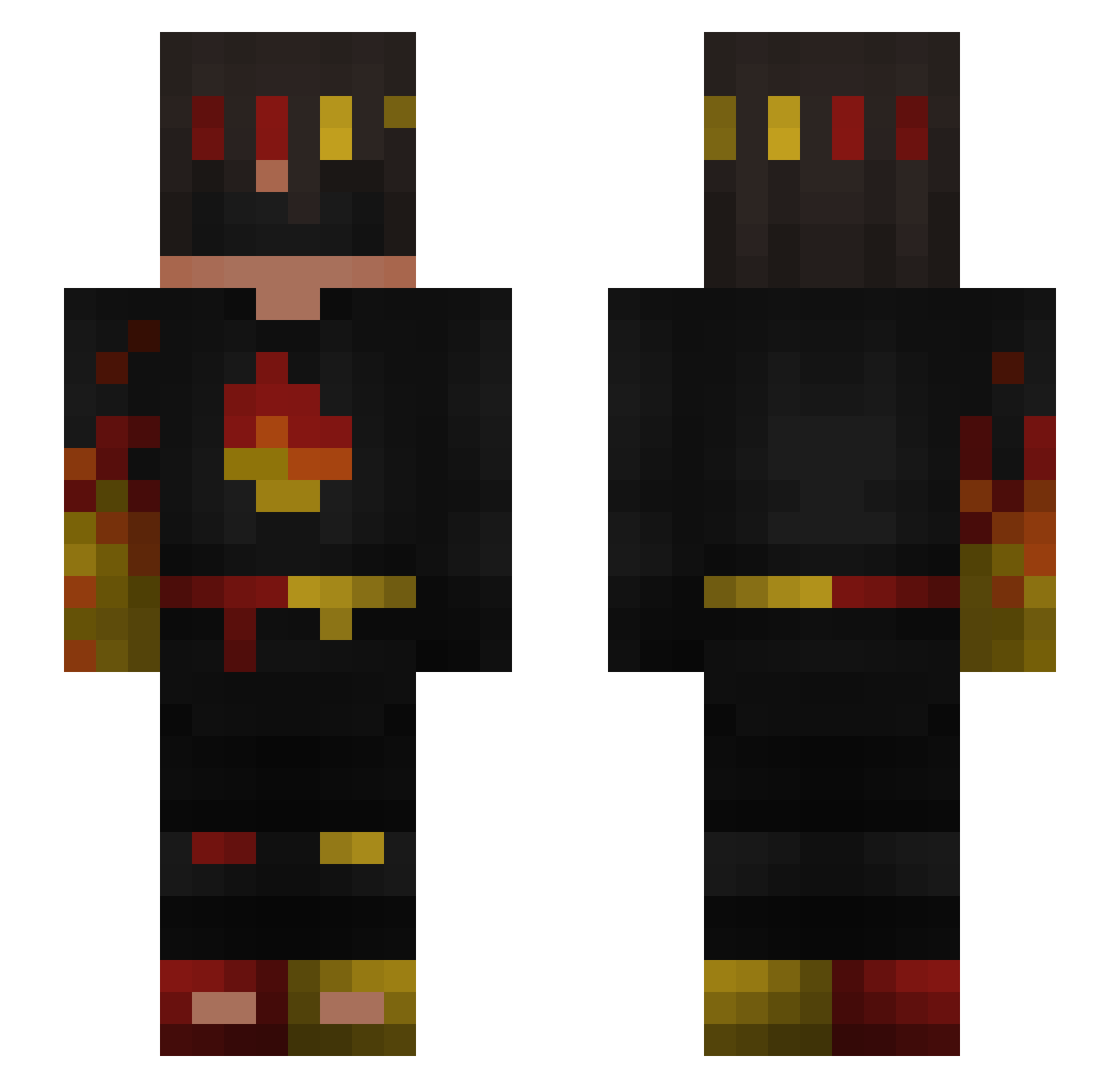
Current Minecraft skin of the player Fernanq1DK77cR3W, loaded from the official Mojang API. Rotate the 3D model with your mouse or finger, then download the skin as a PNG file and use it in Minecraft: Bedrock Edition or Java Edition for free. When Fernanq1DK77cR3W changes their skin, this page updates automatically and the old skin stays in the history below.
Other players with this skin (244)
Fernanq1DK77cR3W was the 163rd player we have seen with this skin, first spotted on 25.09.2026. The same skin was seen on these players. Open a nickname to see their current skin and skin history.
 Memer_Meme polandkox2137 SuperMarioDaniel RS50 NotMango00 WAase2013 JoeJor DarthXisAlex FlameFrag1 Shyku_ Manik_pitiful529 AltVerse4McWWSv2 R3layzzz iSempy angel21334 Antek7134 netanel7395 Fynn_Mandau MonsterMiner100 ykw21 Antis3kk toothpick12341 RegentAphid7949 _Sideth __N0ir__ ZFR_RIZOX2 luishr83 mikoto0004 jason201213 HMFB_jsoHz_03_12 _Arataki EnderAlt_KGsHh LittleTitan1234 Proaqua214 gn13w000000 4__Mark__4 unikpro4500 Zqu3d _Matrix12 ebraun iceyfn KSA_Toxic khoibat capybaraxxx69 QuickBedwars_ Mythical_Dan DegageCord92201 verq_ FluffyPumpkin88 root775 pietrus_on_top69 TunaFishGamer15 Fort_king12121 erakaz123 imafanumtaxyou Jaguar_Godz villaget T_o_mm_y SzybkiWarden ElseMarigold22
More Fire Ninja Minecraft skins
How to install the Fernanq1DK77cR3W skin
- Press the Download button above to save the skin as a PNG file.
- Minecraft: Bedrock Edition (PE): open the Dressing Room from the main menu (or tap your character → Edit Character), go to Classic Skins → Owned, press the + (new skin) button, choose the downloaded PNG and pick the Slim (Alex) model. Works on PC and mobile; consoles cannot import custom skins.
- Minecraft: Java Edition: open the Minecraft Launcher, go to the Skins tab, click New Skin, load the PNG, pick the Slim (Alex) model and press Save & Use. You can also upload it at minecraft.net → Profile → Change Skin.
The skin does not show up after import - what should I do?
Restart Minecraft and open the Dressing Room again - imported skins sometimes appear only after a restart. Also make sure you selected the imported skin and picked the Slim (Alex) model.
Which model should I choose, Classic or Slim?
This skin is designed for the Slim (Alex) model. If you pick the wrong model, the arms of the skin will look stretched or squeezed.
Is the skin of Fernanq1DK77cR3W free to download?
Yes. Press Download, save the PNG file and use it in Minecraft: Bedrock Edition or Java Edition - no payment or registration needed. The skin also works on multiplayer servers and Realms.
More skins
Looking for more? Go back to all Minecraft skins and check the top skins of the week, month and all time, or find any player's skin by nickname.