
Ferahack - Minecraft Skins & Skin History
Current Minecraft skin of the player Ferahack, loaded from the official Mojang API. Rotate the 3D model with your mouse or finger, then download the skin as a PNG file and use it in Minecraft: Bedrock Edition or Java Edition for free. When Ferahack changes their skin, this page updates automatically and the old skin stays in the history below.
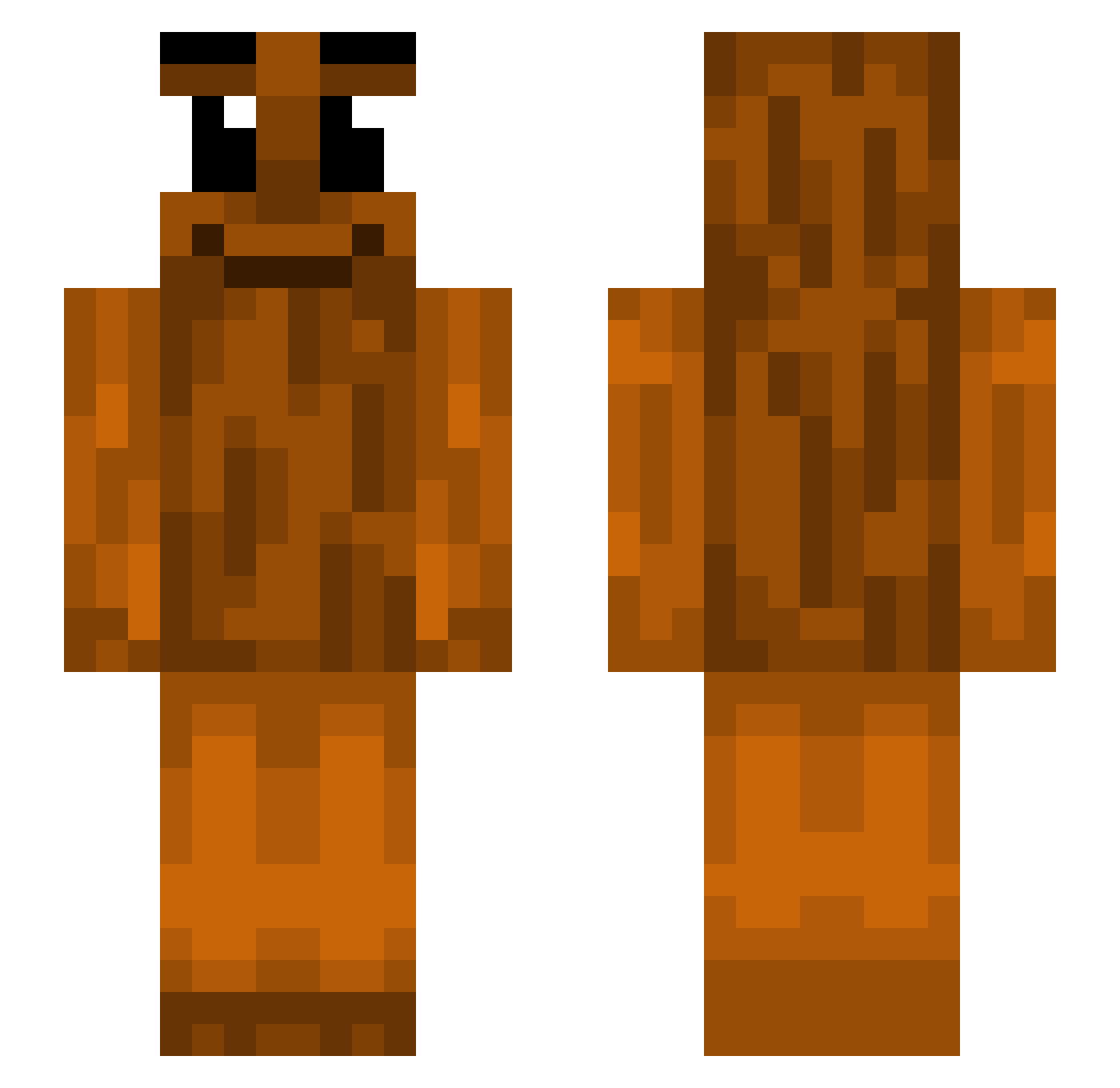
Other players with this skin (440)
Ferahack was the 135th player we have seen with this skin, first spotted on 28.08.2026. The same skin was seen on these players. Open a nickname to see their current skin and skin history.
 Bradyr124 Eechc DaMadness S1nseii Dorienga OmarRG14 AwakeCrown686 PO0N
 DeadlyDamonW blkmech L4kyyy nga_oil_up Stalowiec44 xSilhouettes Hamburgerz21 TungTungSahurMC prequalified claireyg opoverbo LazerFreeze linnnyt UrMomUr DaneJones Lybie12 ph1l_TTV gankzin FL0AT_ Bomby2010 swordsgo lcoo103lenteyrro 11ndigo cheifkeefsigma eThAnGaMeR09 sandpapat Sulu101 AsianBoy5906 Grank123 rlpocram mutsismarka420 yungcheezits_ cre4m4n suikqa smilekks skr3l solalba j1p_ Chicken__13 OgusAmogus Paddy176 Blidax bo9b Mehsinn hatebryan derbIX popgeek2 Shin3Light n4xus ksete
 KentaTheButcher Kmountman112
More Oak Log Minecraft skins
How to install the Ferahack skin
- Press the Download button above to save the skin as a PNG file.
- Minecraft: Bedrock Edition (PE): open the Dressing Room from the main menu (or tap your character → Edit Character), go to Classic Skins → Owned, press the + (new skin) button, choose the downloaded PNG and pick the Slim (Alex) model. Works on PC and mobile; consoles cannot import custom skins.
- Minecraft: Java Edition: open the Minecraft Launcher, go to the Skins tab, click New Skin, load the PNG, pick the Slim (Alex) model and press Save & Use. You can also upload it at minecraft.net → Profile → Change Skin.
The skin does not show up after import - what should I do?
Restart Minecraft and open the Dressing Room again - imported skins sometimes appear only after a restart. Also make sure you selected the imported skin and picked the Slim (Alex) model.
Which model should I choose, Classic or Slim?
This skin is designed for the Slim (Alex) model. If you pick the wrong model, the arms of the skin will look stretched or squeezed.
Is the skin of Ferahack free to download?
Yes. Press Download, save the PNG file and use it in Minecraft: Bedrock Edition or Java Edition - no payment or registration needed. The skin also works on multiplayer servers and Realms.
More skins
Looking for more? Go back to all Minecraft skins and check the top skins of the week, month and all time, or find any player's skin by nickname.