
Fenomen98 - Minecraft Skins & Skin History
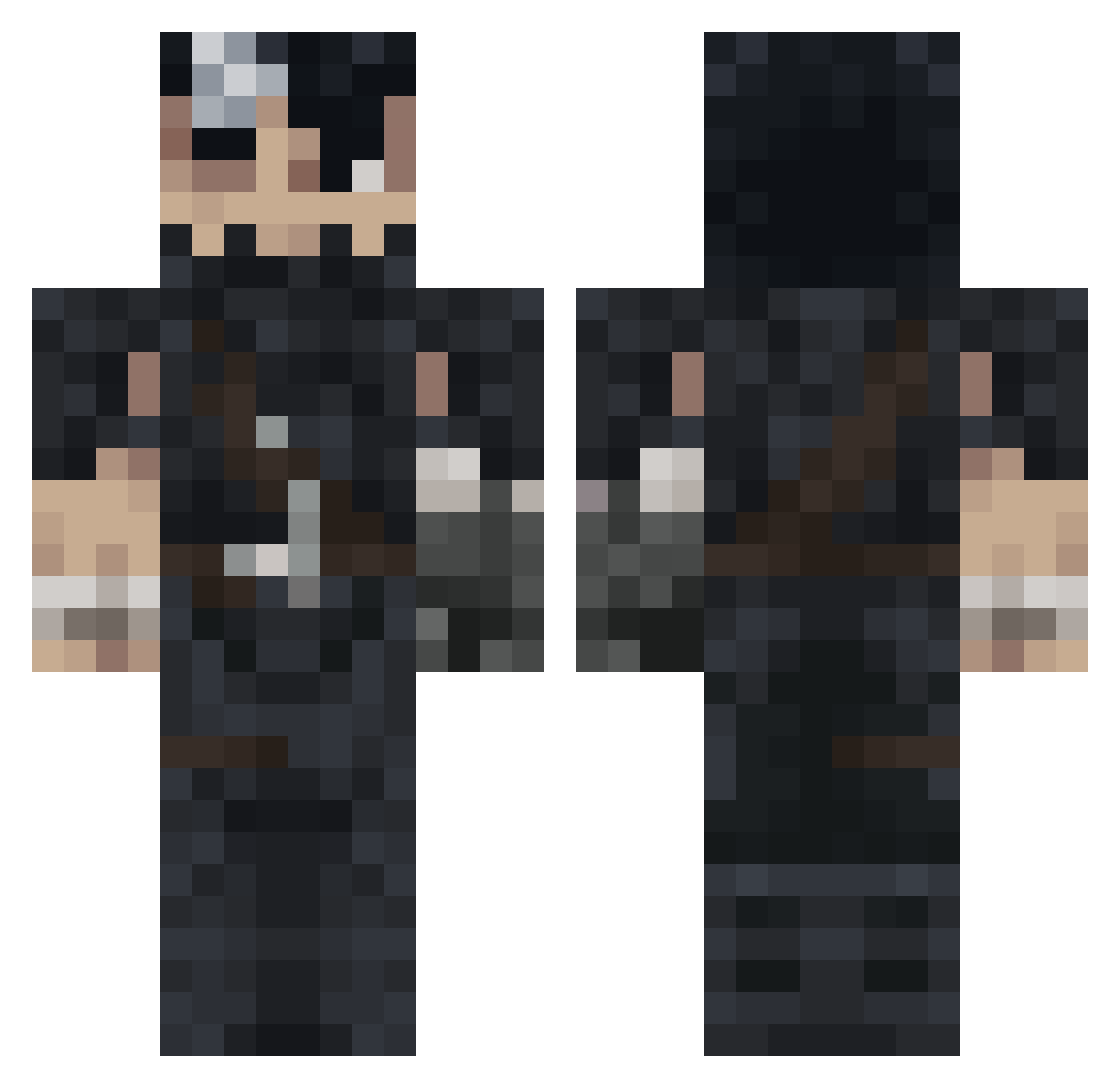
Current Minecraft skin of the player Fenomen98, loaded from the official Mojang API. Rotate the 3D model with your mouse or finger, then download the skin as a PNG file and use it in Minecraft: Bedrock Edition or Java Edition for free. When Fenomen98 changes their skin, this page updates automatically and the old skin stays in the history below.
Other players with this skin (993)
Fenomen98 was the 543rd player we have seen with this skin, first spotted on 22.09.2026. The same skin was seen on these players. Open a nickname to see their current skin and skin history.
 Mass4Kra nine_skelly GutsGreatsword SlenderGSR Seal_the_deal420 xuxupopuense chanchayopro Guizmoule51 Celisd Maxspawn TiTimmie SenshiMech Hrombac Astraxdnt MuadDib29 lilxoxa codpro9276 alisson1901 CircusFreak333 bite9 lucasdof Romeo01 ASQWE6539 GeneralDaddy22 DxvidTrsh WarDaddy360 EggNaug69 finosmpaglamas Caio666 TheBlckSwrdsman MisterDrako Triwathorr56 kyan23 Sirenye Lexnezz Hcn910 G0dsPlank KILLER00710 ilynight orawrld InfiniteParagon ChupaTetitas FaDoGodzilla JesuleErYonki 1Guts1 Aimarryo CEGH2003 sIapnutz Alissound Kuroba_Kalto DaddyRaven unpriv Goracy_Czajnik joooe_77 Afaro91 uvu67 MaxAlan342 sawdors pl790 EuStDaAl
More Guts Minecraft skins
How to install the Fenomen98 skin
- Press the Download button above to save the skin as a PNG file.
- Minecraft: Bedrock Edition (PE): open the Dressing Room from the main menu (or tap your character → Edit Character), go to Classic Skins → Owned, press the + (new skin) button, choose the downloaded PNG and pick the Classic (Steve) model. Works on PC and mobile; consoles cannot import custom skins.
- Minecraft: Java Edition: open the Minecraft Launcher, go to the Skins tab, click New Skin, load the PNG, pick the Classic (Steve) model and press Save & Use. You can also upload it at minecraft.net → Profile → Change Skin.
The skin does not show up after import - what should I do?
Restart Minecraft and open the Dressing Room again - imported skins sometimes appear only after a restart. Also make sure you selected the imported skin and picked the Classic (Steve) model.
Which model should I choose, Classic or Slim?
This skin is designed for the Classic (Steve) model. If you pick the wrong model, the arms of the skin will look stretched or squeezed.
Is the skin of Fenomen98 free to download?
Yes. Press Download, save the PNG file and use it in Minecraft: Bedrock Edition or Java Edition - no payment or registration needed. The skin also works on multiplayer servers and Realms.
More skins
Looking for more? Go back to all Minecraft skins and check the top skins of the week, month and all time, or find any player's skin by nickname.