
Fenixsalazar - Minecraft Skins & Skin History
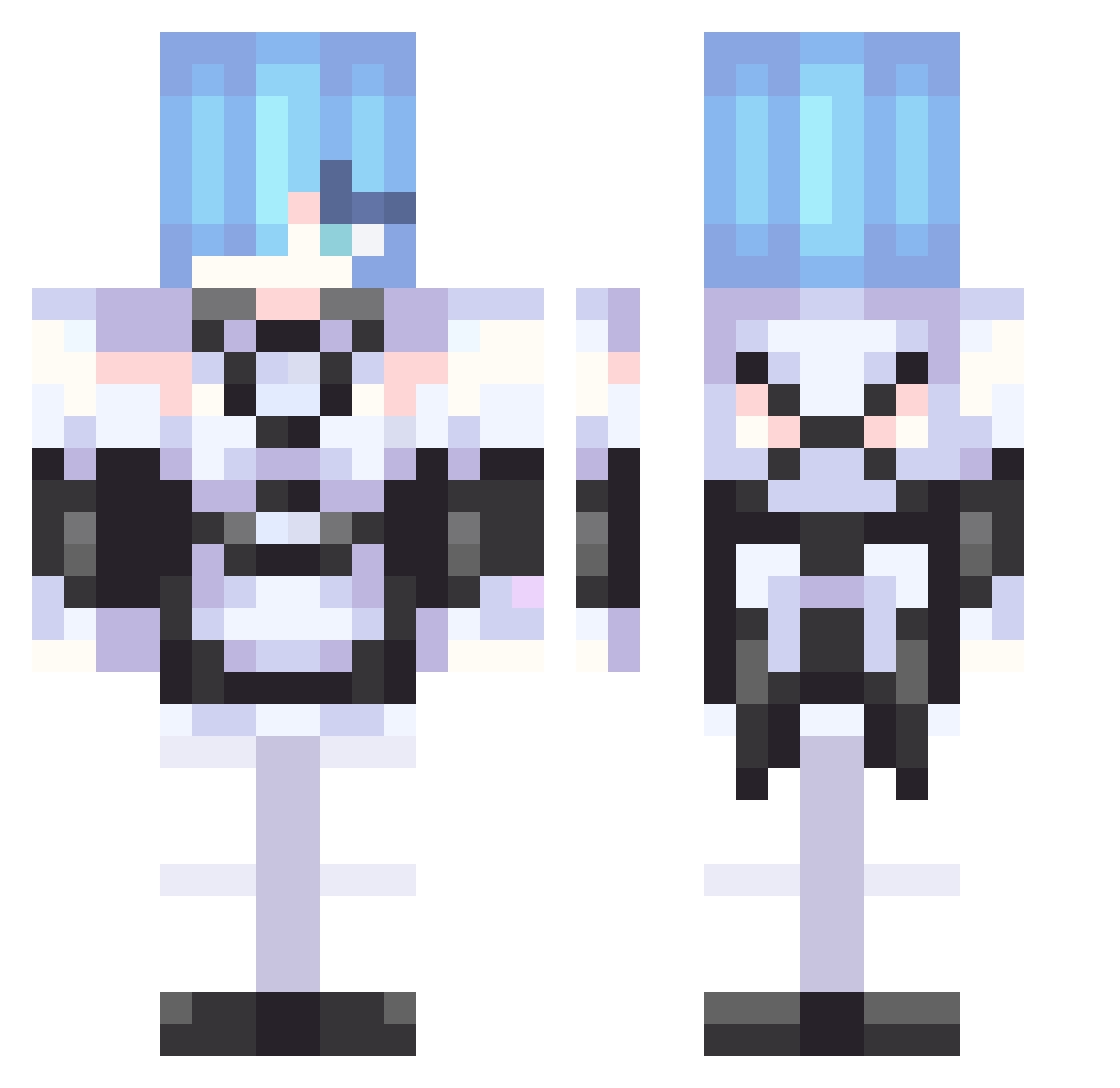
Current Minecraft skin of the player Fenixsalazar, loaded from the official Mojang API. Rotate the 3D model with your mouse or finger, then download the skin as a PNG file and use it in Minecraft: Bedrock Edition or Java Edition for free. When Fenixsalazar changes their skin, this page updates automatically and the old skin stays in the history below.
Other players with this skin (306)
Fenixsalazar was the 290th player we have seen with this skin, first spotted on 15.10.2026. The same skin was seen on these players. Open a nickname to see their current skin and skin history.
 sleepyAlarical Sapphire636 loli_have_3good JEONGJINWOONG StellaLou33 BD00000001 abarth131 0K4YU TheSpairow Flapiz_i Laasley lf_inq 3838181kkxiq Alex_Hamasaki Val_o_0 remjski B_C10902 HXing1024 TokkiJai PlanyXxTK EmmeXIQ mametarou27 Alolo_ cccllim922 sathuki007 Nara_77 Archisus Godish97 IlyRem destro345 tommyggyy Alpha1352 CaramelosAO seiga08 Rata32 jinsamuel0727 RykoZin kingebbor09 Andy_FaBLe Aurixllaa n3oguri miauyen Ankh128 Eien_no_Hikari Darishkins MoxieGhouls Blackrabbit__OwO Sonicisboiled microwaver sixsigma17 SporeGrabung IsariQuenn BorderMister Jaylena verycold42 SoldesWLZ0 H024Yer Ichicuh adubster PlayerJ87
More Rem Minecraft skins
How to install the Fenixsalazar skin
- Press the Download button above to save the skin as a PNG file.
- Minecraft: Bedrock Edition (PE): open the Dressing Room from the main menu (or tap your character → Edit Character), go to Classic Skins → Owned, press the + (new skin) button, choose the downloaded PNG and pick the Classic (Steve) model. Works on PC and mobile; consoles cannot import custom skins.
- Minecraft: Java Edition: open the Minecraft Launcher, go to the Skins tab, click New Skin, load the PNG, pick the Classic (Steve) model and press Save & Use. You can also upload it at minecraft.net → Profile → Change Skin.
The skin does not show up after import - what should I do?
Restart Minecraft and open the Dressing Room again - imported skins sometimes appear only after a restart. Also make sure you selected the imported skin and picked the Classic (Steve) model.
Which model should I choose, Classic or Slim?
This skin is designed for the Classic (Steve) model. If you pick the wrong model, the arms of the skin will look stretched or squeezed.
Is the skin of Fenixsalazar free to download?
Yes. Press Download, save the PNG file and use it in Minecraft: Bedrock Edition or Java Edition - no payment or registration needed. The skin also works on multiplayer servers and Realms.
More skins
Looking for more? Go back to all Minecraft skins and check the top skins of the week, month and all time, or find any player's skin by nickname.