
FedeCaster - Minecraft Skins & Skin History
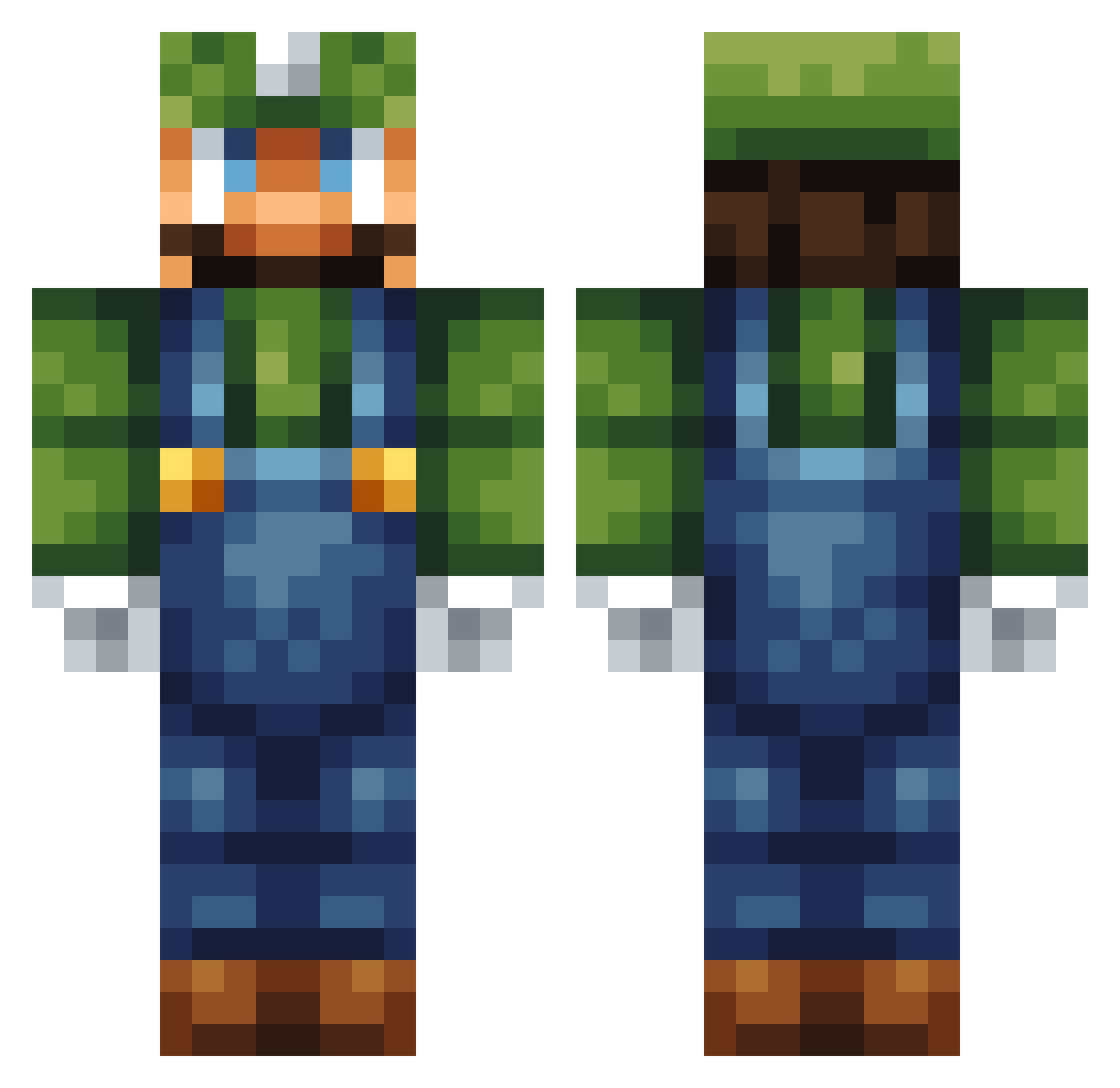
Current Minecraft skin of the player FedeCaster, loaded from the official Mojang API. Rotate the 3D model with your mouse or finger, then download the skin as a PNG file and use it in Minecraft: Bedrock Edition or Java Edition for free. When FedeCaster changes their skin, this page updates automatically and the old skin stays in the history below.
Other players with this skin (124)
FedeCaster was the 30th player we have seen with this skin, first spotted on 27.08.2026. The same skin was seen on these players. Open a nickname to see their current skin and skin history.
 Olrosse LuigiJump
 Nocker_01 S115_8 RealGameCulture SuperBlackGoat 1tzLuigi ninlios GermanyK a_really_big_rat Porcospin Gimbal_Green Sammiikovski LoveL05 MacAndCheese321 Caslia ShufflW OscarTheBRockz CaoTianJiao BarginBin smnm2297 loltimate Ivoozz BigBrainRyan ElGringo1011 Gaoxingjiuhao Reticle5614 Tino006 summlu2020 Seeker_yyw Melmont Arikaku GHRXSgames KaptainQ_25 Feebling PesoSP wicwiz RnG_2000 ScreamingTantrum 5_n_n_5 ASTurtle ObeseLuigi F1ASH8ANG Gusie R4skraas mamathys MPeres MatticusTG Necrodancer40 fr1ckandrew 2Lucci4Gucci Steinar20 MikeCheck94 MemoMC ___Elegant___ The_Scythe_Guru Gingerbread_2 C8838 RST_2008 Tryfon123
More Luigi Minecraft skins
How to install the FedeCaster skin
- Press the Download button above to save the skin as a PNG file.
- Minecraft: Bedrock Edition (PE): open the Dressing Room from the main menu (or tap your character → Edit Character), go to Classic Skins → Owned, press the + (new skin) button, choose the downloaded PNG and pick the Classic (Steve) model. Works on PC and mobile; consoles cannot import custom skins.
- Minecraft: Java Edition: open the Minecraft Launcher, go to the Skins tab, click New Skin, load the PNG, pick the Classic (Steve) model and press Save & Use. You can also upload it at minecraft.net → Profile → Change Skin.
The skin does not show up after import - what should I do?
Restart Minecraft and open the Dressing Room again - imported skins sometimes appear only after a restart. Also make sure you selected the imported skin and picked the Classic (Steve) model.
Which model should I choose, Classic or Slim?
This skin is designed for the Classic (Steve) model. If you pick the wrong model, the arms of the skin will look stretched or squeezed.
Is the skin of FedeCaster free to download?
Yes. Press Download, save the PNG file and use it in Minecraft: Bedrock Edition or Java Edition - no payment or registration needed. The skin also works on multiplayer servers and Realms.
More skins
Looking for more? Go back to all Minecraft skins and check the top skins of the week, month and all time, or find any player's skin by nickname.