
FazeOsama69 - Minecraft Skins & Skin History
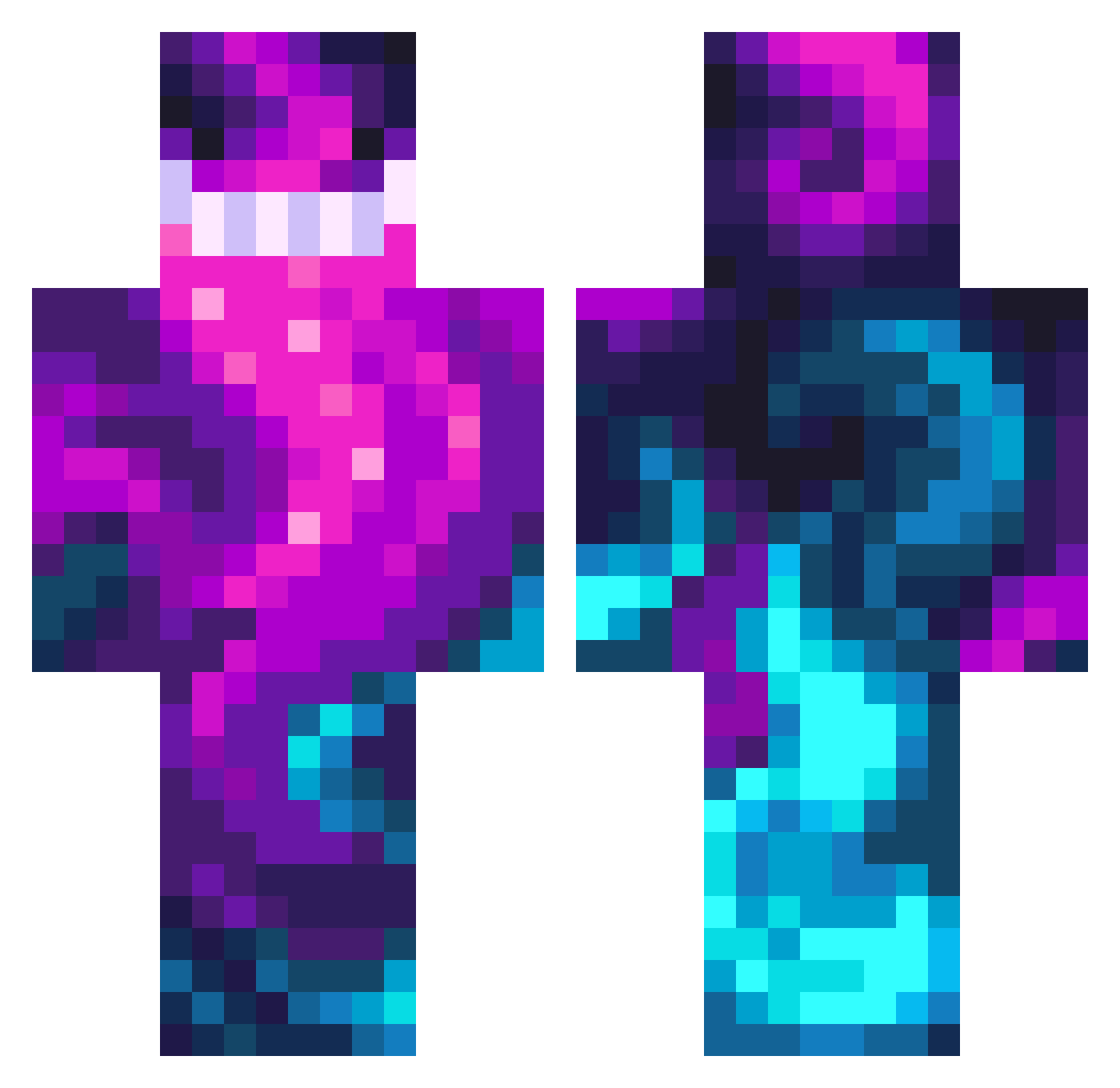
Current Minecraft skin of the player FazeOsama69, loaded from the official Mojang API. Rotate the 3D model with your mouse or finger, then download the skin as a PNG file and use it in Minecraft: Bedrock Edition or Java Edition for free. When FazeOsama69 changes their skin, this page updates automatically and the old skin stays in the history below.
Other players with this skin (476)
FazeOsama69 was the 451st player we have seen with this skin, first spotted on 04.11.2026. The same skin was seen on these players. Open a nickname to see their current skin and skin history.
 CPUDaN1eL1 UnknownGays Stengels_1973 thechickenman00 AshenValkyrie Tru_Zeus RDL69 TiniestNob Luci123420 Lubreitz hlluil Trionen Upsilon7 Dolanduk_27 xLyk0n Caibarker12 Alpraz0lam Rxxjiuu snukycx2 IMAGR1MR3AP3R LEONFUNG97 DjBags Kilusha3 Nevtai TITAN78687 AndrederCoole MC38233823 Matin_coder sawpaw chan0609 lolvgx JosefM_cz BLURYROPE SmalexPotater bekfastmetnootje NannitanTv Architecturam TokeBuddy ANT_TNY Jasiek1128 CR4FTER8128 PeppaPigIII Herzog_HD ReeceySk1lz MrQcumberz Girthy_Nugget Urbv mar123gd lagartijo1808 Cthuluhoop645 Kiler1227 Nak3d_Bac0n8t3r Emk1le BIGBASKETBALLS9 FrederickZ1 matbeseris Sinusnode hle99 aqua_shark1987 truxfulsxnny
How to install the FazeOsama69 skin
- Press the Download button above to save the skin as a PNG file.
- Minecraft: Bedrock Edition (PE): open the Dressing Room from the main menu (or tap your character → Edit Character), go to Classic Skins → Owned, press the + (new skin) button, choose the downloaded PNG and pick the Classic (Steve) model. Works on PC and mobile; consoles cannot import custom skins.
- Minecraft: Java Edition: open the Minecraft Launcher, go to the Skins tab, click New Skin, load the PNG, pick the Classic (Steve) model and press Save & Use. You can also upload it at minecraft.net → Profile → Change Skin.
The skin does not show up after import - what should I do?
Restart Minecraft and open the Dressing Room again - imported skins sometimes appear only after a restart. Also make sure you selected the imported skin and picked the Classic (Steve) model.
Which model should I choose, Classic or Slim?
This skin is designed for the Classic (Steve) model. If you pick the wrong model, the arms of the skin will look stretched or squeezed.
Is the skin of FazeOsama69 free to download?
Yes. Press Download, save the PNG file and use it in Minecraft: Bedrock Edition or Java Edition - no payment or registration needed. The skin also works on multiplayer servers and Realms.
More skins
Looking for more? Go back to all Minecraft skins and check the top skins of the week, month and all time, or find any player's skin by nickname.