
Fastomarko - Minecraft Skins & Skin History
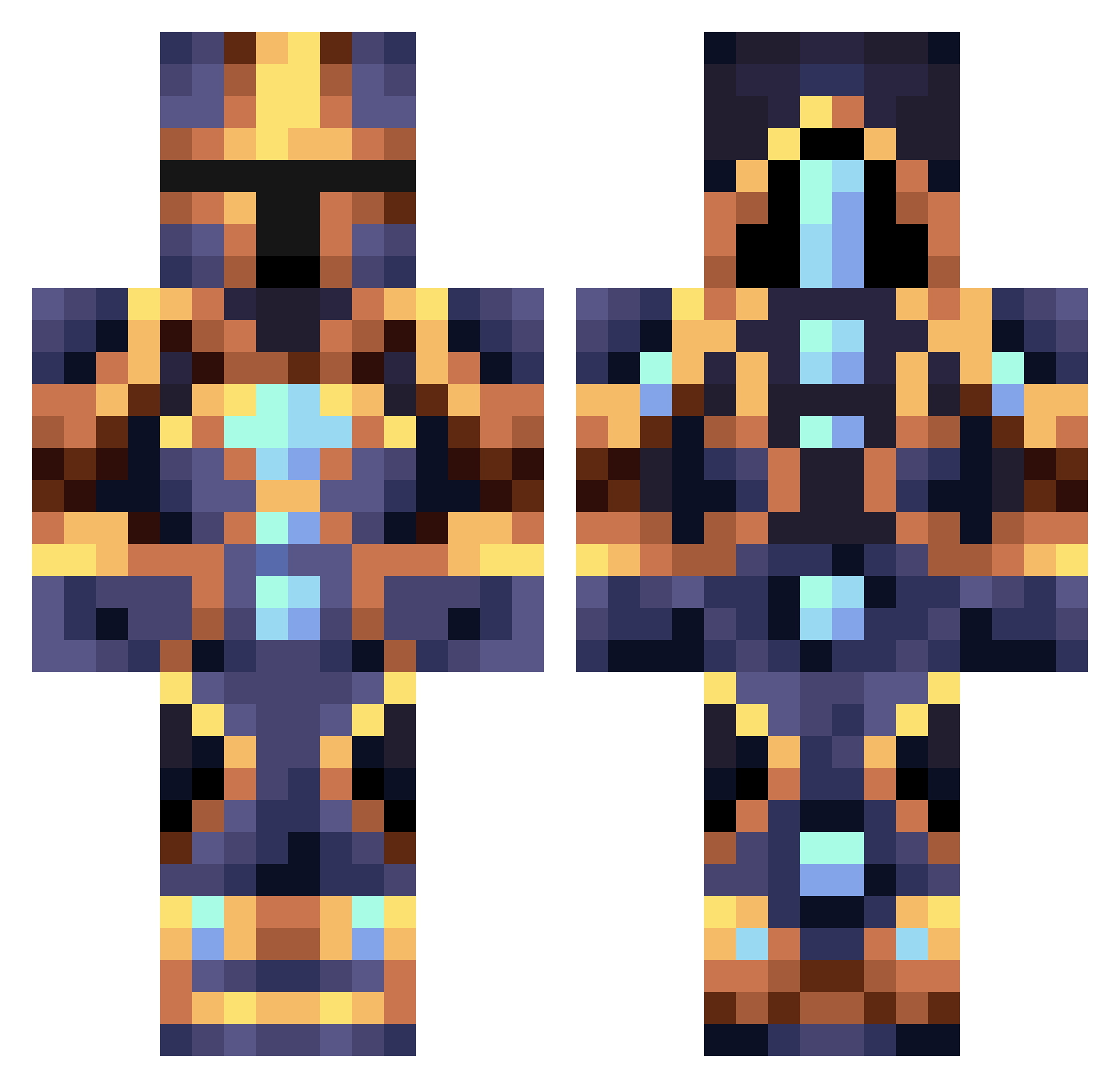
Current Minecraft skin of the player Fastomarko, loaded from the official Mojang API. Rotate the 3D model with your mouse or finger, then download the skin as a PNG file and use it in Minecraft: Bedrock Edition or Java Edition for free. When Fastomarko changes their skin, this page updates automatically and the old skin stays in the history below.
Other players with this skin (363)
Fastomarko was the 215th player we have seen with this skin, first spotted on 27.09.2026. The same skin was seen on these players. Open a nickname to see their current skin and skin history.
 pandacart2286 Cloned2 PowerOfKronos _brill Ornsx Skaidragonic DV17 Bb27k1 buganimal kimking0129 Gwossec TrueDragonGaming yougoh2704 gago52 Imaglo 0ryzon Nurikol 30a17 FantomG mski1700 akame384 VeIl_DeAf GigaGooner kylefurr Ninefire44 NIKWER252 xyphhh coolcrafter537 Theo371 Nestoridze Adikson0 shettski KeyAce112358 Dustinthewind333 Tamber__ seikahri Shrykar AlphaBeyYT31 MarfingM xBraVo6902 Depesin Epico_Man OGGamer3000 Xanathos300 ultimatepeson Mxmicz Hamadshafi dotPrince Sheriff_Niko AKUNDELAR Surr3alD3sign OHCAPTAIN65 guillecalleja toshyr Milky1989 PertCone King_Grimson wonjong GG1810 Time0V3
More Sci Fi Minecraft skins
How to install the Fastomarko skin
- Press the Download button above to save the skin as a PNG file.
- Minecraft: Bedrock Edition (PE): open the Dressing Room from the main menu (or tap your character → Edit Character), go to Classic Skins → Owned, press the + (new skin) button, choose the downloaded PNG and pick the Classic (Steve) model. Works on PC and mobile; consoles cannot import custom skins.
- Minecraft: Java Edition: open the Minecraft Launcher, go to the Skins tab, click New Skin, load the PNG, pick the Classic (Steve) model and press Save & Use. You can also upload it at minecraft.net → Profile → Change Skin.
The skin does not show up after import - what should I do?
Restart Minecraft and open the Dressing Room again - imported skins sometimes appear only after a restart. Also make sure you selected the imported skin and picked the Classic (Steve) model.
Which model should I choose, Classic or Slim?
This skin is designed for the Classic (Steve) model. If you pick the wrong model, the arms of the skin will look stretched or squeezed.
Is the skin of Fastomarko free to download?
Yes. Press Download, save the PNG file and use it in Minecraft: Bedrock Edition or Java Edition - no payment or registration needed. The skin also works on multiplayer servers and Realms.
More skins
Looking for more? Go back to all Minecraft skins and check the top skins of the week, month and all time, or find any player's skin by nickname.