
FantaRay233 - Minecraft Skins & Skin History
Current Minecraft skin of the player FantaRay233, loaded from the official Mojang API. Rotate the 3D model with your mouse or finger, then download the skin as a PNG file and use it in Minecraft: Bedrock Edition or Java Edition for free. When FantaRay233 changes their skin, this page updates automatically and the old skin stays in the history below.
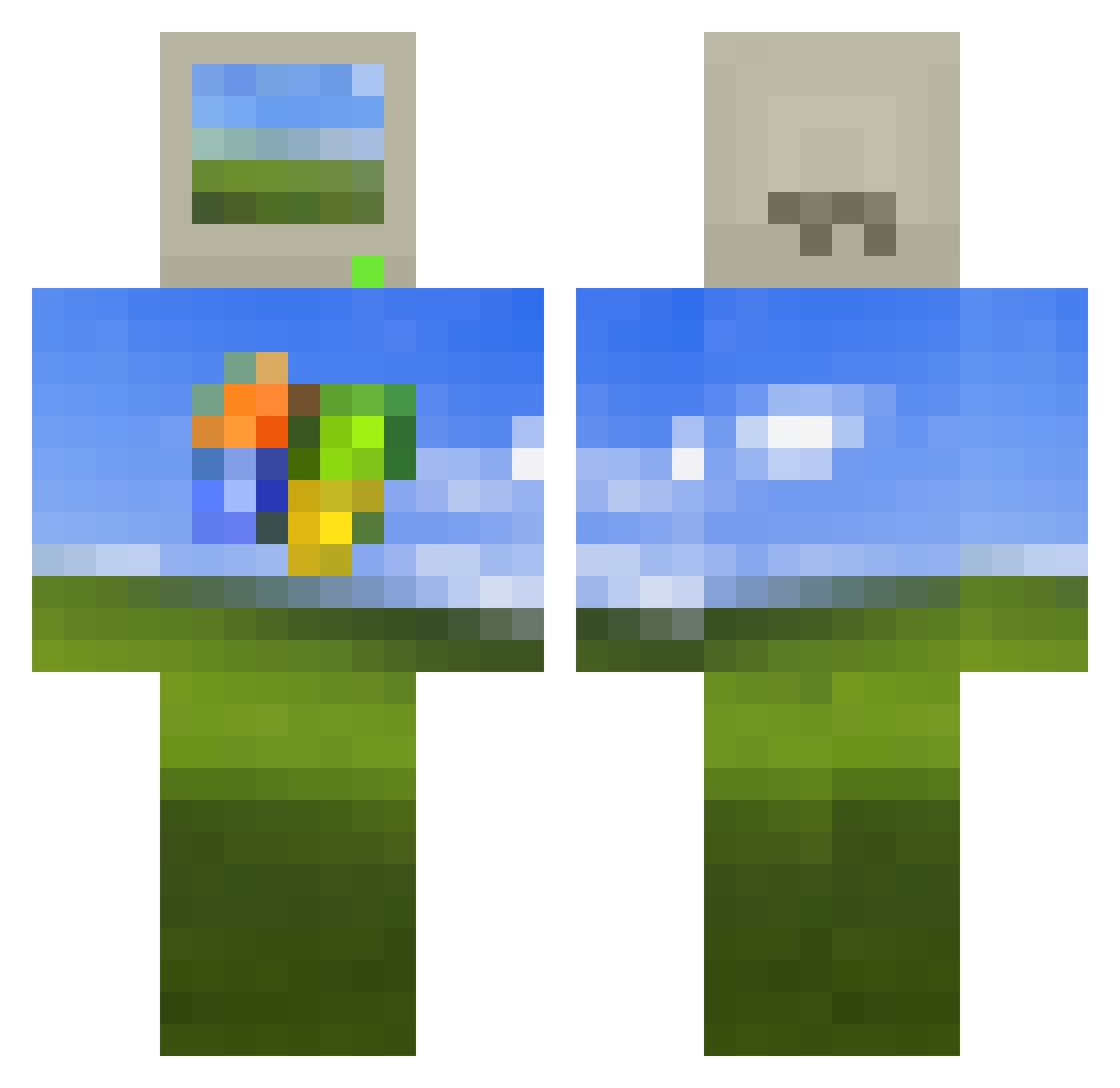
Other players with this skin (513)
FantaRay233 was the 407th player we have seen with this skin, first spotted on 13.10.2026. The same skin was seen on these players. Open a nickname to see their current skin and skin history.
 Pepfrco yoodlebug MasterTimbo computer_brother corden7777 Wenziwenz buddle160 31Will Nasenharre Quadeyy pasteaux Brkenny Beeeljo Karsinho13 copop22 kristen_c221004 TangyDounut_ Magumaa tanquerninja Bravebea cybercom73 chalinger __Windows_XP__ NebulaR_au shawnmoo SomeOrdinary K__Potassium mingyu1100 bieff PI3_1415926535 MauQue Girthious zerry_boy Bobcatsssssssss mvilela02 Roghi85 Wither_Storm_100 VampySheet Deadfart23 Lokanta Marcosky1 Gutsssz Tzi_qN33HF_05_23 FiijiiFresh tylermessy BASEDNI66ER laerfu1 ouoTW MrHuber14 bangdok172 TelaDoWindows Neobit64 Cant_See420 GuitarThrone Hostyballs Velvet_Cherry FearlessBrownie glstreb timochin Fezelk
More Windows XP Minecraft skins
How to install the FantaRay233 skin
- Press the Download button above to save the skin as a PNG file.
- Minecraft: Bedrock Edition (PE): open the Dressing Room from the main menu (or tap your character → Edit Character), go to Classic Skins → Owned, press the + (new skin) button, choose the downloaded PNG and pick the Classic (Steve) model. Works on PC and mobile; consoles cannot import custom skins.
- Minecraft: Java Edition: open the Minecraft Launcher, go to the Skins tab, click New Skin, load the PNG, pick the Classic (Steve) model and press Save & Use. You can also upload it at minecraft.net → Profile → Change Skin.
The skin does not show up after import - what should I do?
Restart Minecraft and open the Dressing Room again - imported skins sometimes appear only after a restart. Also make sure you selected the imported skin and picked the Classic (Steve) model.
Which model should I choose, Classic or Slim?
This skin is designed for the Classic (Steve) model. If you pick the wrong model, the arms of the skin will look stretched or squeezed.
Is the skin of FantaRay233 free to download?
Yes. Press Download, save the PNG file and use it in Minecraft: Bedrock Edition or Java Edition - no payment or registration needed. The skin also works on multiplayer servers and Realms.
More skins
Looking for more? Go back to all Minecraft skins and check the top skins of the week, month and all time, or find any player's skin by nickname.