
Fangora_DK - Minecraft Skins & Skin History
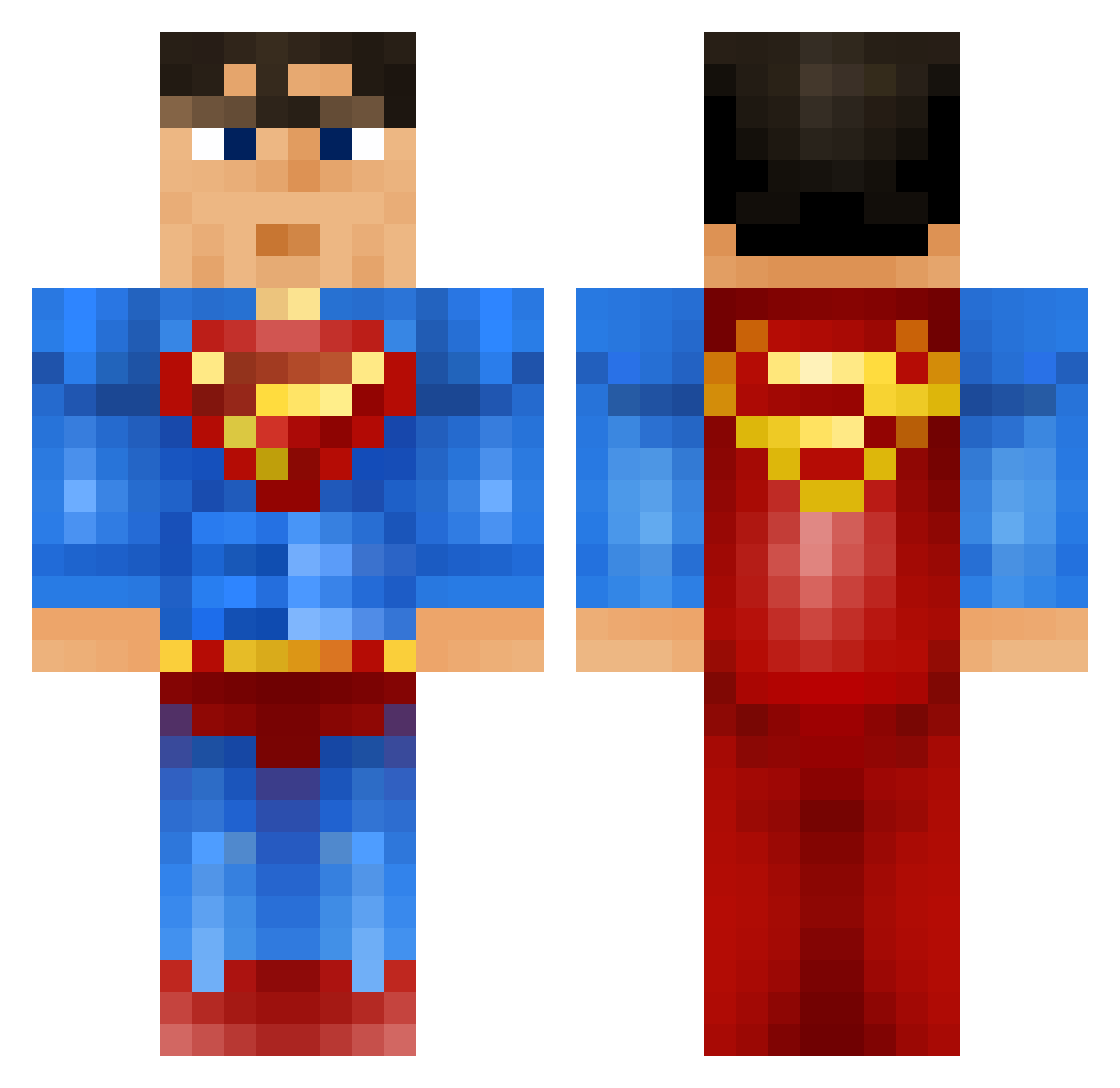
Current Minecraft skin of the player Fangora_DK, loaded from the official Mojang API. Rotate the 3D model with your mouse or finger, then download the skin as a PNG file and use it in Minecraft: Bedrock Edition or Java Edition for free. When Fangora_DK changes their skin, this page updates automatically and the old skin stays in the history below.
Other players with this skin (915)
Fangora_DK was the 876th player we have seen with this skin, first spotted on 27.10.2026. The same skin was seen on these players. Open a nickname to see their current skin and skin history.
 taylor502 KeyDee1337 John_Pizza Ghosted_SS samupp Googalicous dflickmaster swysbad GeneralSniffi Sdunky florian_6 AnthonyPitcher 11880EN Wagner1832 Hellabadass BPLoser Paupaul_Ss Samantha76 IgnisDomini Sorengaard Braelon iDzPhresH Gabes06 Tim_Benson Soloknights kinglolipop ARM93 adamdabeast TTGxBEATS mattgnp bmt813 LuisDiggle kugs88 PrimeJavi AlonsoGutierrez RTspiderpig ThaDaevyKing Ed_Palmer banthy Wojtalele i_like_rain Mukrakaka Tomipod29 ilikepotatoes111 matthewquintana albzz99 Jase_2012 GHANDI420 kingbogo18 Aku_Sedo LIL_ASIANBOY MrBlack1903 Alcrohic Bread2556 romerider12 Epeee DaddyTheKnight rasse322 999KJN AaronAltDelete
More Superman Minecraft skins
How to install the Fangora_DK skin
- Press the Download button above to save the skin as a PNG file.
- Minecraft: Bedrock Edition (PE): open the Dressing Room from the main menu (or tap your character → Edit Character), go to Classic Skins → Owned, press the + (new skin) button, choose the downloaded PNG and pick the Classic (Steve) model. Works on PC and mobile; consoles cannot import custom skins.
- Minecraft: Java Edition: open the Minecraft Launcher, go to the Skins tab, click New Skin, load the PNG, pick the Classic (Steve) model and press Save & Use. You can also upload it at minecraft.net → Profile → Change Skin.
The skin does not show up after import - what should I do?
Restart Minecraft and open the Dressing Room again - imported skins sometimes appear only after a restart. Also make sure you selected the imported skin and picked the Classic (Steve) model.
Which model should I choose, Classic or Slim?
This skin is designed for the Classic (Steve) model. If you pick the wrong model, the arms of the skin will look stretched or squeezed.
Is the skin of Fangora_DK free to download?
Yes. Press Download, save the PNG file and use it in Minecraft: Bedrock Edition or Java Edition - no payment or registration needed. The skin also works on multiplayer servers and Realms.
More skins
Looking for more? Go back to all Minecraft skins and check the top skins of the week, month and all time, or find any player's skin by nickname.