
FanTrox - Minecraft Skins & Skin History
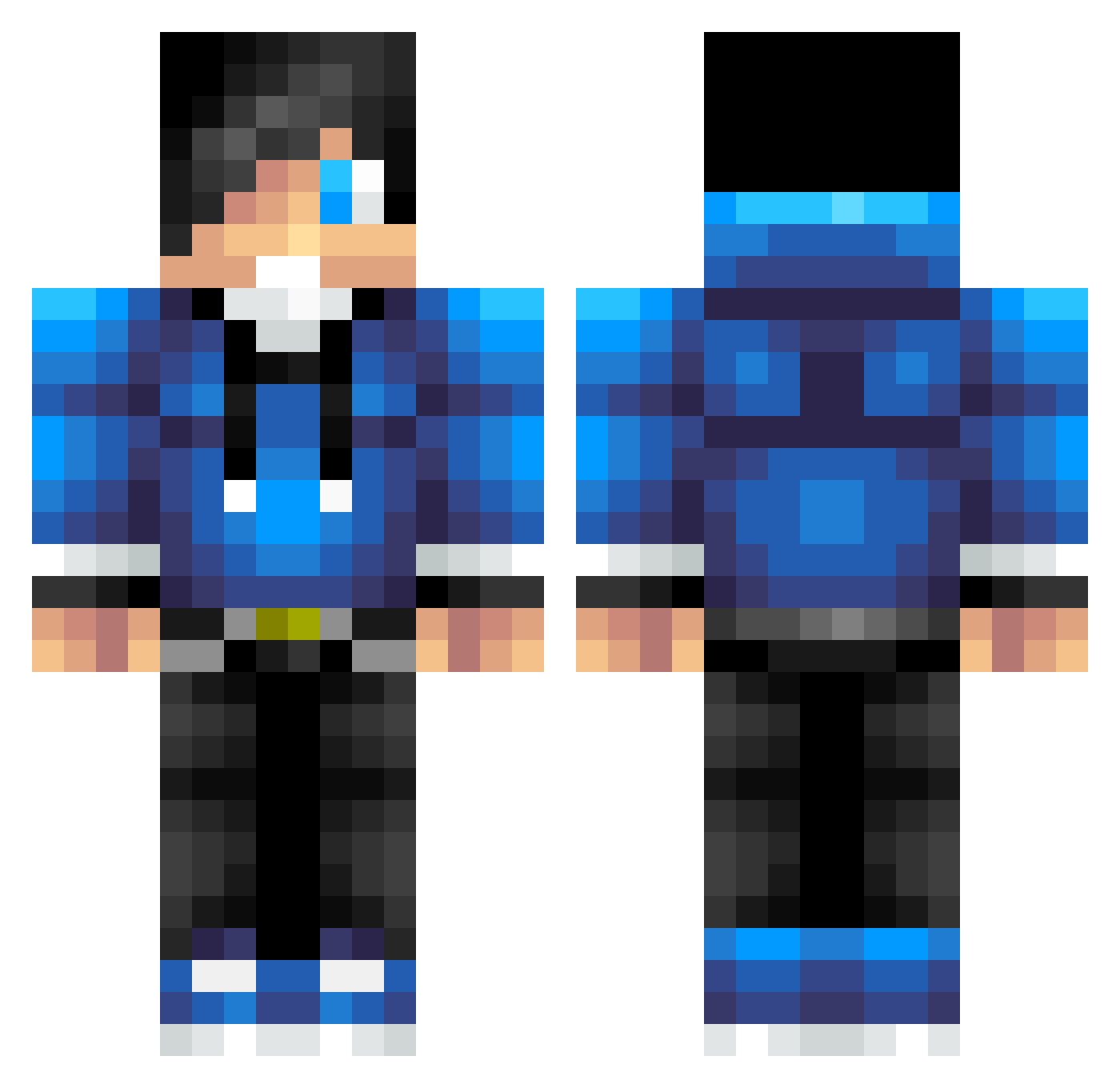
Current Minecraft skin of the player FanTrox, loaded from the official Mojang API. Rotate the 3D model with your mouse or finger, then download the skin as a PNG file and use it in Minecraft: Bedrock Edition or Java Edition for free. When FanTrox changes their skin, this page updates automatically and the old skin stays in the history below.
Other players with this skin (793)
FanTrox was the 733rd player we have seen with this skin, first spotted on 05.11.2026. The same skin was seen on these players. Open a nickname to see their current skin and skin history.
 DerLappen1994 partyman60 oKaleb austin_allen_042 mikequads Meinungs_Monopol Blueypod Grammo_Bro theplatzwahl GenJake401 RexXxon Maaanutz ghast0326 MysticAce marty0406 A1vin2004 Geoffboy1 MCJH123 RisingHunter CaptainXOD Ron33 Poko11 KaiGamer4224 buster1bh peterburgess_03 antho62000 Murphhhy RiskakaNnnn f_hoglin Kerny09 Sse_Woo coolhero FirstBloodGaming williamgamer56 TheSims2 Diamondbro52 Cookiemaster812 kylewilkinson01 RenameRuben Senpia1243 obu12345 Gabriel082003 BugraaCelik Ozbon spyguyjr legomandude101 AntonML05 thatradomguy littlelarks idontmoney DatguyJacobb lord_devil GrimSlayerz Jewishlewis Winchester7314 MattBlueBoy SandyBeach1987 xthomasxplazxmc FN_Poori1 ultimatedeath8
How to install the FanTrox skin
- Press the Download button above to save the skin as a PNG file.
- Minecraft: Bedrock Edition (PE): open the Dressing Room from the main menu (or tap your character → Edit Character), go to Classic Skins → Owned, press the + (new skin) button, choose the downloaded PNG and pick the Classic (Steve) model. Works on PC and mobile; consoles cannot import custom skins.
- Minecraft: Java Edition: open the Minecraft Launcher, go to the Skins tab, click New Skin, load the PNG, pick the Classic (Steve) model and press Save & Use. You can also upload it at minecraft.net → Profile → Change Skin.
The skin does not show up after import - what should I do?
Restart Minecraft and open the Dressing Room again - imported skins sometimes appear only after a restart. Also make sure you selected the imported skin and picked the Classic (Steve) model.
Which model should I choose, Classic or Slim?
This skin is designed for the Classic (Steve) model. If you pick the wrong model, the arms of the skin will look stretched or squeezed.
Is the skin of FanTrox free to download?
Yes. Press Download, save the PNG file and use it in Minecraft: Bedrock Edition or Java Edition - no payment or registration needed. The skin also works on multiplayer servers and Realms.
More skins
Looking for more? Go back to all Minecraft skins and check the top skins of the week, month and all time, or find any player's skin by nickname.