
FallDown - Minecraft Skins & Skin History
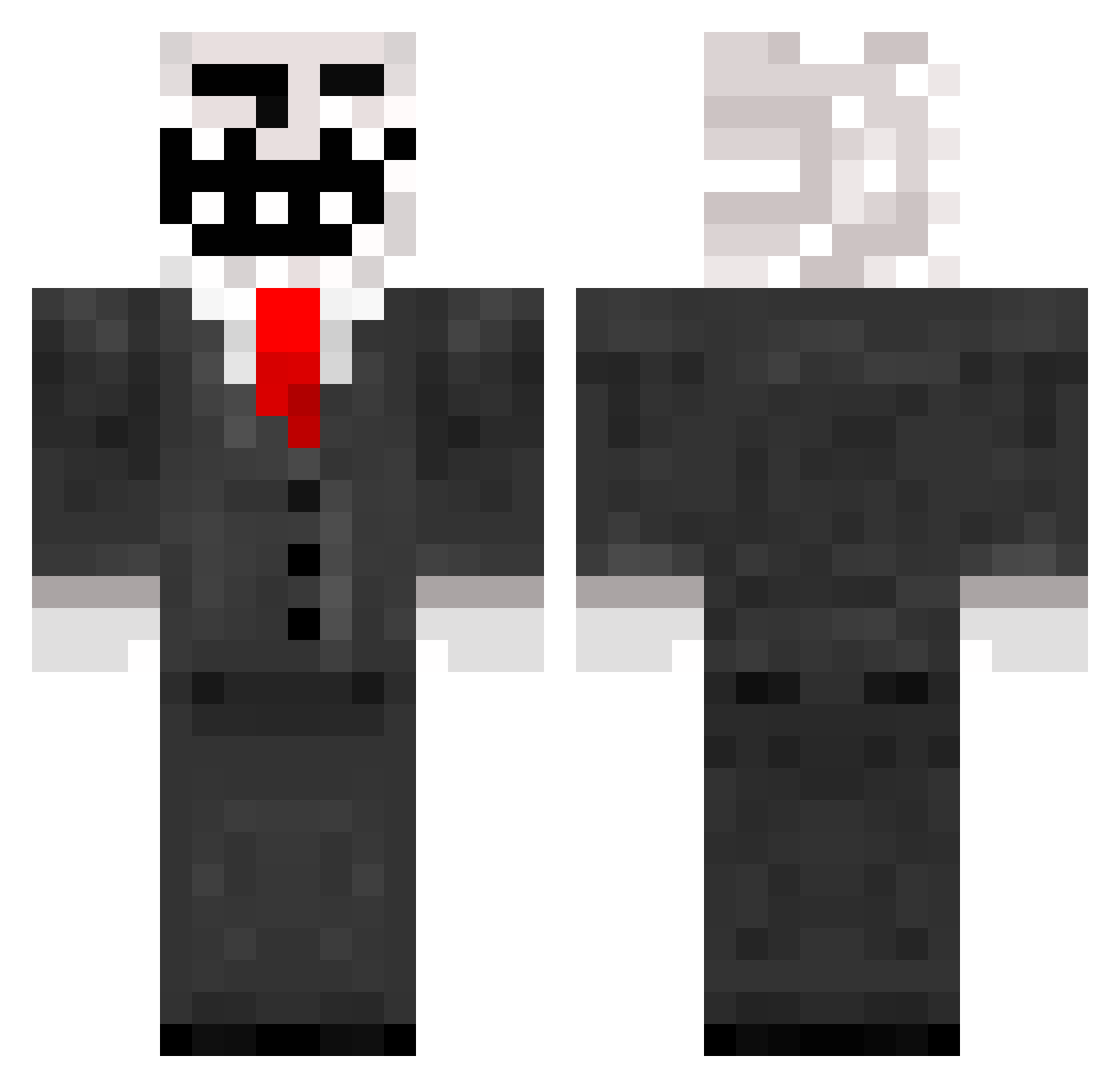
Current Minecraft skin of the player FallDown, loaded from the official Mojang API. Rotate the 3D model with your mouse or finger, then download the skin as a PNG file and use it in Minecraft: Bedrock Edition or Java Edition for free. When FallDown changes their skin, this page updates automatically and the old skin stays in the history below.
Other players with this skin (259)
FallDown was the 129th player we have seen with this skin, first spotted on 23.09.2026. The same skin was seen on these players. Open a nickname to see their current skin and skin history.
 Fakie11 Theclashman10 bo6100 r1_ned JSS00 LaBaHow WIad91 SoulPilot SenorPopTart DoubleCas2 hartik378 michael22222 Nos_DragonFly mariob793 elena391 Jayyliv joe493 kvN1992 gvp Omniscient_Queen jack080910 DJEclipse MrFaGz TheMightyFrogMan ModernMovement bustablokk staidust8 Osok littleninja01 erickcmc cfogidu _derPate_ TrollingCrew MementoMori74 fireman1535 DasHogg themodboss dsrjj BAWKSEY The_gladiator14 Ded5ec megakingdomfish tmpmullen Splatlack FredandTiernan OJB11 simonnymann123 Marzpo71 ExistedToxik TheMagicSanta Tuna__Sub Nozzinja louis_90 mr_mushroomman GrizzlyBeast logerhead kiokinessLjohnny FudgeMallow shushiri pasbeng
More Trollface Minecraft skins
How to install the FallDown skin
- Press the Download button above to save the skin as a PNG file.
- Minecraft: Bedrock Edition (PE): open the Dressing Room from the main menu (or tap your character → Edit Character), go to Classic Skins → Owned, press the + (new skin) button, choose the downloaded PNG and pick the Classic (Steve) model. Works on PC and mobile; consoles cannot import custom skins.
- Minecraft: Java Edition: open the Minecraft Launcher, go to the Skins tab, click New Skin, load the PNG, pick the Classic (Steve) model and press Save & Use. You can also upload it at minecraft.net → Profile → Change Skin.
The skin does not show up after import - what should I do?
Restart Minecraft and open the Dressing Room again - imported skins sometimes appear only after a restart. Also make sure you selected the imported skin and picked the Classic (Steve) model.
Which model should I choose, Classic or Slim?
This skin is designed for the Classic (Steve) model. If you pick the wrong model, the arms of the skin will look stretched or squeezed.
Is the skin of FallDown free to download?
Yes. Press Download, save the PNG file and use it in Minecraft: Bedrock Edition or Java Edition - no payment or registration needed. The skin also works on multiplayer servers and Realms.
More skins
Looking for more? Go back to all Minecraft skins and check the top skins of the week, month and all time, or find any player's skin by nickname.